What is Expo?
Expo is a framework for building native iOS and Android apps (SDK, CLI, Modules, Router, prebuild) plus optional EAS cloud services for Simulators, Builds, OTA Update, app Submissions, and Observability. It is not a web wrapper.
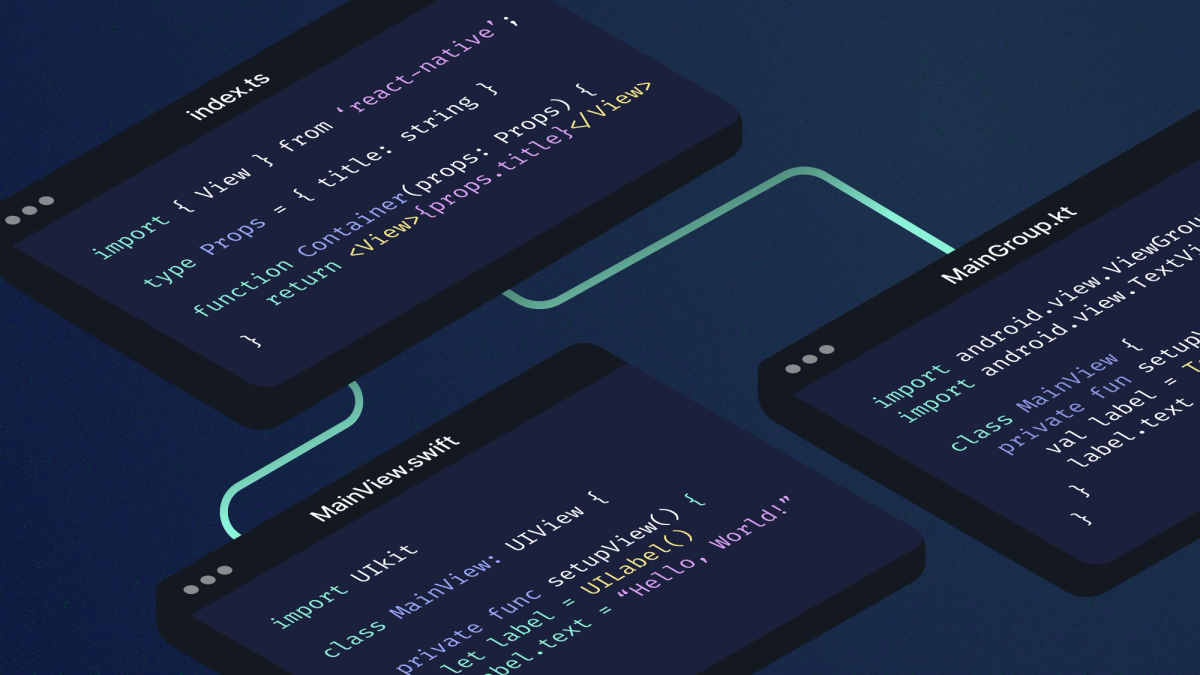
Yes. Expo apps are native apps. Your React components map to real iOS and Android UI primitives, and you can write Swift or Kotlin with the Expo Modules API when you need platform APIs that are not already wrapped. You still ship store binaries for iOS and Android.
AI agents and one native ship path
Coding agents (Cursor, Claude Code, Codex, and similar tools) write a lot of the UI and business logic today. That does not change the native fact: the output still has to compile and run as a real iOS and Android app. The useful question is whether you want one native ship path for iOS and Android, with agents in the loop, or two separate native codebases. For how agents fit into a mobile release process, see our guide to agentic workflows.
Expo gives agents one project shape to target:
- One TypeScript codebase that renders native views on both platforms
- Continuous Native Generation (CNG) so native projects stay regenerable instead of hand-forked forever
- Expo Modules when the agent (or you) needs Swift or Kotlin beside JavaScript
- EAS Build, EAS Update, and development builds so the path from PR to device is the same whether a human or an agent wrote the diff
Expo MCP Server and Expo Skills teach agents current Expo APIs and workflows. They are docs and tooling for agents, not a separate "Expo Agent" product. You don’t need another agent product - just give the Expo MCP to your agents and let them build.
Agents lower the cost of writing platform code. They do not erase the cost of running two products: two release trains, two places to fix behavior, and two places to verify. A shared native ship path still matters when one team owns one app. Dual native remains the right call when shared UI is thin or the org requires separate stacks.
Are Expo apps native?
Expo apps are native apps. JSX is a veneer over the same UI components you would use in Xcode or Android Studio. Expo does not replace that model. It packages the framework pieces most production apps need: navigation, device APIs, prebuild, builds, updates, and a Modules API for custom native code.
Production apps use development builds with your native dependencies baked in. CNG (npx expo prebuild) generates android and ios from app config and config plugins when you need them. You maintain the definition of native customizations, not a permanent fork of every generated file. See Continuous Native Generation. Older guides may still say managed vs bare or React Native CLI; those labels are outdated for most new Expo apps.
React Native vs native
Teams wrestling with the React Native vs native semantical discussion usually mean Expo/React Native versus separate Swift and Kotlin apps. The table below is a helpful guide for understanding how to think this through:
| Dimension | Expo + React Native | Separate iOS + Android apps |
|---|---|---|
| UI and business logic | One shared TypeScript codebase | Two codebases (Swift/Kotlin or similar) |
| Native APIs | Expo SDK + Expo Modules (Swift/Kotlin when needed) | Full platform SDKs on day one |
| Native project maintenance | CNG + config plugins; optional checked-in native dirs | Continuous manual Xcode / Android Studio upkeep |
| Store binary | EAS Build (or your CI) produces iOS and Android binaries | Two build pipelines |
| OTA (JS / assets) | EAS Update for compatible JS and assets | Usually store-only unless you add your own OTA stack |
| AI / agent loop | One project shape, MCP + Skills, shared PR path | Agents must keep two apps in sync |
Three starting points
React Native-curious (coming from dual native). Cross-platform only helps if you keep native quality. Expo Modules lets you drop into Swift or Kotlin for the APIs or views that matter, without abandoning the shared app. Dual native still wins when you need bleeding-edge OS APIs on day one, heavy platform-specific UI with little shared logic, or org rules that mandate separate iOS and Android teams with no shared runtime.
React Native-ready (new RN app). Start with Expo. Meta recommends a React Native framework for new apps. Without one, you assemble navigation, native modules, build tooling, and upgrade paths yourself. CNG keeps native folders out of the way until you need them. The Expo SDK covers camera, notifications, image, and similar defaults so you are not picking a fragile stack on day one.
React Native-savvy (existing RN app). Install expo and adopt pieces incrementally: Modules, EAS Update, EAS Build, then CNG when you are ready to encode native customizations as config plugins. You do not have to swap your whole toolchain at once. See incremental adoption.
Modules and CNG in one pass (proof, not a tutorial)
Expo Modules API. Write Swift and Kotlin modules and views with less boilerplate than classic bridge code. Modules support the New Architecture and stay compatible with older architectures. Most apps never write native code because the Expo SDK and community libraries already cover common cases. When they do not, Modules is the supported extension point. Docs: Modules overview.
CNG / prebuild. Native projects are generated when you build or debug, from a template plus app config and config plugins. Upgrades look closer to a JavaScript dependency bump plus npx expo prebuild --clean than to merging years of manual native drift. CNG is optional. Existing React Native apps can keep checked-in native projects and still use Expo libraries and EAS. Docs: CNG. FAQ: ejecting is deprecated; use prebuild and development builds instead (FAQ).
EAS in short
Open source Expo stands alone. Expo Application Services add cloud build, submit, update, and workflow automation when you do not want to maintain that infrastructure. Recently we also added an Observability service. And, at the time of writing, our Simulators service is in preview.
- EAS Build: cloud native builds with credentials management
- EAS Submit: store submission after a build
- EAS Update: ship JS and asset fixes without a new binary when the runtime matches
- EAS Workflows: React Native-oriented CI jobs (build, update, submit, tests)
- EAS Hosting: web and API hosting for Expo Router backends
- EAS Observe: performance monitoring for mobile apps.
EAS works with existing CI. It is not vendor lock-in for the open source stack. Update implements the open Updates protocol.
FAQ
Are Expo apps native?
Yes. React Native maps your UI to native views. Expo apps are React Native apps with a framework and services on top. You submit real .ipa and .aab / APK binaries to the stores. See also the Expo FAQ.
Is React Native native?
Yes. React Native uses native platform views (not a web view). Expo builds on that model and adds the framework and optional EAS services.
What is Expo vs React Native?
React Native is the UI runtime. Expo is the framework (SDK, CLI, Modules, Router, prebuild) plus optional EAS cloud services. You can add expo to nearly any React Native app. Docs: FAQ.
React Native vs native: should I build separate iOS and Android apps instead?
Choose dual native when shared UI is thin, platform APIs dominate the roadmap, or teams cannot share a runtime. Choose Expo + React Native when iteration speed is a priority and your product team wants one codebase, OTA Updates, and the ability to drop down to native code whenever they want.
What are the advantages of React Native (with Expo)?
One TypeScript codebase for iOS and Android, shared hiring with web React skills, OTA Updates for JS/asset fixes via EAS Update, and Swift/Kotlin via Expo Modules when you need platform depth. Dual native still wins for day-one OS APIs and org-mandated separate stacks.
When do I use Expo Modules vs staying on dual native?
Use Modules to extend one React Native app with Swift or Kotlin. Stay dual native when you are not sharing a React Native UI layer at all.
Is Expo only Expo Go?
No. Expo Go is a sandbox for learning. Production apps use development builds and store builds. See Expo Go vs development builds.
How does Expo + AI compare to Xcode or Android Studio + AI?
Xcode and Android Studio agents help inside one platform toolchain. Expo + React Native gives agents one cross-platform app to edit, plus MCP and Skills for Expo-aware setup, then EAS to build, update, and submit both stores. You still use Xcode or Android Studio when you dig into generated native projects. You do not maintain two full apps unless you choose to.
Are mobile frameworks obsolete now that AI agents can write Swift and Kotlin?
No. Agents reduce the cost of typing platform code. They do not remove the product costs of two apps: two release trains, two places to fix behavior, two places to verify, and usually no shared OTA path for JS/asset fixes. Expo + React Native keeps one native ship path, with Swift and Kotlin via Expo Modules when you need them, and EAS Update when the runtime matches. Dual native still wins when shared UI is thin, day-one OS APIs dominate, or the org requires separate stacks. A behavioral contract (tests, journeys, screenshots) is valuable either way. It is not a substitute for choosing whether one team maintains one app or two.
When does dual native still win?
Day-one access to brand-new OS APIs before libraries exist, apps that are mostly platform UI with little shared logic, or organizations that require separate native stacks and release trains.
Where to go next
- Web to native companion: From web to native with React
- Modules: Expo Modules overview
- CNG: Continuous Native Generation
- Dev builds: Expo Go vs development builds
- FAQ: docs.expo.dev/faq
- Docs for agents: https://docs.expo.dev/llms.txt