Last updated October 2026
The best mobile CI/CD service in 2026 depends mostly on your framework. For React Native and Expo apps we recommend EAS Workflows, Bitrise suits teams that ship both native and cross-platform apps, Codemagic is a strong fit for Flutter, and Xcode Cloud covers Apple-only apps well.
Expo builds EAS Workflows, so we have a dog in this fight. We'll be clear about where other tools win.
Short answer: the best mobile CI/CD in 2026
If you build with React Native or Expo, start with EAS Workflows. It has pre-packaged jobs for builds, store submission, over-the-air updates and fingerprint-based build skipping, so most pipelines fit in a short YAML file.
- React Native and Expo apps. EAS Workflows.
- Mixed native and cross-platform teams. Bitrise.
- Flutter apps. Codemagic.
- Apple-only apps. Xcode Cloud.
- Teams that want everything in GitHub. GitHub Actions, with EAS Workflows for the mobile build and submit steps.
- Teams that need self-hosted or on-premises mobile CI. Appcircle.
- Teams whose code already lives in GitLab. GitLab CI, keeping in mind that its hosted macOS runners are still in beta.
We're biased toward EAS Workflows, and we've tried to keep that out of the comparison below.
What is mobile CI/CD?
Mobile CI/CD (continuous integration and continuous delivery) is the practice of automatically building, testing, signing and releasing iOS and Android apps whenever code changes. A mobile pipeline compiles native binaries on macOS and Linux machines, manages signing credentials, runs tests, and delivers builds to testers, the App Store and Google Play.
For a longer explainer, see how a mobile CI/CD pipeline works.
We've seen teams carry hundreds of lines of YAML just to build an iOS app and submit it to the App Store. Keeping that working takes real domain knowledge, and maintaining it can turn into someone's full-time job. Most CI services are general purpose, so mobile support gets layered on top. We built EAS Workflows as a CI/CD service with mobile-specific jobs on top of a general runner, and this post compares it with the other popular options in 2026.
What to evaluate in a mobile CI/CD tool
Five things matter most when you compare mobile CI/CD services. Start with build speed on Apple Silicon and code signing, since those cause the most day-to-day pain.
Build speed on Apple Silicon. iOS builds are the bottleneck for most teams, and the chip generation matters. When Expo moved iOS build workers from older Apple Silicon to M4 Pro, the average build job ran about 1.85x faster (changelog). Ask each vendor which machines your plan actually gets.
Code signing and credentials. Android keystores, iOS certificates and provisioning profiles all need to be stored, rotated and injected into builds. A tool that manages these for you saves time for the whole team. Our guide to what code signing needs on Android and iOS covers the details.
Artifact storage. After a build or over-the-air update, you'll want to share it with reviewers or send it to a store. Storing, exposing and organizing those artifacts matters for any team shipping often.
Configuration complexity and maintenance. Mobile jobs tend to balloon configuration size. More YAML means more to maintain and more places for bugs.
Cost structure. Pricing models vary between per minute, per build, per compute hour and credits. The sticker price rarely tells the whole story, so model your real build volume before you commit.
The mobile CI/CD comparison
EAS Workflows (Expo)
EAS Workflows is a mobile CI/CD service built by the Expo team for React Native and Expo apps. It has pre-packaged jobs for builds, store submissions, over-the-air updates, end-to-end tests and more.
What it does well
Building a pipeline feels like snapping together well-maintained pieces. An iOS build job is about six lines of YAML, and builds run on M4 Pro workers. You can then add jobs that decide whether you need a full build at all. In one large app we measured, a full native build averaged about 23 minutes and a repack about 5.
This workflow builds an iOS app on every push to main and sends it to TestFlight:
Source: docs.expo.dev, Submit to the Apple App Store, Automate with EAS Workflows.
Pre-packaged job types include build, submit, testflight, update, fingerprint, get-build, repack, maestro (end-to-end tests, currently alpha), deploy (web hosting), github-comment, require-approval and slack. Each one handles the platform-specific setup for you. Builds, updates, test results and logs all show up on one dashboard on expo.dev.
Where it falls short
EAS Workflows is designed for React Native and Expo projects. For a Swift, Kotlin or web-only app it offers little over a general CI service. There is no marketplace of community-written plugins like GitHub Actions or CircleCI orbs, no matrix builds, and no way to share a job definition across workflow files yet (limitations). The fingerprint job only works with projects that use Continuous Native Generation.
EAS Workflows is free to try. The Free plan includes 15 Android and 15 iOS builds and 60 minutes of CI/CD jobs a month. Starter is $19/month with $45 of build credit, and most teams shipping production apps will want Production at $199/month with $225 of build credit and 2 concurrencies. After credit, builds are billed per build and other jobs per minute. See pricing.
Best for React Native and Expo projects that want one service for building, submitting, testing and sending over-the-air updates.
Bitrise
Bitrise is a mobile-specific CI/CD platform. It supports iOS, Android, React Native, Flutter and more.
What it does well
Bitrise has one of the largest step libraries for mobile. Automatic code signing, a visual workflow editor and reusable workflow configs make it approachable for teams without deep DevOps experience. Test Insights flags failing, slow and flaky tests, and AI add-ons include a code reviewer and a build fixer. Bitrise also offers CodePush for React Native and Expo over-the-air updates, with a free tier up to 100,000 monthly active users that includes delta updates, code signing, staged rollouts, rollback and mandatory updates.
Its biggest strength is breadth. If your organization ships native iOS, native Android and React Native apps, Bitrise can run all of them in one place.
Where it falls short
iOS builds on the Starter and Pro plans run on M2 Pro machines, and M4 Pro machines are reserved for Enterprise. Build skipping is possible with Bitrise's React Native fingerprint step, but you wire it up yourself with cache steps and your own repack script.
Bitrise has a free Hobby plan. Starter starts at $89/month billed annually, and Pro at $200/month billed annually. See Bitrise pricing.
Best for teams with multi-framework mobile projects (native and cross-platform) who want a mature ecosystem and a visual workflow editor.
Codemagic
Codemagic started as a CI/CD service for Flutter and now supports React Native, native iOS, native Android and more.
What it does well
Pay-as-you-go pricing is easy to reason about. Mac mini M2 minutes cost $0.095 and Mac mini M4 minutes cost $0.114, and individuals get 500 free M2 minutes a month. Fixed-price plans start at $3,990/year with unlimited build minutes, and M4 Pro and Mac Studio M4 Max machines are available on request on those plans. Automatic iOS code signing is well implemented.
For React Native over-the-air updates, Codemagic offers Codemagic Patch, which is free under 100K monthly active users. Codemagic says Patch supports Expo apps on both bare and managed workflows.
Where it falls short
There is no pre-packaged fingerprint-and-repack job, so deciding when you need a new native build is up to you. Codemagic does document a Rock remote build cache integration that reuses cached native artifacts when the fingerprint matches.
Best for Flutter teams, and React Native teams that want simple per-minute pricing.
GitHub Actions
GitHub Actions is the default CI/CD for teams on GitHub. It's general purpose, not mobile specific.
What it does well
If your code is on GitHub, there's nothing extra to connect. The marketplace has thousands of community-maintained actions. For the non-mobile parts of your pipeline (linting, type checks, unit tests), GitHub Actions is hard to beat, and it's free on standard runners for public repositories.
Where it falls short
Standard macOS runners are 3 or 4 core M1 or Intel machines at $0.062 per minute, and the 5-core M2 Pro larger runner costs $0.102 per minute (runner pricing). Builds, updates and test results don't get mobile-specific dashboards. Signing, store upload and build skipping are all scripts you write and maintain, usually with Fastlane. A pipeline that builds, signs and submits both platforms tends to run to well over a hundred lines of YAML. Our GitHub Actions and EAS Workflows guide shows a side-by-side example.
Best for teams that want to keep everything in GitHub and don't mind maintaining pipelines. It's also a good home for the non-build parts of your CI even if you use a different tool for mobile builds.
CircleCI
CircleCI is a general-purpose CI/CD platform with mobile support through macOS executors.
What it does well
Strong parallelism and caching. Because it's built to run all of your jobs, it offers high concurrency, which helps large teams run many pipelines at once. macOS jobs run on M4 Pro machines, with the Medium size available on the Free plan and Large on paid plans.
Where it falls short
Like GitHub Actions, you build mobile support on top of a general-purpose platform, without mobile-specific abstractions for signing, store submission or over-the-air updates. Pricing is credit based, so working out the cost of a single run takes some math. CircleCI has a Free plan, and Performance starts at $15/month (pricing).
Best for teams already running CircleCI for backend or web who want mobile builds on the same platform.
Xcode Cloud
Xcode Cloud is Apple's CI/CD service, built into Xcode and App Store Connect. It builds, tests and distributes apps for Apple platforms.
What it does well
For native iOS teams it's the most integrated option there is. You configure workflows from Xcode, tests run in parallel across device configurations, and builds flow straight into TestFlight. An Apple Developer Program membership includes 25 compute hours a month, and more hours are available from US$49.99/month for 100 hours.
Where it falls short
It only builds for Apple platforms, so cross-platform teams need a second service for Android. React Native projects need custom build scripts to install JavaScript dependencies before the Xcode build. There are no over-the-air updates, and Apple doesn't publish the hardware your jobs run on.
Best for native iOS and macOS teams that live in Xcode and don't ship Android.
Appcircle
Appcircle is a mobile CI/CD platform for iOS, Android, React Native and Flutter, with modules for builds, signing identities, testing distribution, store publishing and CodePush updates.
What it does well
Deployment flexibility is its standout. Appcircle runs as a public cloud service, in a private cloud or on-premises, which matters for regulated industries. It also includes an enterprise app store and Microsoft Intune publishing. Cloud machine plans range from M1 (Standard) to M2 Pro and M2 Max (Velocity) to M4 Pro (Ultra) (machine plans).
Where it falls short
Paid pricing isn't published. The free Starter plan allows 1 concurrent build, 20 builds a month and 30 minutes per build, and the Corporate plan is tailored per customer (pricing). Faster machines depend on your machine plan.
Best for enterprise mobile teams that need self-hosted or on-premises CI/CD and internal app distribution.
GitLab CI
GitLab CI/CD is the CI built into GitLab, with Mobile DevOps documentation for building, signing and releasing apps.
What it does well
If your code is in GitLab, pipelines live next to it with no extra vendor. macOS images ship with fastlane, and you can bring your own runners for full control.
Where it falls short
GitLab-hosted macOS runners are in beta and available only on Premium and Ultimate plans (and to open source programs). The machines are M1 (medium) and M2 Pro (large), and macOS jobs consume compute minutes 6x or 12x faster than the base rate (compute minutes). Like other general-purpose CI, signing, submission and OTA updates are up to you. The Free tier includes 400 compute minutes a month, and Premium is $29 per user per month billed annually (pricing).
Best for teams standardized on GitLab, especially those running their own macOS runners.
The mobile CI/CD comparison table
Every figure below comes from each vendor's pricing page or docs, checked in October 2026. Prices change often, so follow the links before you decide.
| Feature | EAS Workflows | Bitrise | Codemagic | GitHub Actions | CircleCI | Xcode Cloud | Appcircle | GitLab CI |
|---|---|---|---|---|---|---|---|---|
| Mobile-specific jobs or steps | Yes | Yes | Yes | No | No | Apple platforms only | Yes | No (Mobile DevOps docs) |
| iOS hardware | M4 Pro | M2 Pro (M4 Pro on Enterprise) | M2 and M4 (M4 Pro and M4 Max on request) | M1 or Intel standard; M2 Pro larger runner | M4 Pro | Not published | M1, M2 Pro or M2 Max, M4 Pro by machine plan | M1 or M2 Pro (beta) |
| Free tier | 15 Android and 15 iOS builds, 60 CI/CD min a month | Hobby plan | 500 M2 min a month for individuals | Free on public repos; 2,000 min a month on private repos (GitHub Free) | Free plan | 25 compute hours a month with Apple Developer Program | 20 builds a month | 400 compute min a month (no hosted macOS) |
| macOS minute price | Builds billed per build ($2 or $4 for iOS); other macOS jobs $0.075 or $0.15 a min | Plan based, see pricing | $0.095 (M2), $0.114 (M4) | $0.062 (standard), $0.102 (M2 Pro) | Credit based, see pricing | Compute hours; 100 hours for US$49.99 a month | Tailored | Compute minutes at 6x (M1) or 12x (M2 Pro) |
| Store submission | Built-in submit and testflight jobs | Steps library | Built-in publishing | Custom scripting (often Fastlane) | Custom scripting | TestFlight and App Store Connect built in | Publish to Stores module | Custom scripting (fastlane preinstalled) |
| E2E testing | Built-in Maestro job (alpha) and Maestro insights | Steps library and Test Insights | Custom scripting (Detox documented) | Custom scripting | Orbs | XCTest, parallel testing | Unit and UI test reports | Custom scripting |
| Config complexity | Low, typical jobs in under 10 lines of YAML | Low, visual editor | Low, visual editor | High | High | Low, configured in Xcode | Low, visual workflow editor | High |
| Smart build skipping | Pre-packaged fingerprint and repack jobs | Fingerprint step plus cache, DIY repack | Rock remote cache integration | DIY | DIY | No | Not documented | DIY |
| OTA updates | Yes, EAS Update | Yes, Bitrise CodePush | Yes, Codemagic Patch | No | No | No | Yes, CodePush | No |
| Pricing starts at | Free, then $19/month plus usage | Free, then $89/month billed annually | Pay as you go, or $3,990/year fixed | Free, then per-minute usage | Free, then $15/month | Included with Apple Developer Program, then US$49.99/month | Free, then tailored | Free, then $29/user/month billed annually |
| Best for | React Native and Expo apps | Mixed native and cross-platform teams | Flutter apps | Teams that want everything in GitHub | Teams already on CircleCI | Apple-only apps | Self-hosted and enterprise mobile CI | Teams standardized on GitLab |
What makes mobile CI/CD different from web CI/CD
Mobile CI/CD adds code signing, macOS hardware and app store review on top of what a web pipeline does. If you're coming from web development, expect these extra layers.
Code signing is mandatory. iOS requires distribution certificates and provisioning profiles, and Android requires keystores. Managing these across a team takes ongoing time.
You need macOS hardware for iOS jobs. Every iOS build needs a macOS machine, which makes CI more expensive and slower than Linux-based web builds. You don't have to own the Mac, though. Hosted services rent you one.
App store submission is a deployment step. Web deployment is usually a push to a CDN. Mobile deployment involves metadata, screenshots, review guidelines and a review queue. Automating submission, and shipping JavaScript fixes as over-the-air updates, saves a lot of time.
Previewing changes requires a build. A web preview link is easy. For mobile you need builds or OTA updates, plus testers on TestFlight or the Play Console, or devices registered for ad hoc provisioning. Those steps add up.
Skip builds you don't need with fingerprint and repack
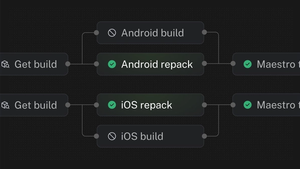
Fingerprint-based build skipping avoids a full native build when only JavaScript changed. EAS Workflows ships it as pre-packaged jobs, and it's the feature that most often brings GitHub Actions users over to EAS Workflows.
Most commits only touch the JavaScript layer. If the native layer hasn't changed, you can take a previous native binary and repack it with the new JavaScript bundle instead of compiling everything again. In one large app, a full native build averaged about 23 minutes and a repack about 5, a 78% reduction. Infinite Red used the same approach for client PR smoke tests and cut job run times roughly in half (case study).
Source: excerpt (iOS jobs only, Maestro step removed) from the "Continuous deployment with Fingerprint and Repack" example in docs.expo.dev, Pre-packaged jobs, Repack.
The workflow looks for an existing build with a matching native fingerprint. If it finds one, it repacks that build with your new JavaScript. If native code changed, it falls back to a full build. Two caveats from the docs. The fingerprint job needs a project that uses Continuous Native Generation, and repack is meant for CI and internal testing, not production store builds.
Other services can get close. Bitrise publishes a React Native fingerprint step that you combine with cache steps and your own repack script, and Codemagic documents a Rock remote cache integration. EAS Workflows is the one where it's a pre-packaged job.
How to choose a mobile CI/CD service for your app
Pick based on your framework, the CI you already run, and how much engineering time you can spend on pipelines. Most teams can rule out half the list on framework alone.
Choose EAS Workflows if you build with React Native or Expo and want one service for builds, OTA updates, E2E tests, fingerprint and repack, and store submissions.
Choose Bitrise if you ship a mix of native and cross-platform apps and want a broad step library and a visual editor a team can run without deep DevOps experience. The M4 Pro machines are Enterprise-only.
Choose Codemagic if you build with Flutter, or want simple per-minute pricing for a React Native app.
Choose GitHub Actions if your code and the rest of your CI already live on GitHub and you'd rather maintain mobile pipelines yourself than add another vendor.
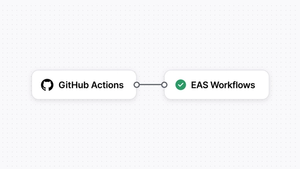
You can also use EAS Workflows with GitHub Actions. Many of our customers keep lint and tests in GitHub Actions and move mobile builds to EAS, often after they see what fingerprint and repack does to build times.
Choose CircleCI if your organization already runs CircleCI for backend or web and you want mobile on the same platform and credit pool.
Choose Xcode Cloud if you ship native apps only for Apple platforms and want CI inside Xcode.
Choose Appcircle if you need mobile CI/CD in a private cloud or on your own hardware, or want an enterprise app store bundled in.
Choose GitLab CI if your code is in GitLab and you're comfortable with beta hosted macOS runners or running your own.
Customizing EAS builds and workflows
Yes, you can customize nearly every step. EAS Workflows runs your own scripts as custom jobs, chains them with conditions, and adds steps before or after the pre-packaged build, submit and update jobs. EAS Build also accepts a custom build config written in YAML. None of this replaces GitHub Actions: you can keep both.
Custom jobs and your own scripts. A job without a type is a custom job. Its steps can run any shell command or call built-in functions such as eas/checkout and eas/install_node_modules. Jobs can pass values to each other with set-output. Source: EAS Workflows syntax.
Conditions and ordering. needs runs a job only after other jobs succeed, after runs it whether they passed or failed, and if skips it unless an expression is true, for example only on the main branch.
Source: EAS Workflows syntax, control flow.
Hooks on pre-packaged jobs. The build, submit, update, fingerprint, repack, deploy, testflight and Maestro jobs accept hooks, such as before_install_node_modules, to run extra steps around the main action. You can set default hooks for every job with defaults.hooks. Source: EAS Workflows syntax, hooks.
Reusable steps. Custom functions let you define a step sequence once in a function.yml file and call it from any job with uses: ./.eas/functions/<name>. Source: Custom functions in EAS Workflows.
Custom builds. Inside EAS Build itself, a YAML file in .eas/build/ referenced by the config property of a build profile in eas.json runs commands before, during or after the build. You can also write build functions in JavaScript, TypeScript or Bash. For lighter changes, npm lifecycle hooks such as eas-build-pre-install and eas-build-on-success in package.json run at fixed points of the build. Sources: Get started with custom builds, TypeScript functions, Build lifecycle hooks.
Tool versions and workers. defaults.tools pins versions of Node, Yarn, pnpm, Bun, CocoaPods, fastlane and the Android NDK, and runs_on picks a Linux or macOS worker per job. Source: EAS Workflows syntax.
GitHub Actions interop. EAS Workflows exposes a github context (branch, commit, pull request details) to ease migration from GitHub Actions, and any workflow can be started from another CI system with eas workflow:run. Source: EAS Workflows syntax, github context.
Using native code with Expo
Yes, Expo apps can use any native code. Development builds let you install any native library, config plugins change native project settings without hand-editing Xcode or Gradle files, and the Expo Modules API lets you write your own Swift and Kotlin modules. Projects that already have hand-maintained native folders can still use EAS and Expo CLI.
Development builds instead of Expo Go. A development build is your own version of Expo Go where you are free to use any native libraries and change any native configuration. You create one by installing expo-dev-client and building with npx expo run:android, npx expo run:ios or eas build --profile development. Source: Introduction to development builds.
Prebuild and Continuous Native Generation (CNG). With CNG, the android and ios directories are generated when needed by npx expo prebuild, from your app config plus config plugins. If a project has no native directories, EAS Build runs prebuild for you, so CI needs no extra setup. Upgrades become a matter of bumping dependencies and re-running npx expo prebuild --clean. Source: Continuous Native Generation.
Config plugins. A config plugin is a JavaScript function listed in the plugins field of app config that modifies the native projects during prebuild, for example editing AndroidManifest.xml or Info.plist. Many libraries ship their own plugin, and you can write local ones. Source: Introduction to config plugins.
Expo Modules API. Write native modules and views in Swift and Kotlin with minimal boilerplate. The docs describe performance comparable to React Native's Turbo Modules, and every Expo module supports the New Architecture. Create a module inside your app with:
Sources: Expo Modules API overview, Get started.
Bringing existing native code. Prebuild is optional. For existing React Native projects with hand-maintained native folders, the docs say to skip prebuild, and EAS, Expo CLI and the Expo SDK all support those projects. When a project already has android and ios directories, EAS Build does not run prebuild, so your changes are not overwritten. You can move customizations into config plugins later. Source: Continuous Native Generation, optionality.
Where to start with EAS Workflows
The fastest way to try EAS Workflows is to generate a workflow from a template and run it. These two commands create development builds for Android and iOS.
Source: docs.expo.dev, Get started with EAS Workflows.
When you're ready for production, eas workflow:create --template deploy writes a release workflow that fingerprints your project, then either builds and submits or publishes an over-the-air update. The workflow examples cover PR previews, production deploys and Maestro tests. For a full step-by-step setup with GitHub Actions, signing and store submission, read How to set up CI/CD for React Native apps with GitHub Actions and EAS Workflows.
Questions? Check the docs or ask in the #eas channel on the Expo Discord. If you use an AI coding agent, the EAS Workflows skill helps it write and edit workflow YAML for Expo projects.
Frequently asked CI/CD questions
What is a CI/CD pipeline in mobile app development?
A CI/CD pipeline automates building, testing and deploying your mobile app. When you push code, the pipeline compiles your app for iOS and Android, runs tests, and can submit directly to the App Store or Google Play. Without one, those steps are manual and easy to get wrong.
How is mobile CI/CD different from web CI/CD?
iOS builds need macOS hardware, which makes CI infrastructure more expensive. Both platforms require code signing, with provisioning profiles for iOS and keystores for Android. Deployment also goes through app store review instead of a CDN publish.
What are the biggest challenges of setting up a mobile CI/CD pipeline?
Code signing and certificate management cause the most pain. After that come slow builds on shared macOS runners, platform-specific build configuration, and automating store submissions. Mobile-specific services such as EAS Workflows, Bitrise, Codemagic and Appcircle handle much of this for you.
Is there a free CI/CD tool for mobile apps?
GitHub Actions is free on standard runners for public repositories and includes 2,000 minutes a month for private repositories on GitHub Free. EAS, Bitrise, Codemagic, CircleCI, Appcircle and GitLab all have free tiers, and Xcode Cloud includes 25 compute hours a month with an Apple Developer Program membership. Paid costs depend heavily on build volume, so compare pricing pages with your expected usage.
What is the best CI/CD for React Native or Expo apps?
EAS Workflows is purpose-built for React Native and Expo. It handles builds, OTA updates, store submissions, fingerprint and repack, and E2E testing in YAML with managed code signing. Bitrise, Codemagic and Appcircle also support React Native, but you assemble OTA updates and build skipping from separate products or steps.
How does CI/CD work differently for Android vs. iOS?
iOS builds require macOS with Xcode and Apple code signing (distribution certificates and provisioning profiles). Android builds run on Linux with Gradle and use keystores for signing. Most mobile CI/CD tools build both platforms in parallel to cut total pipeline time.
What are the best Bitrise alternatives for React Native apps?
The main Bitrise alternatives for React Native are EAS Workflows, Codemagic, Appcircle and GitHub Actions. EAS Workflows is built by the Expo team for React Native and Expo and includes jobs for builds, store submission, OTA updates and fingerprint-based build skipping. Codemagic and Appcircle are mobile-focused services that support React Native alongside Flutter and native apps, and GitHub Actions works if you want CI in GitHub and can maintain mobile build scripts yourself.
Is EAS Workflows a good Bitrise alternative?
Yes, for React Native and Expo projects. EAS Workflows covers builds, signing through EAS credentials, store submission, OTA updates with EAS Update and Maestro tests (alpha) in short YAML files, and it can skip full native builds with fingerprint and repack. Bitrise is still the better fit if you also ship fully native Swift or Kotlin apps, want a visual workflow editor, or need matrix builds, which EAS Workflows doesn't support yet.
Bitrise vs Codemagic vs EAS Workflows: which is cheaper?
It depends on how many builds you run and on which machines. EAS charges per build after the credit included in paid plans ($1 per Android build and $2 per iOS build on medium workers), Codemagic charges per macOS minute on pay as you go ($0.095 on M2, $0.114 on M4) or a fixed annual price from $3,990, and Bitrise sells plans starting at $89 per month billed annually. Run your own monthly build count through each pricing page before deciding.
Do I need a Mac to build iOS apps in CI?
Your CI needs macOS to build iOS apps, but you don't need to own a Mac. EAS Workflows, Bitrise, Codemagic, GitHub Actions, CircleCI, Xcode Cloud, Appcircle and GitLab (beta) all run iOS jobs on hosted macOS machines. With EAS, iOS signing credentials are generated and stored for you, and once they exist teammates can start iOS builds with only their Expo accounts.
Can I use EAS Workflows with GitHub Actions?
Yes. Many teams keep lint and unit tests in GitHub Actions and call EAS from a job using an EXPO_TOKEN secret, either with eas build or by starting a workflow with eas workflow:run. You can also connect your repository to the Expo GitHub app and trigger EAS Workflows directly from pushes and pull requests. Our step-by-step guide covers both setups.
How long does it take to set up a mobile CI/CD pipeline?
For an Expo project that already builds with EAS, one command (eas workflow:create) generates a working workflow you can run right away. Most of the remaining time goes to one-time tasks such as creating signing credentials, an App Store Connect API key and a Google Service Account key for store submission. Pipelines built from scratch on general-purpose CI usually take longer because you also script runners, signing and store uploads.