Last updated October 2026
The simplest reliable CI/CD setup for a React Native app in 2026 keeps lint, type checks and unit tests in GitHub Actions and moves iOS and Android builds, signing, store submission and over-the-air updates to EAS Workflows. This guide walks through that setup in eight steps, and every command and YAML file comes from the current Expo and GitHub docs. If you want the tool-agnostic picture first, read about the five stages of a mobile CI/CD pipeline.
Short answer
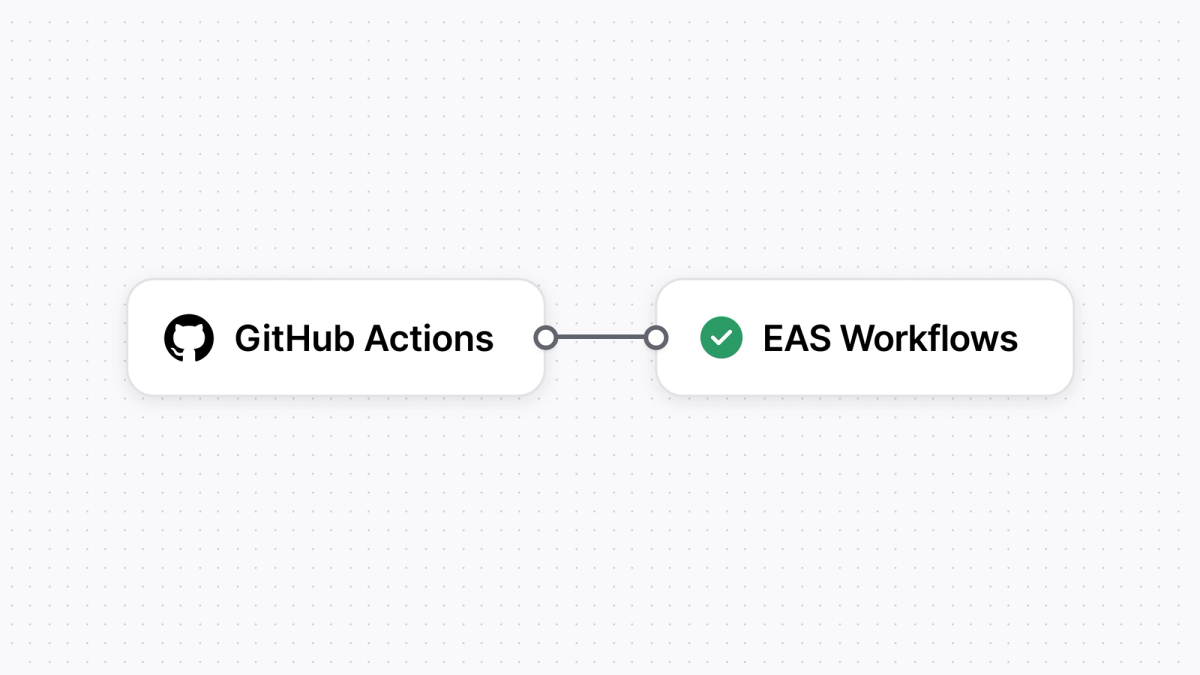
Use GitHub Actions for the checks that already work well there, like lint, type checks and unit tests. Use EAS Workflows for the mobile parts, which are iOS and Android builds, code signing with EAS credentials, App Store and Google Play submission, and over-the-air updates. Connect them with one EXPO_TOKEN secret, or trigger EAS Workflows straight from GitHub events and skip the hand-off entirely.
Before you start
You need an Expo account, a React Native project that builds with EAS, and a GitHub repository. Creating a project with create-expo-app gives you a project that uses Continuous Native Generation, which the fingerprint step at the end relies on.
- Sign up for an Expo account.
- Run one build from your machine first (
eas build) so EAS can create youreas.json, link the project and set up credentials. The Trigger builds from CI page explains why this matters for non-interactive runs. - Connect the repository to EAS from your project's GitHub settings on expo.dev by installing the Expo GitHub app.
Existing React Native projects (created without Expo) work too, as long as they're configured for EAS Build. See Using Expo with existing React Native apps.
Step 1: Create your first workflow
EAS Workflows reads YAML files from .eas/workflows/ in your project, much like GitHub Actions reads .github/workflows/. The quickest start is a template that creates development builds for Android and iOS.
Install EAS CLI:
Source: docs.expo.dev, Get started with EAS Workflows.
Generate the workflow and follow the prompts:
Source: docs.expo.dev, Get started with EAS Workflows.
Run it:
Source: docs.expo.dev, Get started with EAS Workflows.
To build production binaries on every push to main, add an on trigger. This file builds both platforms in parallel.
Source: docs.expo.dev, Get started with EAS Workflows, Automate workflows with GitHub events.
There's no runs-on, no Node setup and no Xcode or Android SDK step. Setting type: build tells EAS to handle the environment, and iOS builds run on M4 Pro workers. If you're coming from GitHub Actions, the CI/CD tutorial has a short section on the differences.
Step 2: Store secrets and credentials
You need one secret in GitHub, EXPO_TOKEN, and only if a GitHub Actions job calls EAS. Everything else, including signing credentials and app secrets, lives in EAS.
Create a personal access token, or a token for a robot user with a limited role, on the access tokens page. Robot users can't sign in and can only authenticate with a token, which makes them a good fit for CI (programmatic access). Then add the token as a repository secret with the GitHub CLI:
Source: adapted from docs.github.com, Using secrets in GitHub Actions (SECRET_NAME replaced with EXPO_TOKEN).
For values your app or build needs, such as API URLs or a crash reporting token, use EAS environment variables instead of GitHub secrets. They're scoped to the development, preview and production environments and available to every job that runs on EAS.
Source: docs.expo.dev, Environment variables in EAS.
Use --visibility secret for anything sensitive. Secret variables can't be read outside EAS servers, including on the website and in EAS CLI, and they're masked in job logs.
Step 3: Android signing (keystore)
EAS can generate and store your Android keystore, so you don't base64-encode it into GitHub secrets or write signing config into gradle.properties during the build. Run this once per app:
Source: docs.expo.dev, Get started with EAS Workflows, Create production builds.
If you already have a keystore from a published app, upload it instead of generating a new one, because Google Play only accepts updates signed with the key registered for your app. The existing credentials guide covers that. EAS encrypts keystores with KMS and at rest (security).
Step 4: iOS signing without Fastlane Match
EAS can create and store your distribution certificate and provisioning profile, which replaces a Fastlane Match repository and its password. You sign in with an Apple Developer Program account once.
Source: docs.expo.dev, Get started with EAS Workflows, Create production builds.
After the credentials exist, teammates can start iOS builds with only their Expo accounts, without access to your Apple Developer team (managed credentials). For internal distribution builds with ad hoc provisioning, set refresh_ad_hoc_provisioning_profile: true in the build job's params so newly registered devices are included.
Step 5: Submit to the App Store and Google Play
EAS Workflows has pre-packaged testflight and submit jobs, so store uploads don't need Fastlane lanes. Each store needs one credential set up once.
App Store. Set up an App Store Connect API key so workflows can authenticate with Apple non-interactively. Run the command below, select the production profile, log in, then choose App Store Connect: Manage your API Key and Set up your project to use an API Key for EAS Submit.
Source: docs.expo.dev, Submit to the Apple App Store.
Then build and send to TestFlight on every push to main:
Source: docs.expo.dev, Submit to the Apple App Store, Automate with EAS Workflows.
The testflight job can also add the build to internal and external testing groups and set "What to Test" notes (pre-packaged jobs).
Google Play. Create a Google Service Account key and upload it to EAS from the project's credentials page or with eas credentials. Then:
Source: docs.expo.dev, Submit to the Google Play Store, Automate with EAS Workflows.
On a first submission, EAS creates your app's first release on the internal testing track. The app stays in draft in Play Console until you finish the store listing and setup tasks there.
Step 6: Automate version numbers
Duplicate build numbers are a common cause of store rejections, so let EAS manage android.versionCode and ios.buildNumber for you. Set the version source to remote and turn on autoIncrement for production builds.
Source: docs.expo.dev, App version management, Remote version source. The ... lines stand for your existing profile settings.
If your app is already in the stores, sync the current build number to EAS first so the next build increments from it:
Source: docs.expo.dev, App version management.
You still set the user-facing version in app config yourself when you start a new release. autoIncrement doesn't change it.
Step 7: Run lint, type checks and tests on every PR
Keep fast checks in GitHub Actions, where your team already reviews results on pull requests. This is GitHub's standard Node.js workflow, set to run on pull requests.
Source: adapted from docs.github.com, Building and testing Node.js (trigger changed from on: [push] to on: pull_request).
Add run: steps for your lint and type-check scripts the same way. To kick off EAS builds from GitHub Actions after merge, the Expo docs use the official expo/expo-github-action, which installs EAS CLI and passes your token to every step:
Source: docs.expo.dev, Trigger builds from CI, GitHub Actions.
The job runs on a Linux runner and exits as soon as the build is queued. With --no-wait, you aren't billed for GitHub Actions time while EAS builds.
To run a whole EAS workflow instead, and wait for its result inside GitHub Actions, replace the last step:
Source: adapted from the GitHub Actions example in Trigger builds from CI, with flags from the EAS CLI reference, eas workflow:run.
You can also skip GitHub Actions for mobile entirely. With the Expo GitHub app connected, an EAS workflow can trigger on pull_request events itself. See on.pull_request in the syntax reference.
Step 8: Skip full builds with fingerprint and repack
A native fingerprint tells you whether anything native changed since your last build. If it didn't, EAS can repack an existing build with your new JavaScript in minutes instead of compiling from scratch.
A repack takes an existing build, bundles your latest JavaScript, swaps it into the binary and re-signs it. Think of it as a build-time update. In one large app we measured, a full native build averaged about 23 minutes and a repack about 5 (fingerprint and repack post). This example builds or repacks an Android test build, then runs Maestro tests on it:
Source: excerpt (Android jobs only) from the "Continuous deployment with Fingerprint and Repack" example in docs.expo.dev, Pre-packaged jobs, Repack. The iOS jobs in the full example follow the same pattern.
Release stages as of October 2026: the Maestro job is in alpha. The fingerprint, get-build and repack jobs carry no alpha or beta label in the docs. Three caveats from the docs:
- The fingerprint job only supports projects that use Continuous Native Generation. If you commit
androidandiosdirectories, it won't work. - Use the same
environmentfor the fingerprint job as for your build profile, or the hashes won't match. - Repack is meant for CI and internal testing. Production store builds should go through the full build.
For production releases, generate a workflow that fingerprints your project and then either builds and submits, or publishes an over-the-air update when a matching build already exists:
Source: docs.expo.dev, Get started with EAS Workflows, Create production builds.
GitHub Actions only vs GitHub Actions + EAS Workflows
Running everything in GitHub Actions works, but you own the macOS runners, signing secrets and store scripts. Splitting the work moves those to EAS and leaves fast checks in GitHub. The left column reflects the GitHub Actions-only example from the previous version of this post, which built one Android and one iOS release with Gradle and Fastlane.
| GitHub Actions only | GitHub Actions + EAS Workflows | |
|---|---|---|
| Where iOS builds run | GitHub macOS runner (standard runners are M1 or Intel) | EAS M4 Pro worker; the GitHub job runs on Linux |
| What an iOS build costs | Per runner minute, $0.062 standard or $0.102 for the 5-core M2 Pro | Flat per build after plan credit, $2 (medium) or $4 (large), plus a few Linux minutes at $0.006 if GitHub triggers it |
| Signing secrets in GitHub | 9 secrets plus a separate Fastlane Match repo | 1 (EXPO_TOKEN); signing credentials stored in EAS |
| YAML to maintain | About 110 lines for both platforms | Under 20 lines for the same builds |
| Store submission | Fastlane lanes or custom scripts | submit and testflight jobs |
| Version numbers | Scripted edits to Gradle and Xcode settings | autoIncrement with remote version source |
| Skipping unneeded native builds | Build your own fingerprinting and caching | fingerprint, get-build and repack jobs |
| Over-the-air updates | Separate service | update job with EAS Update |
| E2E tests | Set up simulators or emulators yourself | maestro job (alpha) |
| Lint, type checks, unit tests | GitHub Actions | GitHub Actions (unchanged) |
| Where builds and logs live | GitHub Actions artifacts | EAS dashboard on expo.dev |
Prices from GitHub's runner pricing and Expo pricing, checked October 2026.
Common React Native CI/CD errors and fixes
Most React Native CI failures come from differences between your machine and the CI environment, missing credentials, or a workflow that never triggered. Here are the ones we see most, with the documented fix.
The build works locally but fails in CI. Check that tool versions (Node.js, package manager, Xcode), environment variables and the uploaded source files match your local setup. If the error is Task :app:bundleReleaseJsAndAssets FAILED or Metro encountered an error, bundling failed, and you can reproduce it in seconds with:
Source: docs.expo.dev, Troubleshoot build errors and crashes.
iOS signing fails. Run eas credentials to inspect or repair the certificate and provisioning profile for the profile you're building. If you build internal distribution builds on CI, newly registered devices won't be in the ad hoc profile until you refresh it with refresh_ad_hoc_provisioning_profile: true.
"EAS project not configured". Commands that use an access token need extra.eas.projectId in app config. Link the project once:
Source: docs.expo.dev, Programmatic access.
"Missing build profile in eas.json". Build jobs use the production profile unless you set params.profile. Add the profile, or run eas build:configure to generate default profiles.
An environment variable is empty in a job. EAS environment variables are scoped to production, preview or development, and a job only sees the environment set by its environment key, which defaults to production.
"Google Service Account Keys cannot be set up in --non-interactive mode." CI can't prompt for the key. Assign a Google Service Account key to the app in EAS, or set serviceAccountKeyPath in the submit profile.
The workflow never starts on a push or PR. Confirm the Expo GitHub app is connected, the file is in .eas/workflows/ on the branch you pushed, and your branches or paths filters match. Commit messages containing [eas skip], [skip eas] or [no eas] skip runs, and pull requests from forks don't trigger pull_request workflows. Validate the file before pushing:
Source: docs.expo.dev, EAS Workflows troubleshooting.
Builds are slow. Use fingerprint and repack (step 8) for CI builds, and publish JavaScript-only fixes as over-the-air updates. Paid plans also get large workers and a high-priority queue (pricing).
Customizing EAS builds and workflows
Yes, you can customize nearly every step. EAS Workflows runs your own scripts as custom jobs, chains them with conditions, and adds steps before or after the pre-packaged build, submit and update jobs. EAS Build also accepts a custom build config written in YAML. None of this replaces GitHub Actions: you can keep both.
Custom jobs and your own scripts. A job without a type is a custom job. Its steps can run any shell command or call built-in functions such as eas/checkout and eas/install_node_modules. Jobs can pass values to each other with set-output. Source: EAS Workflows syntax.
Conditions and ordering. needs runs a job only after other jobs succeed, after runs it whether they passed or failed, and if skips it unless an expression is true, for example only on the main branch.
Source: EAS Workflows syntax, control flow.
Hooks on pre-packaged jobs. The build, submit, update, fingerprint, repack, deploy, testflight and Maestro jobs accept hooks, such as before_install_node_modules, to run extra steps around the main action. You can set default hooks for every job with defaults.hooks. Source: EAS Workflows syntax, hooks.
Reusable steps. Custom functions let you define a step sequence once in a function.yml file and call it from any job with uses: ./.eas/functions/<name>. Source: Custom functions in EAS Workflows.
Custom builds. Inside EAS Build itself, a YAML file in .eas/build/ referenced by the config property of a build profile in eas.json runs commands before, during or after the build. You can also write build functions in JavaScript, TypeScript or Bash. For lighter changes, npm lifecycle hooks such as eas-build-pre-install and eas-build-on-success in package.json run at fixed points of the build. Sources: Get started with custom builds, TypeScript functions, Build lifecycle hooks.
Tool versions and workers. defaults.tools pins versions of Node, Yarn, pnpm, Bun, CocoaPods, fastlane and the Android NDK, and runs_on picks a Linux or macOS worker per job. Source: EAS Workflows syntax.
GitHub Actions interop. EAS Workflows exposes a github context (branch, commit, pull request details) to ease migration from GitHub Actions, and any workflow can be started from another CI system with eas workflow:run. Source: EAS Workflows syntax, github context.
Using native code with Expo
Yes, Expo apps can use any native code. Development builds let you install any native library, config plugins change native project settings without hand-editing Xcode or Gradle files, and the Expo Modules API lets you write your own Swift and Kotlin modules. Projects that already have hand-maintained native folders can still use EAS and Expo CLI.
Development builds instead of Expo Go. A development build is your own version of Expo Go where you are free to use any native libraries and change any native configuration. You create one by installing expo-dev-client and building with npx expo run:android, npx expo run:ios or eas build --profile development. Source: Introduction to development builds.
Prebuild and Continuous Native Generation (CNG). With CNG, the android and ios directories are generated when needed by npx expo prebuild, from your app config plus config plugins. If a project has no native directories, EAS Build runs prebuild for you, so CI needs no extra setup. Upgrades become a matter of bumping dependencies and re-running npx expo prebuild --clean. Source: Continuous Native Generation.
Config plugins. A config plugin is a JavaScript function listed in the plugins field of app config that modifies the native projects during prebuild, for example editing AndroidManifest.xml or Info.plist. Many libraries ship their own plugin, and you can write local ones. Source: Introduction to config plugins.
Expo Modules API. Write native modules and views in Swift and Kotlin with minimal boilerplate. The docs describe performance comparable to React Native's Turbo Modules, and every Expo module supports the New Architecture. Create a module inside your app with:
Sources: Expo Modules API overview, Get started.
Bringing existing native code. Prebuild is optional. For existing React Native projects with hand-maintained native folders, the docs say to skip prebuild, and EAS, Expo CLI and the Expo SDK all support those projects. When a project already has android and ios directories, EAS Build does not run prebuild, so your changes are not overwritten. You can move customizations into config plugins later. Source: Continuous Native Generation, optionality.
Next steps
For a longer, chapter-by-chapter walkthrough, follow the EAS Workflows CI/CD tutorial. To compare EAS Workflows with Bitrise, Codemagic, Xcode Cloud and others, read Best CI/CD for mobile apps in 2026, and see EAS Workflows for an overview of the service.
Frequently asked questions
Do I need Fastlane for React Native CI/CD?
No. With EAS, you don't write or maintain Fastlane lanes, because EAS Build handles signing and the native build and EAS Submit or the testflight job uploads to the stores. If you already use Fastlane for screenshots or store metadata, you can keep running it in GitHub Actions or in a custom EAS Workflows job.
Can I use EAS Workflows without GitHub?
Yes. Any workflow can run manually with eas workflow:run, on a cron schedule, or from the EAS Workflows REST API, and other CI services such as GitLab CI, Bitbucket Pipelines or CircleCI can call EAS CLI with an EXPO_TOKEN. Automatic triggers on push and pull request events need a GitHub repository connected to your EAS project.
How much does React Native CI/CD cost?
GitHub Actions is free on standard runners for public repositories, and GitHub Free includes 2,000 minutes a month for private repositories, with standard macOS runners listed at $0.062 per minute. EAS has a Free plan with 15 Android and 15 iOS builds and 60 CI/CD minutes a month, Starter at $19 a month with $45 of build credit, and Production at $199 a month with $225 of build credit. After credit, EAS builds cost $1 to $4 each depending on platform and worker size.
Does this work for bare React Native (non-Expo) projects?
Mostly, yes. EAS Build and EAS Workflows work with existing React Native projects that are configured for EAS Build, including signing, submission and versioning. The fingerprint job only supports projects that use Continuous Native Generation, so if you commit your android and ios directories you won't get fingerprint-based build skipping.
Where do I get an EXPO_TOKEN for GitHub Actions?
Create a personal access token, or a token for a robot user with a limited role, on the access tokens page of your Expo account. Store it as a GitHub repository secret named EXPO_TOKEN, and revoke it from the same page if it ever leaks.
Is the EAS Workflows Maestro job ready for production use?
The Maestro job is in alpha as of October 2026, so expect changes and test it before relying on it for release gates. Maestro jobs run on Starter and higher plans and cost $0.05 per job plus CI/CD minutes.