In SDK 56, Expo UI comes with first-class integration with UI runtime worklets. Thanks to react-native-worklets. What that means is that we can run event callbacks synchronously on UI thread and control UI state synchronously. It means you can do this:
Note: you'll needreact-native-reanimatedandreact-native-workletsinstalled in your project for this to work.
What's actually happening
Two pieces work together here:
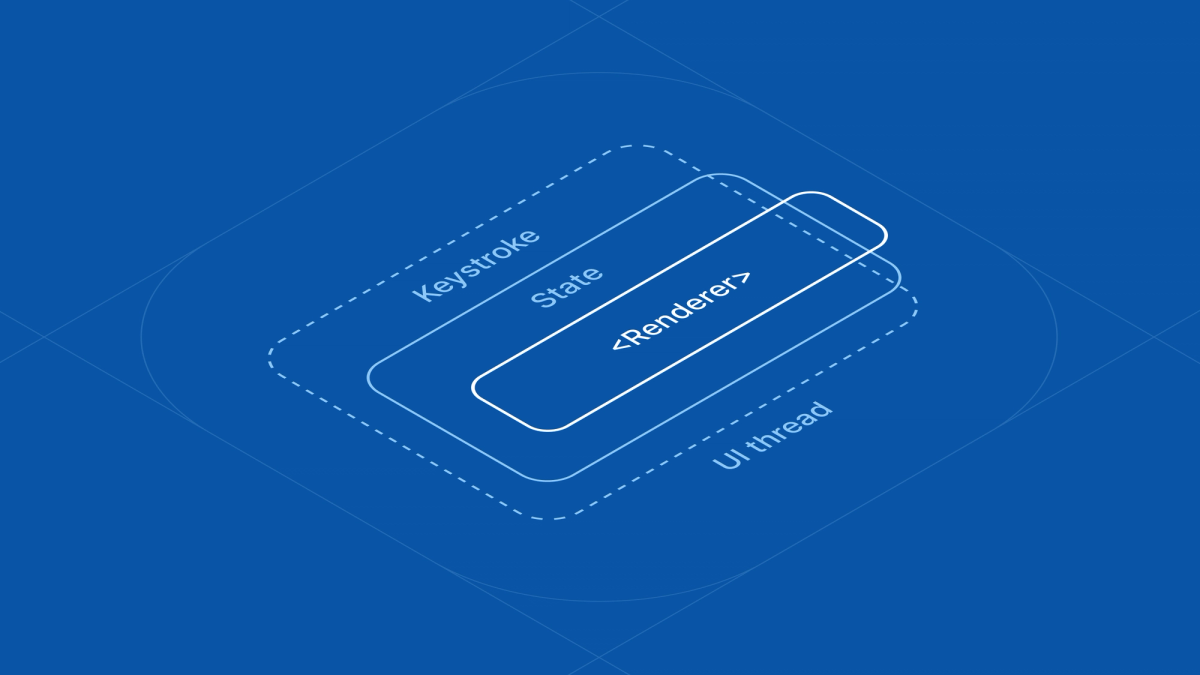
useNativeStatecreates anObservableState, aSharedObjectthat lives on native and is observed by both SwiftUI and Compose. Under the hood it maps to anObservableObjecton iOS and aMutableStateon Android.- Worklet callbacks like
onTextChangeare executed directly on the UI thread when the native view fires its event.
Together, this means each keystroke in the TextField updates the shared text state, runs your worklet, and lets SwiftUI and Compose re-render, all without ever hopping to the JS thread.
If you've written SwiftUI, this should feel familiar. The TS code above maps almost 1:1 to:
useNativeState plays the role of @State, text={text} is the equivalent of TextField(text: $text), and the worklet onTextChange mirrors .onChange(of:). The same shape works on Compose with mutableStateOf and onValueChange.
Flicker-free synchronous input masking
The most immediate payoff of this is input masking that just works. Because the worklet can rewrite text.value on the same frame the keystroke arrives, the user never sees the unmasked character, there's no asynchronous round-trip through the JS thread.
Here's a credit card field that formats 4242424242424242 into 4242 4242 4242 4242 as the user types, on the UI thread:
The same pattern works for phone numbers, dates, postal codes, currency, anything where the displayed text needs to differ from the raw keystrokes.
Why worklet integration matters
Worklet integration lets Expo UI deliver a more native-feeling UX, and gives you a synchronous alternative alongside the existing async one, so you can pick based on what the interaction needs.
Input masking is just one of the usecases. The same native state + worklet pattern allows Expo UI to bring a lot more native state based SwiftUI and Compose APIs to React Native.
We're excited to see where this goes next.
Try it
Worklet support works on both @expo/ui/swift-ui and @expo/ui/jetpack-compose, and is landed in SDK 56. TextInput is one of the first components wired up, expect more form controls to gain sync callbacks in upcoming releases.