Integrating native code with your React Native application takes some effort. Expo modules help you with that, but there are two main friction points when using them:
- The package boilerplate: You have to create the module, which acts as a standalone package, and only after setting it up can you write the native code.
- Multiple interfaces: You have to manually maintain a TypeScript module interface that matches the native ones (Swift and Kotlin).
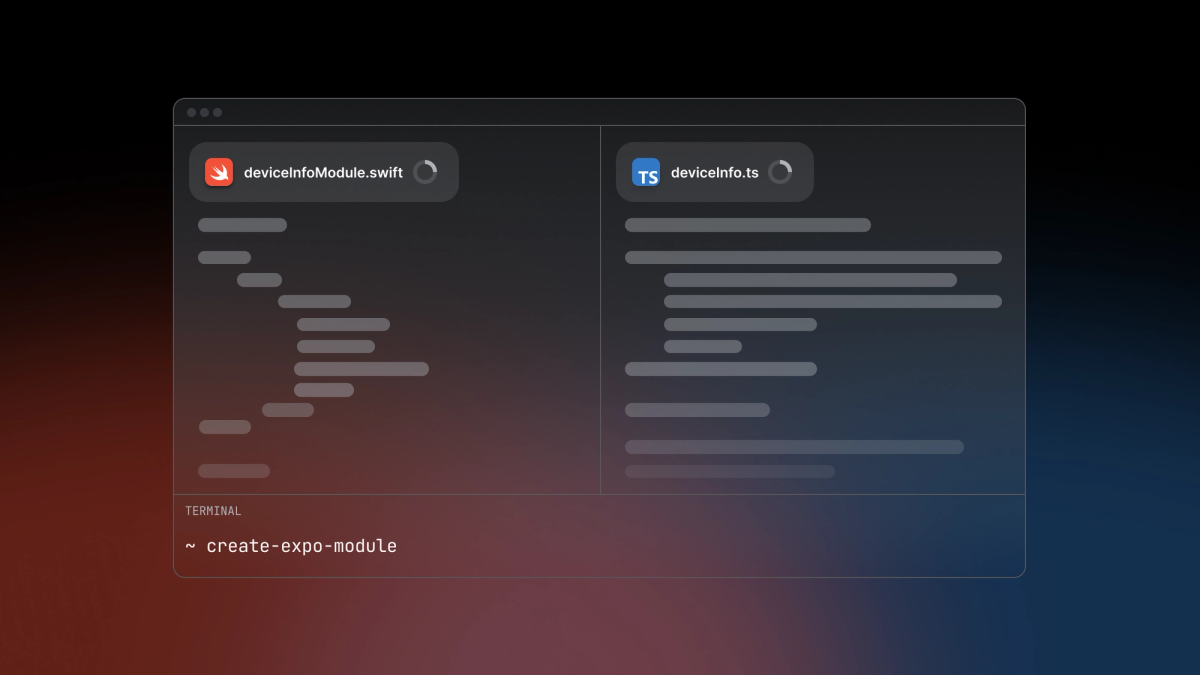
In SDK 56 we've decided to work on these pain points and are now releasing the inline-modules and the expo-type-information package to address them. With these changes, writing new modules is now easier and faster.
Using inline modules with type generation
The main idea behind inline modules is to minimize the overhead. You can now write Swift and Kotlin modules directly in the project structure, right next to your other app files. Need a custom native view? Just create the NativeView.kt and NativeView.swift files beside your App.tsx and write your view there.
Inline modules setup
Inline modules setup is extremely simple: in your app configuration file you set watchedDirectories — a list of directories in your project that contain inline modules. After running npx expo prebuild to synchronize the native projects, you're ready to start using them.
{"expo": {"experiments": {"inlineModules": {"watchedDirectories": ["app"]}}}}
With "app" added to your watchedDirectories, you can now create Swift and Kotlin files anywhere within the app directory or its subdirectories (like app/nested/ or app/nested/directory/). For example, you can now open app/nested/InlineModule.swift and write your Expo module inside it.
internal import ExpoModulesCoreclass InlineModule: Module {public func definition() -> ModuleDefinition {Constant("Hello") {return "Hello iOS inline modules!"}}}
Once written, you can access it from JavaScript using requireNativeModule('InlineModule'). Or, if you've created a view in that module, you can import it using requireNativeView('InlineModule').
Adding type generation
While inline modules eliminate most of the boilerplate required to create an Expo module, type generation simplifies interfacing with it. Once your native module is written, you need a TypeScript interface to have an easier time using it (enable type checking and autocompletion). This part is handled by the expo-type-information package, which parses Swift modules and automatically generates the matching TypeScript types for them.
The package comes with a powerful CLI tool.
The CLI includes a command specifically tailored for inline modules: inline-modules-interface. It finds all Swift inline modules in your project and generates two TypeScript files for each one.
After running the command, you will see a pair of generated files appear: InlineModule.generated.ts and InlineModule.tsx right next to your Swift file:
- The Generated File ([ModuleName].generated.ts): Contains all the type information about the module, including module DSL declarations (functions, constants, classes, views, etc.) and convertible Swift constructs (enums and record structs). This file is overwritten every time you run the command.
/*Automatically generated by expo-type-information.*/import { ViewProps } from 'react-native';import { NativeModule } from 'expo';export declare class InlineModuleNativeModuleType extends NativeModule {readonly Hello: string;}
- The Stable File ([ModuleName].tsx): Re-exports the module interface and provides a default export for the main view if one exists. This file can be edited and will not be overwritten once you’ve modified it.
// File hash: 8dfc86f5416afbe08cc1ee581c850fc9cec446479211d85501d9a5e2d24cc534import { InlineModuleNativeModuleType } from './InlineModule.generated';import { requireNativeModule, requireNativeView } from 'expo';const InlineModule: InlineModuleNativeModuleType =requireNativeModule<InlineModuleNativeModuleType>('InlineModule');export const Hello: string = InlineModule.Hello;
Splitting the TypeScript module interface this way ensures that you can tweak the imperfect generated output, while still allowing the core declaration mappings to be regenerated when updating the native side.
Limitations
- File naming: An inline module’s name must exactly match the file name it is defined in. Furthermore, module names have to be globally unique since the name is the identifier which is used to retrieve the module from the global object. As a result, you cannot have both app/InlineView.swift and src/InlineView.swift in the same project.
- Language and platform support: Type generation currently only works for Swift modules and on macOS.
Unresolved types
Sometimes, we cannot resolve the types of native module declarations. This is primarily because of SourceKitten limitations and our decision to parse only the provided file(s) instead of doing a full compilation process. When we can't resolve a Swift type, we generate an unknown type in TypeScript.
Here are some common scenarios where this can happen:
- Nested declarations (e.g. DSL
Class):SourceKittenhas a limit to parsing deeply nested closures, which makes it difficult to find types of declarations inside aClass. Because of this, class methods will not have their return types resolved properly (though their arguments resolve just fine). Consider theExpoBlobmodule:
import Foundationimport ExpoModulesCorepublic class ExpoBlob: Module {public func definition() -> ModuleDefinition {Name("ExpoBlob")Class(Blob.self) {Constructor { (blobParts: [EitherOfThree<String, Blob, TypedArray>]?, options: BlobOptions?) inlet endings = options?.endings ?? .transparentlet blobPartsProcessed = processBlobParts(blobParts, endings: endings)return Blob(blobParts: blobPartsProcessed, options: options ?? BlobOptions())}Property("size") { (blob: Blob) inblob.size}Property("type") { (blob: Blob) inblob.type}Function("slice") { (blob: Blob, start: Int?, end: Int?, contentType: String?) inlet blobSize = blob.sizelet safeStart = start ?? 0let safeEnd = end ?? blobSizelet relativeStart = safeStart < 0 ? max(blobSize + safeStart, 0) : min(safeStart, blobSize)let relativeEnd = safeEnd < 0 ? max(blobSize + safeEnd, 0) : min(safeEnd, blobSize)return blob.slice(start: relativeStart, end: relativeEnd, contentType: contentType ?? "")}AsyncFunction("text") { (blob: Blob) async -> String inawait blob.text()}AsyncFunction("bytes") { (blob: Blob) async -> Data inlet bytes = await blob.bytes()return Data(bytes)}}}}
/*Automatically generated by expo-type-information.*/import { ViewProps } from 'react-native';import { NativeModule } from 'expo';// These types haven't been defined in provided file(s).export type Data = unknown;export type TypedArray = unknown;export type BlobOptions = {type: string;endings: EndingType;};export enum EndingType {transparent = 'transparent',native = 'native'}export enum BlobPart {string = 'string',blob = 'blob',data = 'data'}export declare class Blob {slice(blob: Blob,start: number | undefined,end: number | undefined,contentType: string | undefined): unknown /*The type couldn't be resolved automatically.*/;text(blob: Blob): Promise<string>;bytes(blob: Blob): Promise<Data>;readonly size: unknown /*The type couldn't be resolved automatically.*/;readonly type: unknown /*The type couldn't be resolved automatically.*/;constructor(blobParts: (string | Blob | TypedArray)[] | undefined,options: BlobOptions | undefined);}export declare class ExpoBlobNativeModuleType extends NativeModule {Blob: typeof Blob;}
Note how for ExpoBlob, the return types of slice, type, and size haven’t been resolved.
This problem can often be fixed by manually annotating the return type of the closure in the Swift code.
- Imported declarations: We use
SourceKittenin a way that only parses the provided file(s) and ignores imports. If a function or type from the outside influences a return value, the tool may not be able to resolve it. - Return types: The tool struggles to infer the return types if you omit the
returnkeyword and do not explicitly annotate the closure yourself. To avoid this, annotate the DSL declarations or make sure you insert thereturnkeyword. To enhance thereturntype inference, try using the--type-inference PREPROCESS_AND_INFERENCEoption in the CLI. It is disabled by default as the implementation fails in some rare cases, but you can always try and see if it helps with your module!
Deep dive
In this section we will take a closer look at how inline modules and the expo-type-information package work under the hood.
Inline modules
Let's look at what happens when you use inline modules. Suppose you’ve created a module at app/nested/InlineModule.swift. First, you need to set the list of watchedDirectories in your app configuration file. Let's go with just the app folder.
{"expo": {"experiments": {"inlineModules": {"watchedDirectories": ["app"]}}}}
Prebuild
After updating the app configuration, you have to run npx expo prebuild to update your native projects. This does two main things:
- Updates the Xcode project so that the app folder becomes a file system synchronized group. This ensures that all files in the folder (and its subfolders) will show up in the Xcode editor and be automatically included in the iOS build.
- Updates the project properties for both iOS and Android with your
watchedDirectories. On Android, this is essential to add the files to Android Studio. These properties are also used later during the autolinking step.
{"expo.jsEngine": "hermes","EX_DEV_CLIENT_NETWORK_INSPECTOR": "true","expo.inlineModules.watchedDirectories": "[\"app\"]"}
# ...expo.inlineModules.watchedDirectories=["app"]
Android project
On the Android side, the project is updated during the Gradle configuration phase. This happens either when you manually click the Sync Project with Gradle Files button in Android Studio, or automatically before building the app (for example, when using npx expo run:android).
During this phase, a folder structure is created which mirrors your watchedDirectories. Symlinks are created to the Kotlin files inside those watchedDirectories subtrees.
Creating such a mirror structure ensures that:
- Native files are compiled: All inline modules are visible in Android Studio and will be compiled when running the Android build.
- Other files are ignored: No other project files are visible. JavaScript and TypeScript files will not be indexed by Android Studio, as they are not in this mirror directory.
Autolinking
All Expo modules live on a global object and are exposed there through native module providers. During the build on both iOS and on Android, a module provider class is generated. It contains references to all regular Expo modules as well as your inline modules. When you call requireNativeModule('InlineModule') in JavaScript, it simply wraps the process of accessing this global object.
Type generation
The main idea behind type generation is simple: as the native module’s declaration is already highly structured, we can generate its TypeScript interface directly from the native code. That is exactly what the expo-type-information package does. It consists of four main parts:
- Swift parser
- Abstraction over module types
- TypeScript code generator
- CLI tool
They work together to automate writing the TypeScript interfaces for your modules.
Type systems
When defining a module in the DSL, you provide the native interface for the module. This includes functions, constants, classes, views, etc. — all of which are strictly typed in the Swift type system.
However, when interfacing with the module from TypeScript, we are working with JavaScript objects under the TypeScript type system. This is fundamentally different than Swift or Kotlin, and there is no strict one-to-one mapping between them. Because of this the conversions that happen when you pass data from JavaScript to Swift are not always obvious.
Expo provides converters for many types, however multiple TypeScript constructs sometimes convert to the exact same Swift type.
For example, when working with Swift's UIColor, Expo can convert several different JavaScript objects: color strings ('red'), hex strings (#00ffaa00), or hex numbers (0xff66dd00). All of these can be type-annotated differently in TypeScript — string, number and ColorValue (from react-native) are all valid TS types that convert to UIColor.
Currently we only support mapping the most basic types (number, string, boolean, etc.). You can check the exact list in the reference. We will continue updating the package with additional type mappings based on converters available in expo-modules-core.
How the library works
Let’s now take a closer look at the components that make up the expo-type-information package.
Parsing Swift files
We're using SourceKitten to parse the Swift file. SourceKitten provides us with structured information about the whole code, allowing us to parse the Swift DSL, enums and structs.
For example consider the Hello constant declaration from InlineModule.swift.
Constant("Hello") {return "Hello iOS inline modules!"}
That Swift declaration corresponds to the following SourceKitten output:
{"key.bodylength": 56,"key.bodyoffset": 124,"key.kind": "source.lang.swift.expr.call","key.length": 66,"key.name": "Constant","key.namelength": 8,"key.nameoffset": 115,"key.offset": 115,"key.substructure": [{"key.bodylength": 7,"key.bodyoffset": 124,"key.kind": "source.lang.swift.expr.argument","key.length": 7,"key.offset": 124},{"key.bodylength": 48,"key.bodyoffset": 133,"key.kind": "source.lang.swift.expr.argument","key.length": 48,"key.offset": 133,"key.substructure": [{"key.bodylength": 46,"key.bodyoffset": 134,"key.kind": "source.lang.swift.expr.closure","key.length": 48,"key.offset": 133,"key.substructure": [{"key.bodylength": 46,"key.bodyoffset": 134,"key.kind": "source.lang.swift.stmt.brace","key.length": 48,"key.offset": 133}]}]}]}
A major advantage of SourceKitten is that it allows us to parse just a single file. This is a double-edged sword: on one hand it saves a lot of time as it doesn't have to compile the whole Xcode project. This is a must in the workflow where you want to constantly regenerate TypeScript interfaces. On the other hand, not having access to the whole project means that types and functions defined in other files cannot be resolved by the parser.
Type information abstraction
Next comes an abstraction layer over what type information is relevant for Expo modules. The abstraction is agnostic to the underlying native language, meaning we can add support for Kotlin in the future! It is close to the TypeScript type system, as it is used later to generate TS declarations. Our SourceKitten-based parser outputs this exact abstraction.
/*** `FileTypeInformation` object abstracts over type related information in a file.* The abstraction is closely related to Typescript and expo NativeModules (both to be independent of the actual native side* and to give accurate information about what and how we can use the given module).* @header TypeInfoTypes*/export type FileTypeInformation = {/*** @field Set of all type identifiers declared and used in the file.*/usedTypeIdentifiers: Set<string>;/*** @field Set of all type identifiers declared in the file.*/declaredTypeIdentifiers: Set<string>;/*** @field For parametrized types it is the maximum number of parameters this type is used with.* This map is useful if we want to infer how many parameters a type declared in other file has.** For example if `Set<string>` exists in a file then inferredTypeParametersCount['Set'] == 1.* If `Map<number, string>` exists then inferredTypeParametersCount['Map'] == 2.* If you use both `SomeParametrizedType<Type1, Type2>` and `SomeParametrizedType<Type3>` then inferredTypeParametersCount['SomeParametrizedType'] == 2.*/inferredTypeParametersCount: Map<string, number>;/*** @field Maps string identifier to the appropriate declaration object. For now only enum and records identifiers are mapped.*/typeIdentifierDefinitionMap: TypeIdentifierDefinitionMap;/*** @field Array of all module classes declared in the given file.*/moduleClasses: ModuleClassDeclaration[];/*** @field Array of all record classes declared in the given file.*/records: RecordType[];/*** @field Array of all enums declared in the given file.*/enums: EnumType[];};
Emitting TypeScript
With the Expo Modules types abstracted, the next step is generating a TypeScript Abstract Syntax Tree (AST). We build this using the Compiler API, along with a set of custom wrappers that handle the different kinds of declarations we need to produce - imports, enums, classes, functions, types, interfaces, and so on. Once the AST is complete, we format the generated TypeScript with Prettier.
CLI
Sitting on top of all that is a CLI tool. It exposes easy-to-use commands to work with regular modules, inline modules and to debug the functions from the previous steps.
Learn more
Check out the tutorials for inline modules and type generation, as well as the reference pages for inline modules and the expo-type-information package.
Both of these features are still experimental, and your feedback is really important to us as we continue to work on them. Please file an issue or create a pull request on GitHub, or write a tweet and share your thoughts and ideas!