How is your app doing in production?
Performance monitoring built for Expo and React Native. See what your users actually experience, down to the screen and the device, then tie every change back to the build or update behind it.
$ npx expo install expo-observe
Monitoring that knows your CI pipeline
Install expo-observe and five startup metrics start reporting from real sessions, with frames, battery, thermal state, and network attached to each one. Per-screen timings arrive with the router integration, and every build and update lands on the timeline. Add logEvent for your own moments and each session becomes a timeline you can read.
How fast your app opens
Cold and warm launch, bundle load, first render, and time to interactive on real devices, plus how many frames dropped on the way.
What changed when you shipped
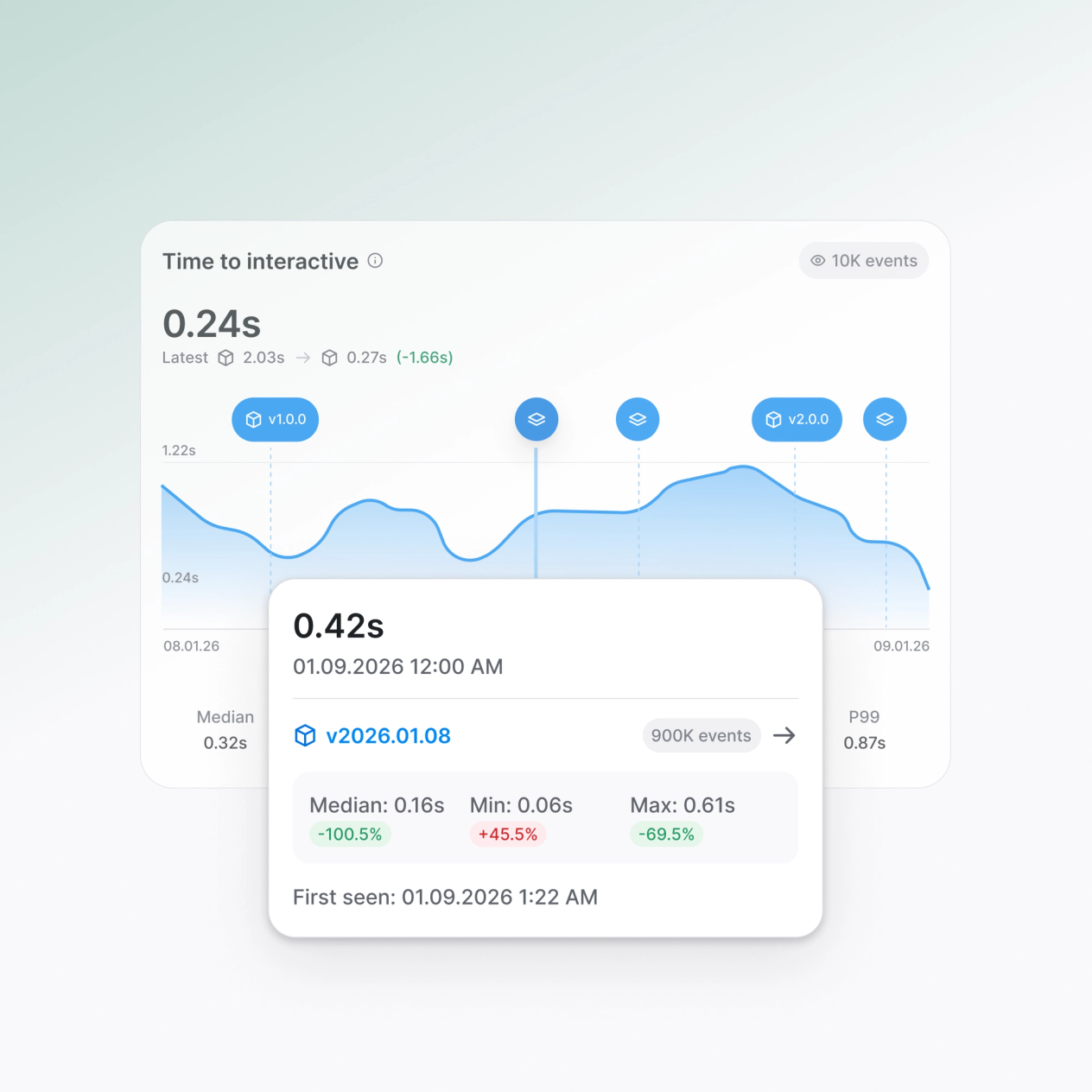
Every build and update appears on the timeline. Compare it against the release before it.
Errors that point at your code
JavaScript errors arrive with a stack trace naming your file and line, not the minified bundle.
Answers for you, or for your agent
Read it in the dashboard, or let an agent pull metrics, routes, events, and sessions from the CLI.
Optimize your app’s startup
Monitor five essential startup metrics across every session with full P50, P90, and P99 distributions. From native Cold and Warm launches to Bundle Load times, our platform tracks the journey from the first pixel rendered to full interactivity.
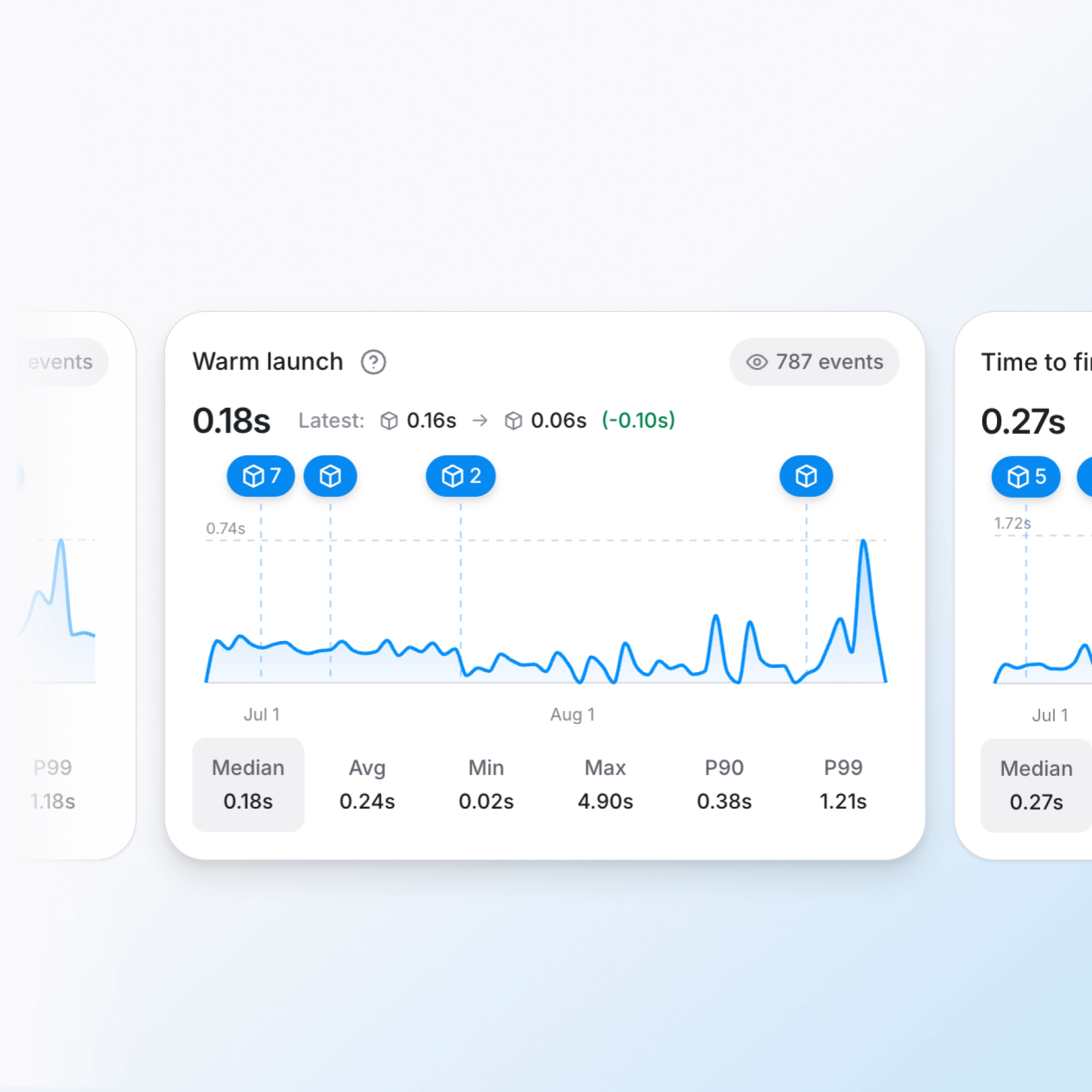
Visualize session timelines
Log checkout, onboarding, or a failed sync with Observe.logEvent, then follow navigation, performance, and your own events through one session to see what happened before a user converted or dropped off.
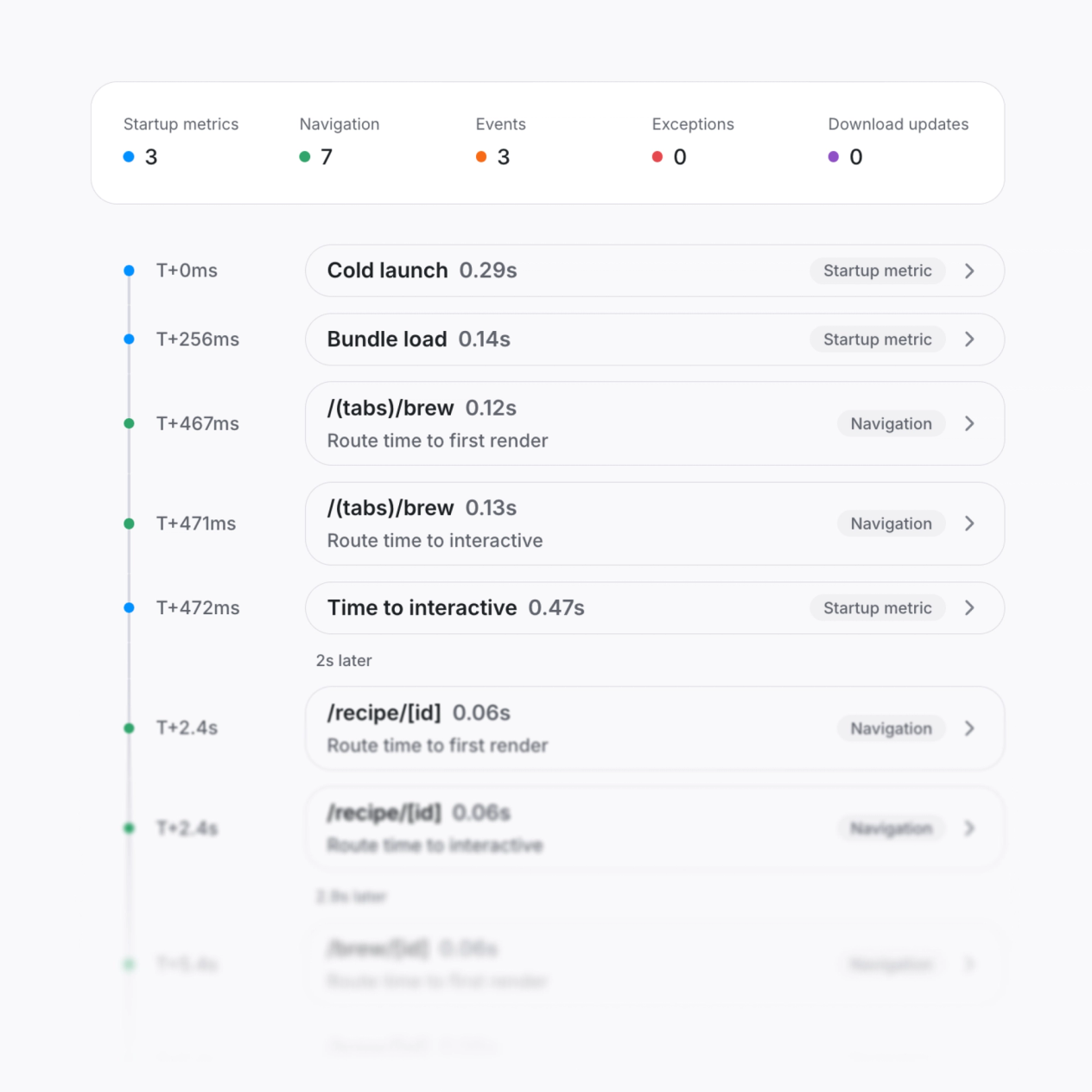
Full error reporting
Crash-free sessions, errors grouped by cause, and a stack trace naming your file and line, so you know whether the fix ships as an update or needs a new build.
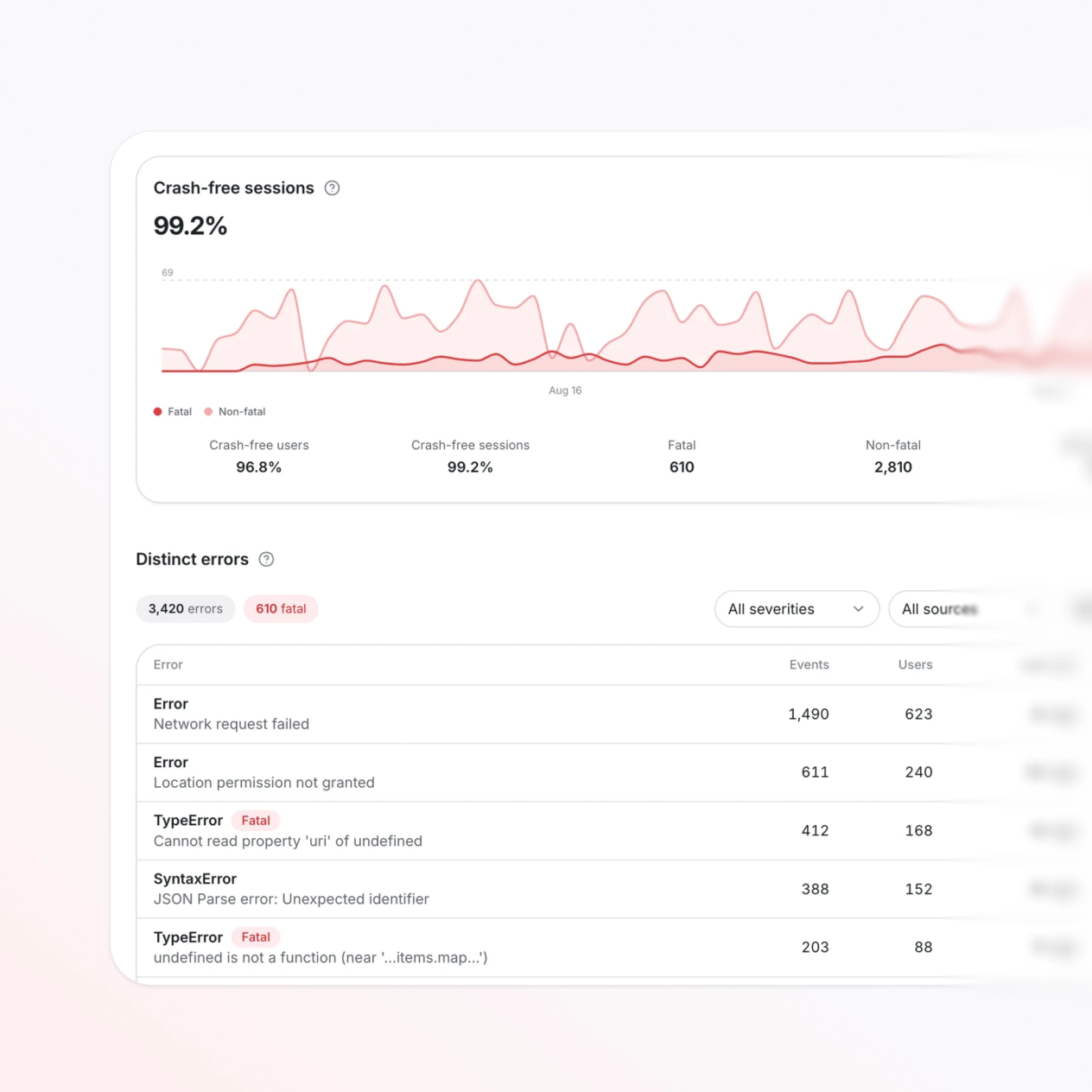
Your agent gets the full context.
Observe previews the prompt before it copies, so you see exactly what your agent receives: the metric, the affected sessions, the build, and the regression delta. No copy-pasting numbers from a dashboard. No explaining the situation from scratch.
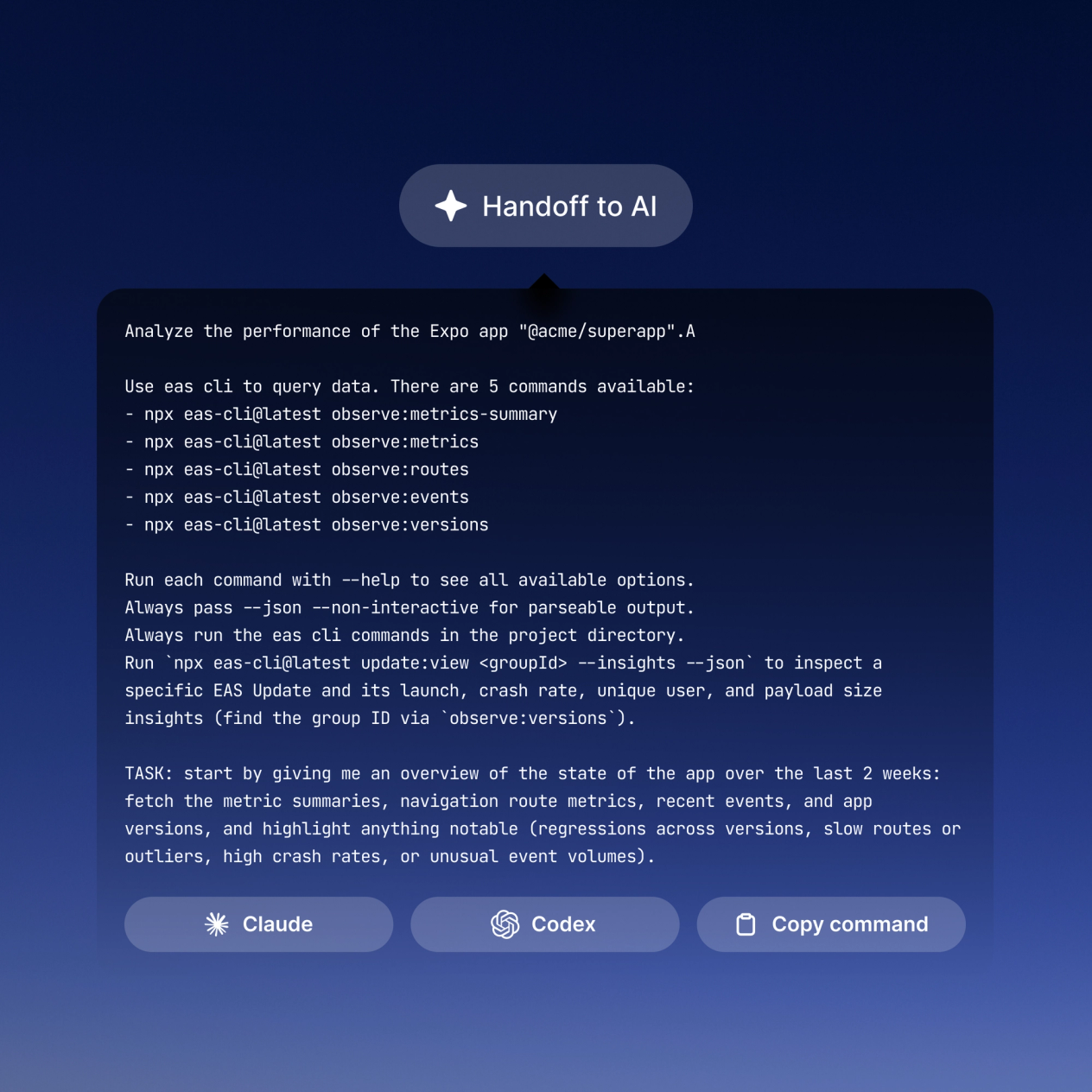
Know what every release did.
Every build and OTA update lands as a marker on the performance timeline. Hover for the delta. Click to see every session from that version. The EAS Update tab shows download and apply time alongside performance metrics, so a slow update rollout never looks like a slow app. Catch a bad release before your users report it.
See which screen is slowing things down.
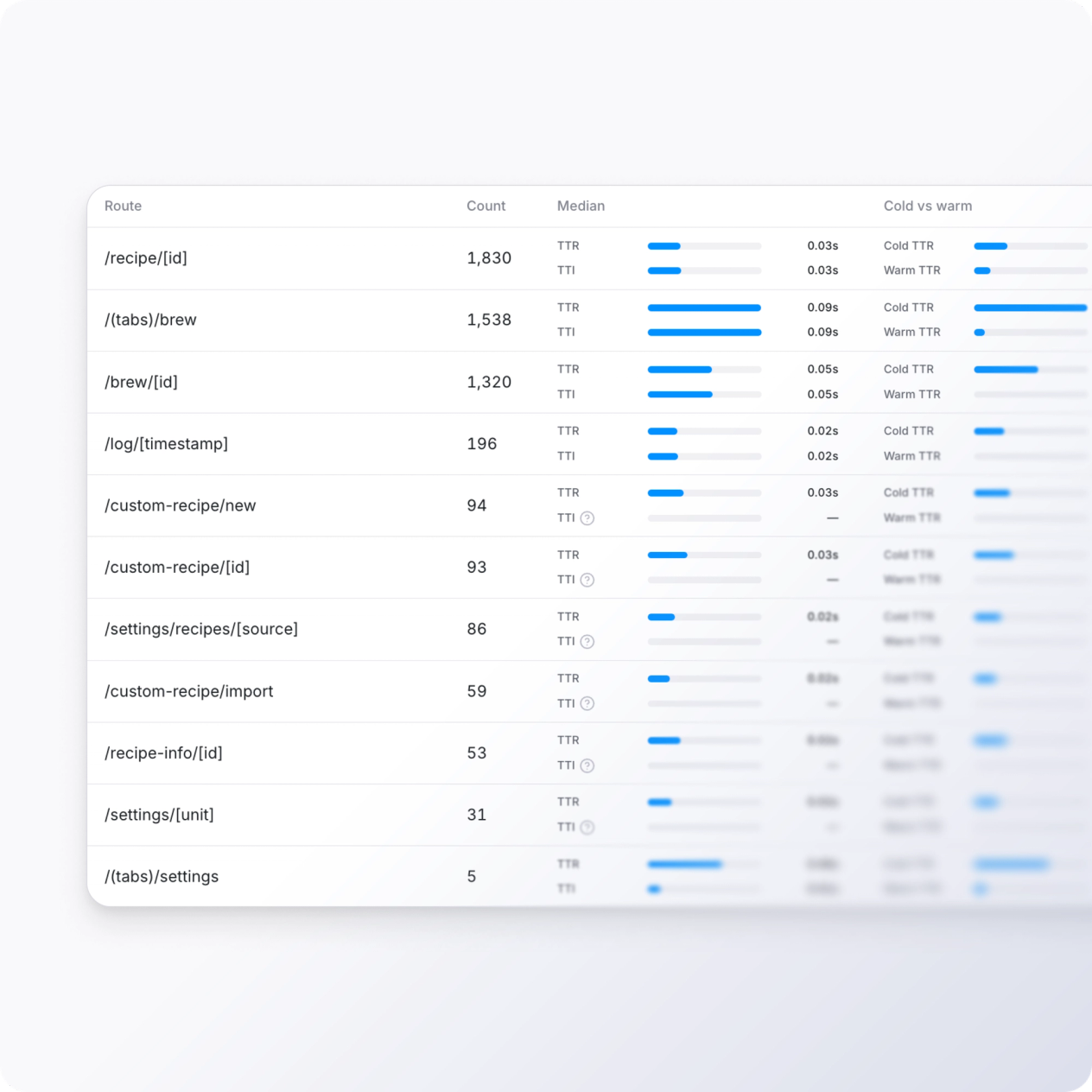
Most performance tools give you one number for the whole app. With Expo Router Integration, the Navigation tab breaks time to interactive down by route, so you find the slow screen instead of guessing. Multi-select routes to compare them directly across builds and updates.
The full picture
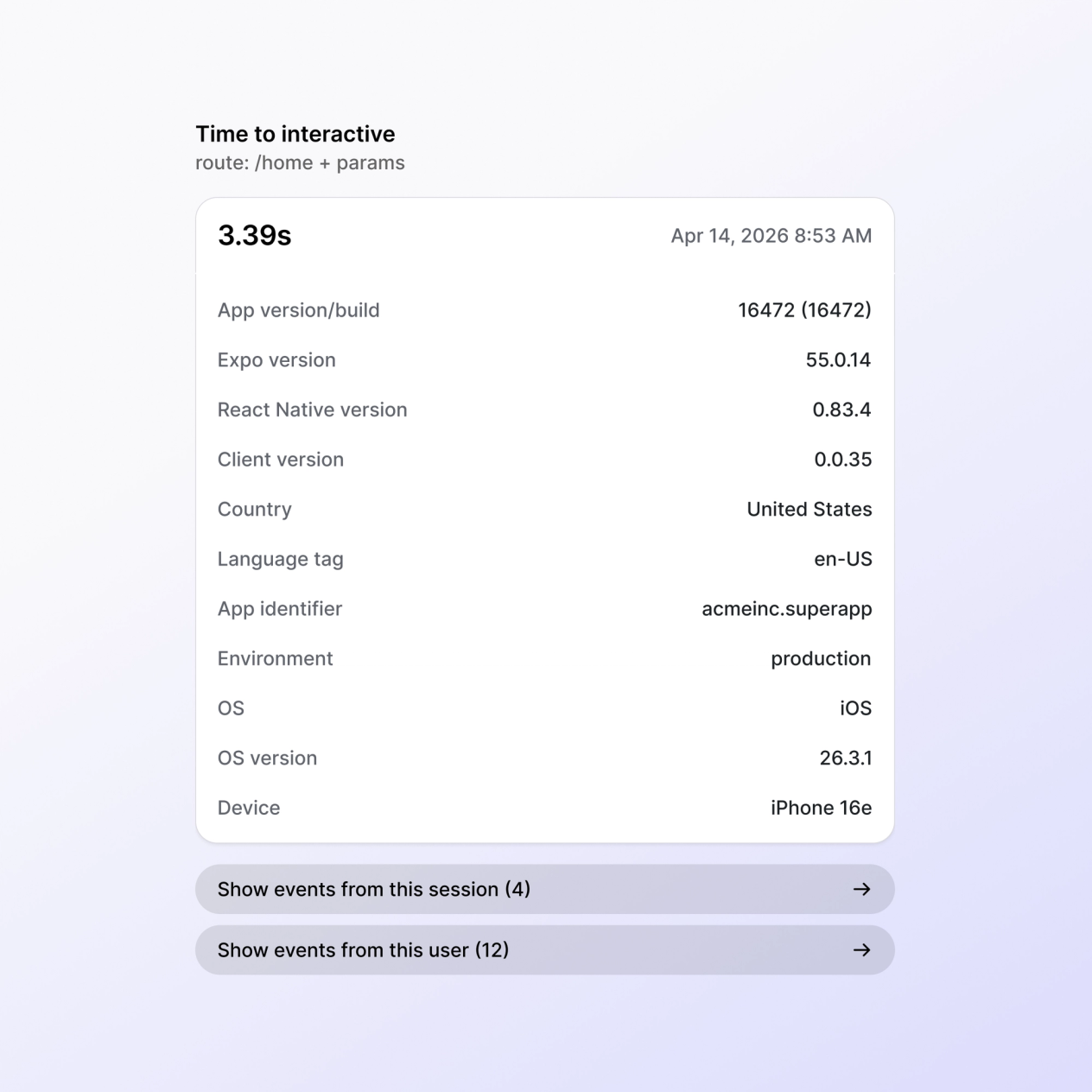
P50, P90, and P99 show you the full range: from your fastest flagship session to your slowest budget device. Sort slowest-first to focus where performance matters most. Drill into any session to see device, OS, update channel, and every event in the timeline.
Observe: Ship faster apps
Observe is a new service we released to track performance metrics in your mobile apps. You'll get metrics like time to interactive (TTI), time to render (TTR), cold launch, warm launch, and bundle load times. You can also see performance for every screen in your app, to see where your users are waiting the most.
Frequently Asked Questions
Have more questions or need human support?
Talk to the team with our contact page or socials.
Find it before your users do
One install. Real sessions in minutes. 100,000 events a month on the Free plan.
Run it yourself, or hand it to your agent
Every metric is queryable from the CLI. Install Expo Skills and your agent knows the same commands, plus how to read what comes back.