Docs

Dev tools

Expo SDKExpo CLIExpo MCPExpo GoSnackOrbit

Services

WorkflowsBuildSubmitUpdateHostingLaunchObserve
new
Simulators
preview

Explore

ChangelogExpo Services (EAS)ContactAI
EnterprisePricingBlog
50K
Log in
Sign up

Site footer

Expo

Newsletter

Stay in touch with all things Expo

Product

  • Star us on GitHub
  • Expo CLI on GitHub
  • Expo Services (EAS)
  • EAS CLI on GitHub
  • Expo Go
  • Expo Orbit
  • Snack

Resources

  • Documentation
  • Blog
  • Changelog
  • Support
  • Trust Center
  • Join Discord

Solutions

  • Enterprise
  • Startup
  • Solo devs
  • React web devs
  • E-commerce
  • Crypto
  • Finserv
  • QSR

Company

  • Home
  • Pricing
  • Customers
  • Consultants
  • About
  • Branding
  • Careers

Legal

  • Terms of service
  • Acceptable use policy
  • Privacy policy
  • Privacy explained
  • Cookie policy
  • Security & Compliance
  • Enterprise trust
  • Community guidelines
© 2026 650 Industries, Inc.
All systems operational

March 29, 2024::Product

Expo Orbit now available as a Preview for Windows

Gabriel Donadel

Gabriel Donadel

Engineering

Expo Orbit now available as a Preview for Windows

Contents

  • Try out Orbit for Windows and give us feedback

Since we first announced Orbit in August of last year, we've received many requests from the community for Windows support. Our team has been working on a port of Orbit and we are excited to share a Windows preview version that you can download now from our GitHub Releases page.

Orbit for Windows enables users to accelerate their development workflow with one-click build launches and emulator management in the same way they already do on macOS. Some of the feature highlights are:

  • Install and launch apps from local files.
  • Install and launch builds from EAS to your emulators and real devices in one click.
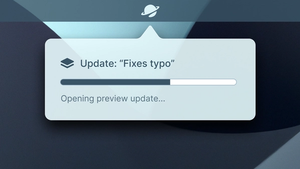
  • Install and run updates on emulators and real Android devices in one click.
  • List and launch emulators, including the option to run Android emulators without audio.
  • Launch Snack projects in your emulators in one click.
  • See pinned projects from your EAS dashboard and quickly launch your latest builds.

Try out Orbit for Windows and give us feedback

You can use a preview of Expo Orbit for Windows today, explore its capabilities, and share your feedback. Your input will shape the future of this tool and guide us on where to take it next.

Orbit for Windows is currently in the experimental phase and, as of now, it is only compatible with x64 and x86 machines but compatibility for other architectures will be out soon!
orbit

Share article

Related articles

All posts →
Launching EAS Updates with Orbit

March 6, 2024

Launching EAS Updates with Orbit

Why use EAS Update?

July 29, 2025

6 reasons to use EAS Update