
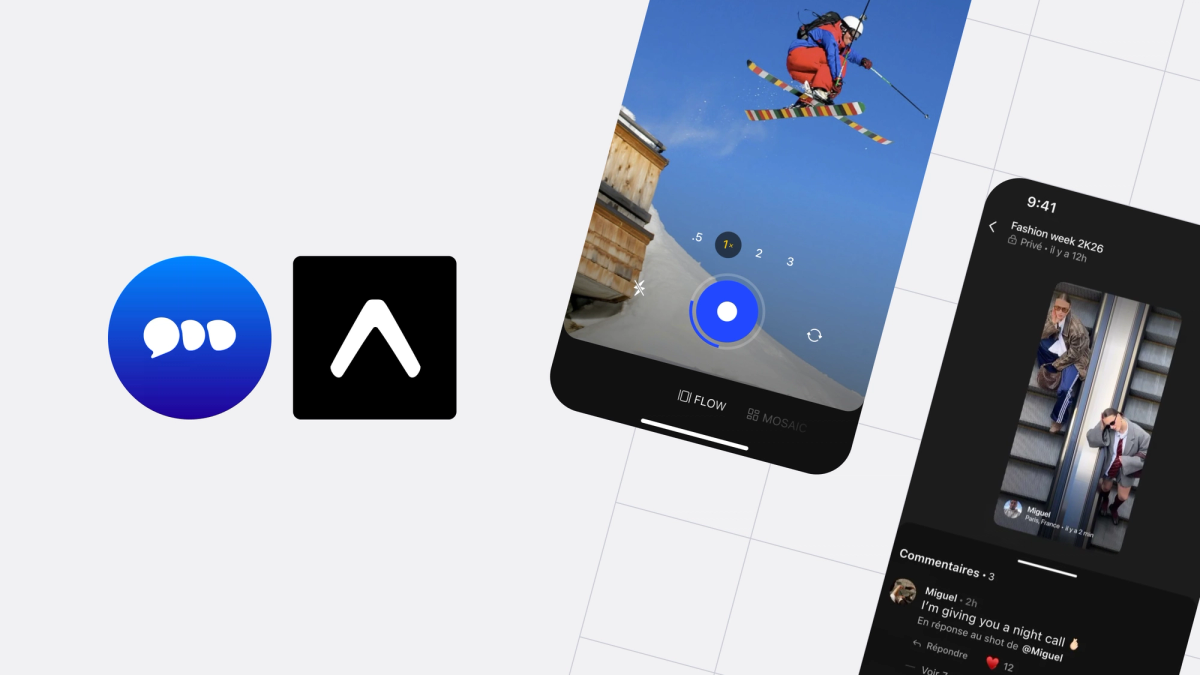
This is a guest post from Pierre Cangemi - a React Native and TypeScript specialist with over ten years of experience building mobile apps - and the Co-founder and CTO of Tendbble.
…
Last week, a user told me the app "feels like it was built by a big team." We're just two frontend devs. Working on one codebase. Shipping to both platforms.
A few months ago, even with my previous Expo experience, I wasn't sure we could pull it off. Tendbble is a media-heavy social video sharing app competing head-to-head with billion-dollar incumbents. It’s the kind of product where performance isn't a nice-to-have, it's the product.
Users compare us to Instagram, Snapchat, and TikTok on every scroll, every capture, every transition. We needed to push the app to its limits: a real-time video feed, a custom camera with gesture-driven overlays, fluid animations on both platforms, all from one codebase, with two frontend devs.
In the app, users capture moments together in collaborative, time-limited posts. The feed is an infinite scroll of videos. The camera is the primary creation surface. Real-time comments, reactions, location sharing, and a map view tie it all together. Every screen is animation-heavy, and every interaction needs to feel instant.
This is what we learned building it.
The challenge: video-heavy feeds on two platforms
The core experience of Tendbble is scrolling through a feed of video posts. Each card can contain a video with HLS adaptive streaming, overlaid with user info, reactions, and comments. On a typical session, a user might scroll through 50-100 posts.
The naive approach is to mount a video player for every visible card and let the system figure it out. On iOS, this sort of works for a while. On mid-range Android devices, it's a disaster. Multiple video players competing for decode resources causes frame drops, audio from different videos overlapping, and memory climbing until the OS kills your app.
We learned early that the video subsystem doesn't manage itself. If you're building a video feed, you need to be the one deciding what plays, when it initializes, and when it gets torn down.
The key idea: one video at a time, always
Our breakthrough was conceptually simple: enforce a global rule that only one video can play at any time across the entire app. Not per screen, across the whole app. When a post enters the viewport, it claims playback. Whatever was playing before gets released automatically.
This single constraint eliminated audio overlap entirely, cut our peak memory usage in half, and made the feed dramatically smoother on Android.
But we didn't stop there. We also added a settlement delay - we don't even create a video player until a post has been visible for 400 milliseconds. During fast scrolling, posts fly by too quickly to justify the cost of player initialization. A thumbnail with a blurhash placeholder covers the gap. Users never notice.
For preloading, we keep it tight: one post ahead in the scroll direction, zero behind. Combined with expo-video's built-in HLS support, playback feels instant without hammering memory. We went from 20-30 active video subscriptions to 3-4.
Building the camera experience
The camera is where users create content in Tendbble. They capture photos and videos, apply text overlays with gesture-driven positioning and rotation, and share to collaborative posts. It needed to feel as fast and responsive as the native camera app, because that's the bar our users measure us against.
We chose react-native-vision-camera over expo-camera for three specific reasons: fine-grained codec selection (H.265 on iOS, H.264 on Android), access to multiple physical lenses with a gesture-driven zoom system, and buffer compression options that significantly reduce memory during capture.
The camera screen includes a capture button that distinguishes between photo and video based on press duration: tap for photo, hold for video with a Skia-rendered progress ring showing remaining recording time. A double-tap flips the camera. Pinch gestures control zoom with milestone snapping at 0.5x, 1x, and 2x.
For text overlays, we built a custom Expo native module that composites captions onto photos and videos at the native layer. The caption editor lets users drag, rotate, and scale text with gestures, and the native module burns those overlays into the final media at full resolution. This avoids the quality loss of screenshot-based approaches that many apps resort to.
The memory leak that took weeks to find
After shipping, we noticed something wrong. Users who opened and closed the camera repeatedly saw their app slow down and eventually crash. Memory was climbing and never coming back down.
Profiling with Instruments revealed the culprit: react-native-vision-camera v4.7.3 doesn't stop the AVCaptureSession when the view is removed from the hierarchy. React Navigation keeps screens alive in memory for back-navigation performance. It doesn't immediately deallocate them. So the camera kept running invisibly in the background, consuming memory and GPU resources, even though the user had navigated away.
The library had no cleanup when the view left the hierarchy and no deinitialization that stopped the capture session. We fixed it with patch-package, adding two simple hooks: one that stops sessions when the view is removed from its parent, and one that stops sessions on deinitialization as a safety net.
Vision Camera Before
Vision Camera Patch After
The lesson was broader than the fix: native resources don't follow React's component lifecycle the way you expect. If you're using any native camera, video, or audio library with React Navigation, audit what actually happens when your screen loses focus. The answer might surprise you.
Earning 60fps with Reanimated and Skia
We use Reanimated v4 in over 200 files across the app. It powers everything from the feed's mode switcher to real-time countdown timers to the mosaic tile editor. Combined with React Native Skia for custom rendering, it gives us the tools to build interactions that match the polish of apps backed by hundreds of engineers.
The most important lesson we learned: the UI thread is sacred. Any time an animation depends on the JS thread (even briefly), you risk dropped frames when the JS thread is busy fetching data, processing a navigation transition, or running business logic.
Our real-time countdown timer is a good example. It displays a live clock, a progress ring, and toggles between countdown and shot count, all updating every frame. None of this triggers a React re-render. The entire system runs on the UI thread using Reanimated worklets and frame callbacks. Text updates go through animated props on a TextInput, bypassing React entirely. The result is perfectly smooth animation even when the JS thread is under heavy load.
Gesture composition: when tap, long-press, and drag need to coexist
Getting these gestures to coexist without conflicts required careful composition. We race a tap gesture against a simultaneous long-press-plus-pan combination, with manual activation, the pan only activates after the long-press fires. Haptic feedback is rate-limited to prevent the audio thread from overloading during rapid gesture updates.
Racing simple gestures against composed complex ones with manual activation gates, turned out to be reusable across the app. The same approach powers our swipeable mode selector and our drag-to-dismiss modals.
Skia for what CSS can't do
We use Skia selectively, not as a replacement for Views, but for rendering that would be impossible or janky otherwise.
Rotating gradient borders on our processing cards are driven by a Reanimated shared value feeding a Skia sweep gradient (60fps rotation with no JS involvement). Our squircle shapes use procedurally generated Bézier paths for the kind of smooth corners that CSS border radius can't replicate. Text overlays in the caption editor use dual-pass rendering, a stroke layer underneath a fill layer, so captions read clearly over any video background.
The key insight: use Skia for rendering, Reanimated for driving the values. The two compose together naturally. Reanimated provides the timing, interpolation, and gesture response. Skia provides the visual output. Neither one tries to do the other's job.
React Compiler: a free performance boost
Adopting React 19 with the React Compiler gave us a measurable performance boost with almost zero effort. The compiler automatically handles memoization, no more manual useMemo, useCallback, or React.memo scattered across the codebase. We stripped out most of our hand-written memoization and let the compiler take over.
The impact was most noticeable during fast scrolling and screen transitions, where unnecessary re-renders used to compound into dropped frames. The compiler eliminated an entire category of performance bugs we'd been chasing manually. For a media-heavy app where every millisecond of JS thread time matters, that headroom is significant.
The tradeoff is discipline: your components and hooks must follow React's purity rules strictly. No side effects during render, no mutation of props or state. We were already following these patterns, so the migration was smooth, but teams with looser conventions should expect some cleanup work.
Platform-specific performance budgets
Early on, we made the mistake of targeting one animation budget for both platforms. iOS devices with ProMotion displays can render at 120fps. Many Android devices struggle to hold 60fps during complex animations.
We now maintain separate performance configurations. On iOS, we use spring physics with tuned damping and stiffness, aggressive preloading, and 120fps-targeted animation timing. On lower-end Android, we disable spring animations entirely, increase gesture throttle intervals, use simpler easing curves, and reduce list window sizes.
The app feels responsive on both platforms, but we're not dropping frames on Android trying to hit a budget the hardware can't support. This was a mindset shift, shipping different animation quality per platform isn't a compromise, it's good engineering.
The invisible work: offline-first and memory pressure
Signed URLs vs. cache persistence
We persist our query cache with a 24-hour max age so users can open the app offline and still see their feed. But our media URLs are AWS signed URLs with a 1-hour TTL.
After overnight background, the app rehydrates day-old cache data containing expired URLs. The feed renders, but every image and video is broken, gray placeholders everywhere.
Our fix checks query freshness on rehydration. If any cached data is older than 45 minutes, we invalidate everything and force a refetch. The stale layout still shows briefly as a skeleton while fresh data loads, much better than broken media. Simple solution, but the bug only manifested after long background periods, which made it hard to catch during development.
Memory pressure management
For a media-heavy app, memory management isn't optional. We built a priority-based cleanup system that responds to native memory warnings. Video buffers clear first, then image decode caches, then query caches, staggered with delays to prevent UI blocking. On app background, we proactively trigger cleanup. During long scroll sessions, we periodically flush expo-image's decoded bitmap cache to prevent accumulation.
Where we go next
We're exploring several areas to push the experience further:
- Shared element transitions between feed cards and detail views. The infrastructure is enabled in Reanimated but not yet fully leveraged
- Smarter video preloading using scroll velocity prediction to prefetch more aggressively during slow browsing and less during fast flicks
- Background upload queue that reliably resumes after app kill, building on expo-task-manager
- Edge-cached media to reduce signed URL dependency and improve cold-start performance
Final thoughts
The biggest lesson from this past year isn't about any specific API or optimization technique. It's about where the real work happens.
Expo and its ecosystem expo-video, expo-image, Reanimated, Skia, React Compiler handle the fundamentals well. HLS playback works. Image caching works. Animations run on the UI thread. Memoization is automatic. The managed workflow means we never touch Xcode or Android Studio for routine work.
The hard part is everything around those tools: deciding when to create a video player and when to tear it down. Understanding that React Navigation's lifecycle isn't the same as a native view's lifecycle. Accepting that iOS and Android need different animation budgets. Catching cache bugs that only appear after overnight background sessions.
Those are the decisions that make an app feel like it was built by a big team, even when it's just two crazy devs challenging the billion-dollar players. Expo gave us the leverage to focus on those decisions instead of fighting platform plumbing. For a small team building something ambitious, that's everything.