This is a guest post from Kiril Kostev - a London based software developer and curious and thoughtful creator, who likes learning about technology, business, and life.
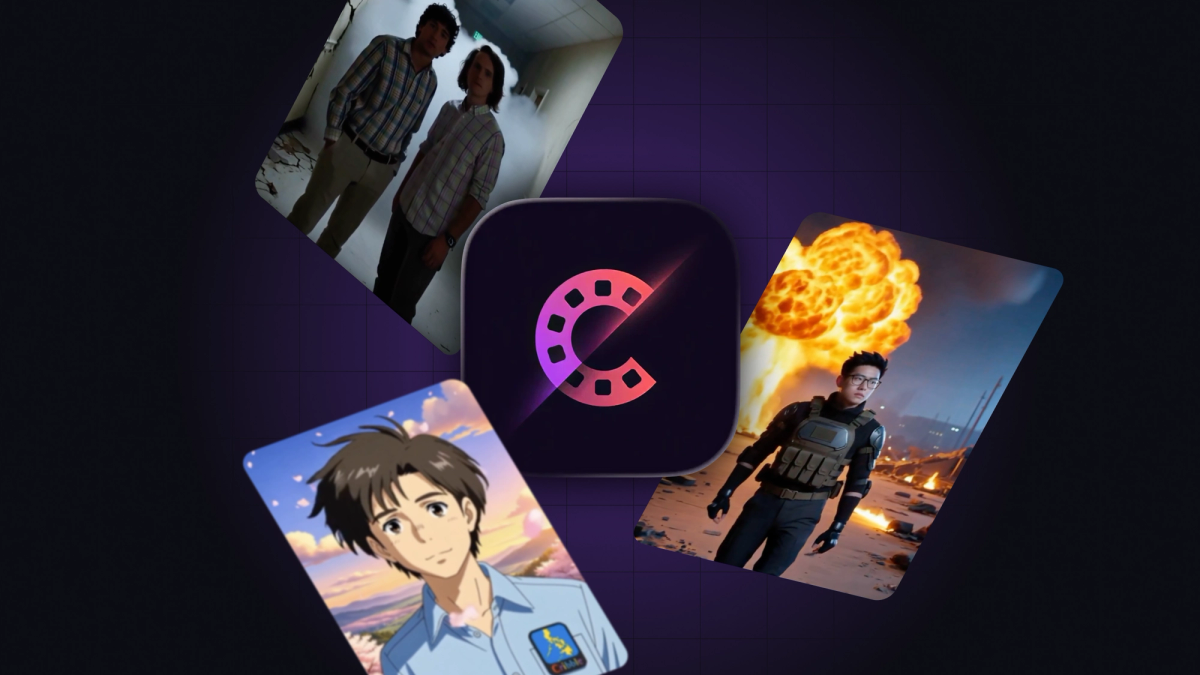
CineMe is a mobile app that turns a single selfie into a cinematic AI-generated video.
You upload a photo, choose a scene (action, anime, horror, etc.), and within seconds you get a short video of yourself transformed into that world - ready to post on TikTok or Reels.
The constraint was aggressive: I wanted to ship in under two weeks. That forced ruthless prioritization - no perfect UX, no over-engineering, just a tight loop from input → transformation → playback.
Why Expo was the right choice for an AI video app
Expo was the obvious choice for this project. A single React Native codebase means no platform divergence. With Expo’s Build service, I could go from local dev to TestFlight in one command. No wrestling with Xcode or Gradle. The ability to iterate quickly across iOS and Android removed entire categories of friction, which is exactly what you need when time is your main constraint.
How the async AI video pipeline works
The app is built around a simple but effective async pipeline:
- Expo (React Native app)
Sends requests with a unique X-Device-ID header for lightweight user tracking.
- Flask API
Accepts a base64-encoded image and a scene prompt. This keeps the backend simple and avoids multipart upload complexity.
- AI model (video generation)
Handles the heavy lifting. The API returns immediately with a job ID and processes the video asynchronously.
- Webhook callback → Flask
Once generation completes, a webhook receives a notification. Flask then:
- Downloads the result
- Adds a watermark using
ffmpeg - Stores the processed video
- Client polling (
/status)
The app polls every 5 seconds using the job ID until the video is ready.
- Playback
The final video is served back and played using expo-video.
This architecture avoids blocking requests and keeps the app responsive, while still supporting long-running AI jobs.
Four hard problems while building an AI video app on React Native
1. File uploads (you can’t send file://)
React Native file URIs are local to the device. Your server can’t access them. The solution:
- Use
expo-file-systemto read the image - Convert to base64 and send in the request body
This adds overhead but guarantees compatibility across devices.
2. Async job pattern (submit → poll)
AI generation isn’t instant. The correct pattern is:
- Submit request → receive
jobId - Store
jobIdin state - Poll
/statusuntil complete - Navigate to result screen
This decouples UI from processing and avoids timeouts.
3. Robust polling hook
Polling sounds simple until networks fail. The production-ready version includes:
- Cleanup on unmount (avoid memory leaks)
- Timeout handling (fail after X seconds)
- Retry logic with
pollFailureCount >= 3
This prevents infinite loops and improves resilience on flaky mobile networks.
4. Video playback constraints
useVideoPlayer doesn’t reliably handle authenticated remote URLs. It expects a local file:// URI.
Solution:
- Download the video locally after it's ready
- Cache it on device
- Pass the local path to the player
A helper like useLocalVideo wraps this logic (download → cache → return local URI). This dramatically improves playback reliability and startup time.
Shipping to TestFlight and the app stores with Expo’s services
Expo’s cloud services are the biggest force multiplier.
eas build --profile previewlets you generate installable builds fast- You can push to TestFlight the same day
The key insight: don’t wait for App Store approval to start distribution.
Instead:
- Upload to TestFlight immediately
- Start sharing with early users/influencers
- Gather feedback while Apple review is pending
This parallelizes growth and approval, saving days (or weeks).
What I learned shipping CineMe with Expo
I missed my two week timeline. But in 36 days CineMe went from idea to a fully shipped product - live on both the App Store and Google Play. What started as a constraint-driven experiment is now a real product people can download, use, and share.
You can try it here:
iOS: https://apps.apple.com/gb/app/cineme/id6760482145
Android: https://play.google.com/store/apps/details?id=com.aiconversations.cineme&hl=en
Or visit the website:
The biggest lesson: shipping fast beats planning forever. Once it’s live, real users - not assumptions - drive smarter iterations.