This is a guest post from Perttu Lähteenlahti - he is a developer advocate at RevenueCat where he focuses on helping developers make money from their apps.
The mobile app business has gotten brutal in a way that doesn't get talked about enough. According to RevenueCat's State of Subscription Apps 2026 report, which covers over 115,000 apps and around $16B in revenue, the top 25% of apps grew 80% year over year. At the same time the bottom 25% shrank by 33%. Essentially the market is turning into winners and losers.
The thing is, that gap isn't really about better ideas. Most of the apps in the top quartile aren't doing something nobody else thought of. They're doing the same thing as everyone else, but shipping faster, testing more, and treating monetization as an iterative process instead of an afterthought.
This article will look at how to build a mobile app that makes money, by selecting the right stack, taking the best monetization tricks from best apps, and looking at what Expo apps need to win. This blog is the appetizer for a talk I’m giving at next week's App.js conference, where I’m presenting about whether AI is making React Native obsolete. These takes are directly related to the research I did to answer that question, and another question: do you make money with React Native apps, or should you just let agents to port your app written in Swift or Kotlin to another platform.
The 2026 stack, opinionated
I have a very opinionated stack, that will make sense as we dive deeper into the article. Fundamentally the stack is about few core concepts:
- Build fast, deliver faster
- Make use of native OS level APIs as much as possible
- Delightful and quick to use offline
Following these core concepts, my stack has changed over the years as I’ve replaced old tools with new tools that work better or have better DX:
- Expo and EAS for building, submitting, and updating your app. Everything starts with this. A few years ago I would have gone with a bare React Native app, now I can’t even think about releasing without Expo.
- Tanstack query for managing data fetching, mutations, and server state in general. Paired with react-native-network-info and react-native-mmkv for building apps that handle offline states gracefully.
- expo-apple-targets for jumping into native code. Native integrations are important. Don’t build apps that don’t make use of stuff like widgets, App Intents, Spotlight search, and Live activities. Users expect these features.
- RevenueCat for subscriptions, paywalls, and entitlements. Of course I’m biased - I work for RevenueCat. But even if you don’t want to take my advice on this, take this learning with you: don’t build subscription infra yourself. Your app and its monetization are your business, not the payment infrastructure.
Each choice in that list gives you time back, and the time you get back is the difference between shipping in a weekend and shipping in a quarter. A solo developer with a well whipped agent and this stack can be charging real money in a real app inside of a few days.
The reason the stack matters for monetization is because React Native apps are, statistically, better at making money. The State of Subscription Apps report breaks down revenue by framework, and React Native apps come out ahead of both native and Flutter apps on basically every metric that matters: money per install, paying user retention, lifetime value. The data is similar from the last two years so it can’t be said to be just an AI driven development anomaly.
Why React Native monetizes well is something I’ve written before: my TL;DR is that React Native attracts the kind of developer who's optimizing for shipping speed and cross-platform reach from the start, which tends to correlate with the kind of person who treats monetization as a product problem rather than an afterthought. React Native also enables iteration, and iteration leads to better quality, which leads to better end user experience which makes you more money.
App monetization cheat sheet
Most of the advice about app monetization is either overtly generic ("find product-market fit!") or base themselves on the performance of individual apps. What works for one developer, might not work for another. This, like almost everything in product development, comes down to experimenting.
However, for this article I’ve gone through the work of reading the whole 330 page State of Subscription apps report to pick out the most important insights for React Native developers, and turned those insights into a set of strategies to build your app monetization strategy around.
1. Day 0 is when you win or lose the user
55% of all three-day trial cancellations happen on Day 0. Not Day 3 when the trial is about to convert, like one might intuitively think. The same day the user installs the app, most likely a few minutes after downloading and subscribing for a trial, they’ve already cancelled it.
What that tells you is that the entire battle for the subscriber is fought inside the first session. Losing means losing the subscriber forever. In practice you have to think as if you have one shot to deliver the "aha" moment. Don’t make users wait, sign up, or fill multiple fields before they see if the app brings the value they are looking for. Attention span is low, and tolerance for arduous UIs is lower.
When I build apps myself or advise other developers, I try to hammer on building flows that enable users to see their data 30 seconds after first opening their app. For example with my app Netli.fyi, onboarding is just three bullet points, authorization flow, and then it already shows your projects and deployments. Other features that users love, like notifications, are introduced later, since asking for permissions would cause friction in the flow.
I’ve found this “show me my stuff” approach works well for utility apps (e.g. developer tools), but different strategies are needed for other types of apps. For example with health apps, data does not matter as much as getting customers to set long term goals for using the app.
This is also where over-the-air updates step in. When using something like Expo’s OTA Updates you can ship a new onboarding flow on Monday, check numbers a few days later, and deploy a flow with less friction before the week is over. You're not waiting for the App Store or Google Play review. Especially now when both stores’ review times have started to creep from hours to days.
For new users, the onboarding screen is your most important screen. You should be able to iterate on it the same way you'd iterate on a landing page. Analyze drop off and do A/B tests, with the goal of understanding where your users drop off. Crack the perfect onboarding, and you’ve just improved your first metric: download to paid.
2. Paywall is a product, not a screen
A common mistake I see people making quite often is polishing the app for weeks, and then releasing it with the least thought out paywall. With a careless paywall, is it any wonder if downloads are not converting to subscriptions? Your paywall is the screen where money happens. It deserves at least as much attention as your feature.
The data here is interesting and a little counterintuitive. Hard paywalls, meaning paywalls that force customers to subscribe before unlocking anything, convert about five times better than freemium at the moment of install. 10.7% versus 2.1%. That is significant enough of a difference that if conversion is your main game, then you should only focus on hard paywalls.
However, at the same time, after one year, retention for hard paywall and freemium apps is nearly identical. The hard paywall pulls in more paying users upfront, the freemium model with a soft paywall converts customers slower but both end up at roughly the same place. The question is no longer which one is better, but which one works for your app.
Benchmarking against similar apps can help figure out which one to go with. For something like a meditation app or a workout app, where the user needs to feel the value over weeks, freemium probably wins. For something like a photo editor where the user knows in the first minute whether they want it, a hard paywall is leaving money on the table if you don't try it.
It’s tempting to go with a soft paywall, aiming to just have maximum users using at least a subset of features. I’ve personally fallen into the same thinking multiple times. However users using apps for free usually have completely different goals than the ones that end up paying for the app. Imagine that you are a restaurant owner, and your main business is a five course meal that everyone loves. Introducing a free level which includes breadsticks and tap water, just so that you can have the restaurant full of people, would hardly improve your core business. Everything would surely look busier, and perhaps some of those breadstick people would end up buying the meal course eventually, but would you actually call them customers?
The other thing this section comes down to is testing. Whichever model you pick, you should be testing it. The best paywalls are remotely configurable and offer experimentation features, meaning you don’t need to make new releases to change copy, offers, prices or the UI. Since paywall is a product, you should be making changes to it often, and then testing which one of those changes improve the experience.
3. You're probably running your trial wrong
Here's the State of Subscription Apps statistic that broke my brain a little: trials of 17 or more days convert 70% better than trials of three days or less. 42.5% versus 25.5%. And yet nearly half of all apps in the report are now using trials of four days or less. You’ve probably seen this yourself, with many apps offering a three-day trial for a monthly subscription.
In this case it is safe to say that the industry has been collectively moving in the wrong direction. The intuitive wisdom says shorter trials create urgency. The data says longer trials let users actually build the app into their routine, which is what causes them to pay when the trial ends.
Based on discussions with developers I’ve had, the reason people pick three-day trials is that they're trying to optimize for cash flow: get the conversion faster, see the metric move faster. But in this case you're trading a much bigger conversion lift for a slightly faster signal. That is a bad trade.
If you're running a three-day trial right now, the easiest experiment you can run this month is to try a 14-day or 21-day version against it.
4. Android billing failures are free revenue on the floor
This one is specific to Android, and it's the kind of thing that nobody talks about until they look at their numbers and realize a third of their churn is something they could have prevented.
Roughly 30% of subscription cancellations on Google Play are involuntary. Meaning the user didn't actually decide to leave, their card just failed to charge, which could happen for multiple reasons such as having an old card on file or bank’s security measures preventing unrecognized charges. On the App Store the same number is around 14%. So if you're shipping to Android, more than twice as much of your churn is happening for purely mechanical reasons compared to iOS.
The good news is that this one isn't a product problem. It's a plumbing problem, and plumbing problems are the kind you can fix once and forget. Introduce longer grace periods, billing retry logic, account hold recovery flows, features you can most often just toggle on. The first time you turn these on, you'll probably recover a meaningful percentage of users who would have otherwise looked like churn to you. On top of that, you’ve just improved the UX of your app.
If you're an Android-heavy app and you haven't audited your billing failure recovery, that's the highest-leverage thing you can take action on right now.
Build it in a weekend
So far the strategies we’ve talked about are actionable, but not necessarily applicable to the engineering mindset. To get beyond hand-wavy product talk, let’s look at how to get all of these features by adding RevenueCat: the shortest path from nothing to a real app that can charge real money. You need a RevenueCat account to use these, which is completely free to use, until you’re app makes $2.5k a month.
Start a new Expo project, and install two packages: react-native-purchases and react-native-purchases-ui. First one gives you RevenueCat SDK to handle in-app purchases, subscriptions, and entitlements. Second one gives you all you need to show paywalls you create in the RevenueCat dashboard.
Most of the SDK integration can also be handled quite well by the agents, already by default. However RevenueCat also has skills for all major platforms that will help you follow the best practices for integrating the SDK. You can find RevenueCat skills here.
The next step is to integrate RevenueCat with App Store Connect and Google Play Console, and set up products in both. For the first one you can follow this guide. The second one used to be a very painful process because of all the steps Google and Apple require to set up products, but now you can just use RevenueCat MCP for that. The MCP allows you to add products and entitlements directly in the stores, and in RevenueCat, at the same time, with just a prompt like the following:
Using RevenueCat MCP, add two subscriptions yearly and monthly, first one priced at 49.99 and second at 5.99. Set up the monthly subscription with a 14-day trial. Connect subscriptions to an entitlement called ‘Pro’. Subscriptions will be shown using RevenueCat Paywall.
Initialize RevenueCat SDK and show your paywall
In your app, initializing the SDK is few lines:
Checking whether user has active entitlement (meaning if they are eligible to access certain features of your app) is two lines:
That's the entire entitlement check. You can also throw this all in a custom hook to make things easier to use:
You wrap your gated features with the hook’s result, and you're done.
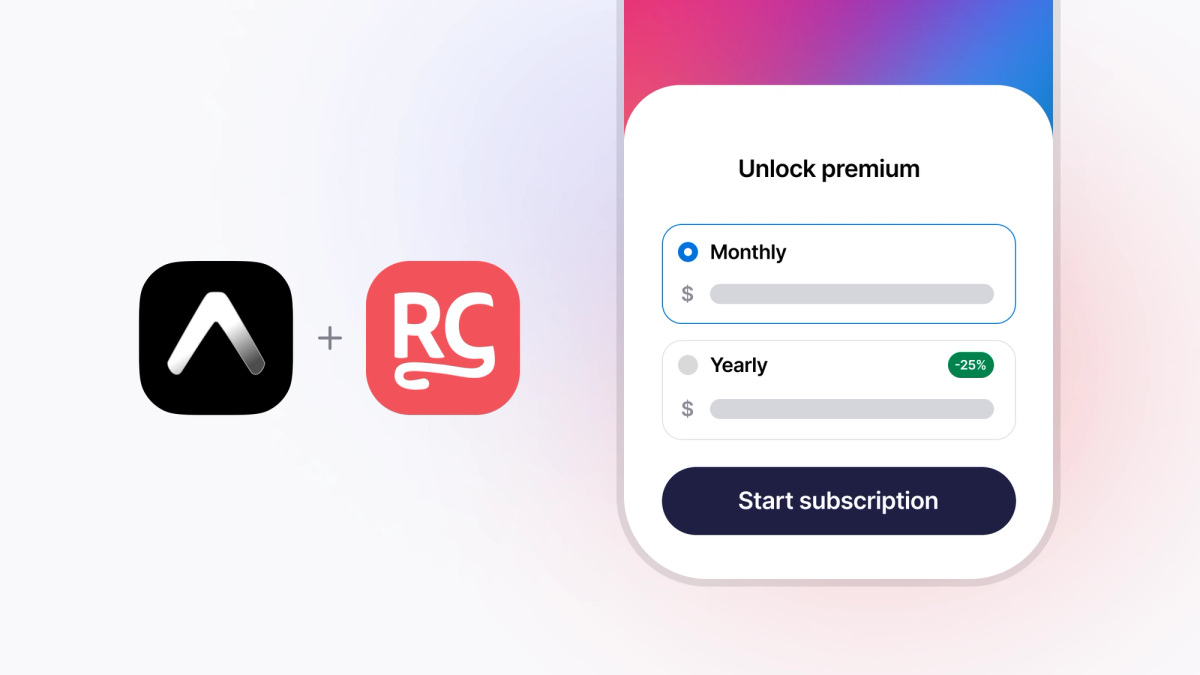
Drop in the RevenueCat Paywalls component for the actual purchase screen and you get a paywall that you can update from the dashboard without shipping a new build:
You can create this Paywall in the RevenueCat dashboard, either using the drag and drop builder, or just by prompting with the AI builder. And if you’re looking for paywall inspiration: check this one out.
Last thing you need is to submit your app to EAS to get in then hands of your mom, of whomever you’re trying to impress:
Most of that was probably already familiar to you, so this section should have just hammered on how it’s all about mostly about the product strategies rather than the building part. The whole thing is a weekend of work. Most of the time you spend will be on the App Store Connect and Google Play paperwork, not the code.
The reason I'm laboring on this point is that a year ago, the work I just described took at least week or two. A few years ago it was a multiple of that time. The engineering process has gotten quicker, but building good products still takes time, it's just that the starting point is already now at a higher point than what you previously accomplished in a week.
What you should actually spend your time on
Once the plumbing is handled, you've freed up maybe 80% of the engineering time you would have otherwise spent on infrastructure. The honest question is what to do with it, and I think there are only three things that matter.
The first is onboarding. You're going to iterate on it constantly, without lengthy store reviews, using EAS updates. Whatever your activation funnel looks like today, the version of it that exists six months from now should be unrecognizable, because you should have shipped at least 20 variants in between.
The second is the paywall. Same idea. Treat it as a living surface that you test against every week. New copy, new pricing display, new order of plans, new trial length. RevenueCat Paywalls means most of these tests aren't code releases at all.
The third is talking to users (yeah I know). This is the one engineers always under-invest in and it's the one that compounds the hardest. You don't need a research function. You need to read your reviews, reply to your support emails, and reach out to the people who actually pay you. The patterns you'll find in those conversations are worth more than any growth hack.
That's the whole job, once the stack handles the rest. Build the product, iterate the funnel, talk to humans.
A note on AI apps and building apps with AI
There's a footnote here that's worth flagging because half the apps shipping in 2026 are going to have some AI angle to them. The State of Subscription Apps report data on this is interesting: AI-powered apps generate 41% more revenue per payer than non-AI apps. The hype is real, the willingness to pay is real, the average revenue per user is real.
But, and this is the part you have to internalize before you build one, AI apps also churn 30% faster. Users sign up, get excited, use it for a week, realize the novelty has worn off, and cancel.
What that tells you is that if you're building an AI app, your monetization problem isn't pricing. It's retention. Don't spend your time optimizing trial length and paywall copy if your underlying issue is that the app stops feeling useful after the second week. Fix the retention first by kaing it better to stay than to leave. The pricing optimizations only matter once you have a product people want to keep using.
Go build your app today
Indie developers and teams now have tools that we could just dream about a few years ago. AI handles the boring parts of implementation. Expo and React Native handle the cost of shipping to two platforms.
What's left is the part that was always the hard part anyway: finding a real problem worth solving, and just shipping relentlessly. The infrastructure isn't the bottleneck anymore. You are.
If you've made it this far and want the longer version of this, I'm giving a talk at App.js this month called Is AI making React Native obsolete? It covers a side project I ran for a few months — building the same app three ways, including converting a SwiftUI app into Kotlin entirely through agentic coding — and what the experiment tells us about where React Native fits in the AI-assisted development era. Spoiler: I'm writing this article on the Expo blog, so you can probably guess where I landed. But the details are interesting. Come say hi if you'll be there. For the short version, see which mobile stack works best with AI coding agents.