
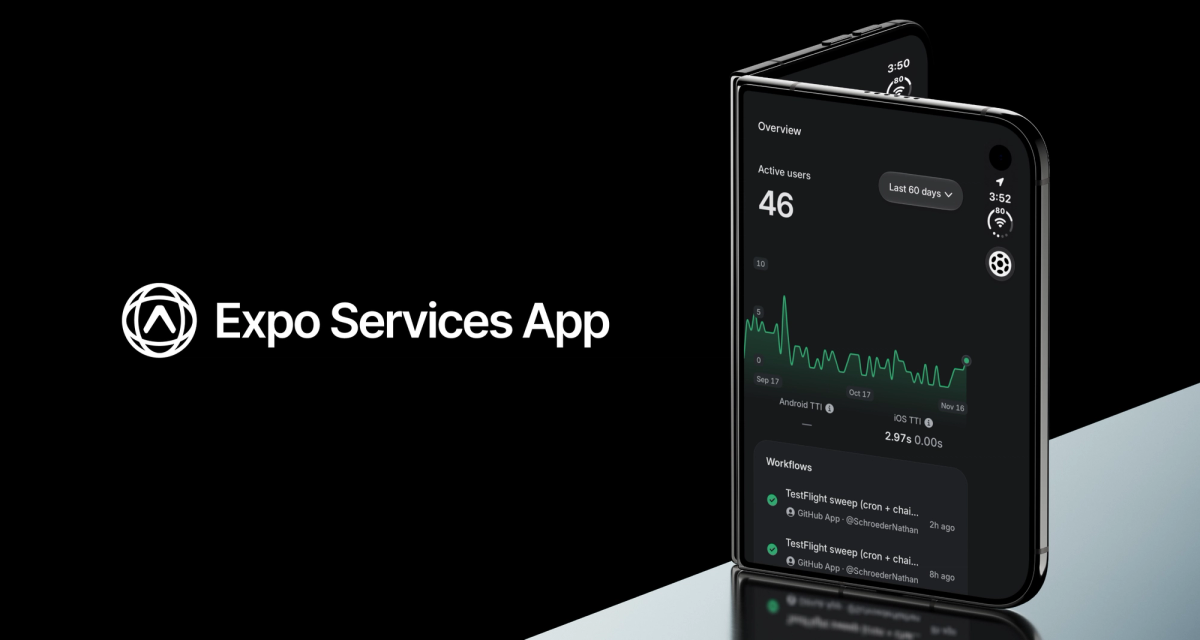
These days, most of our app changes start as a prompt. Agents write the code, Expo Simulators verifies the code, Expo Workflows builds and ships it, Expo Observe monitors the mobile vitals and lets you know if there are any performance issues. We wanted all of that power and context in our pocket all the time, not only on expo.dev.
Today we’re releasing the “Expo Services App”. It puts Expo Workflows, Expo Observe data, and Expo Simulators on your phone, and the iOS version of the app is written entirely in Expo Exact.
Having Simulators on my phone has been super useful. On an iPhone Duo, I keep the app in split view next to Codex Remote or T3 Code. I ask the agent for a fix and check it on the simulator without switching apps. It's been awesome.
Here are a few details about what you can expect from the app. We’ll have more to share in the next few weeks when more features land in the app.
Monitor app performance with Expo Observe
The Overview in the app shows your TTI chart, active users and recent activity. You can scrub the chart to read each point. If a project doesn't have Observe yet, the Overview shows you how to add it, or you can follow the Observe docs.
Start, check and re-run workflows from your phone
Workflows, Builds, Updates and Submissions each have a list and a detail page. Filter runs, or pick a branch and start a new run with its inputs. Open a run for its jobs, logs and artifacts. Install a build on your phone, cancel a build, or re-run a workflow.
Turn on notifications in Settings to get a push when your workflow run finishes. Tap it and the run opens.
Test your builds on Expo Simulators
Start a cloud iOS or Android simulator with Expo Simulators from one of your builds and use it live. Set the location and orientation, and watch CPU, memory and network as they change. When the session ends, you keep the screenshots, recordings, logs and a performance summary.
Today, Simulators are only available in the iOS version of the app.
Use it on iPad and iPhone Duo
The app runs natively on iPad with a sidebar. On iPhone Duo, the sidebar follows the hinge, and you can resize or collapse it.
What's next: Android simulators, widgets and Live Activities
We're still working on adding support for Expo Simulators to the Android version of the app. It’s coming very soon! After that we’ll add native widgets, Live Activities and a lot more Observe data.
Download Expo Services
We’d love it if you could download the app and share your feedback with us. This is one of those projects we always wanted to work on but couldn’t find a way to prioritize. Charlie’s Exact framework created a great dogfooding excuse to build. And now we’re super excited for you to give it a try.
Download Expo Services on the App Store
Get Expo Services on Google Play
Sign in with email and password, Google, GitHub, Apple, SSO or a passkey. Send us your feedback from Settings in the app.