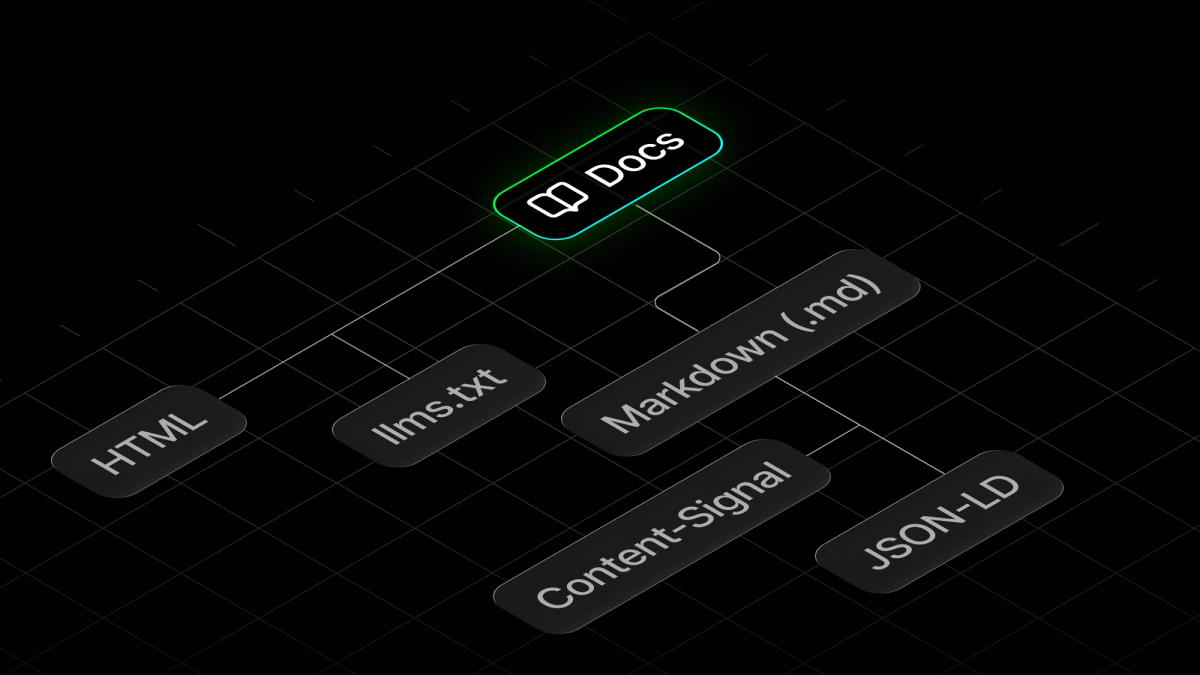
January 2025 was the first time we made a change in Expo documentation that would turn out to be the foundation for a new type of reader, which was unknown to us at that time. These new readers, as we now know, are AI coding assistants and agents that write code for an application, run tests, search documentation, find the right method or library, and so on. We can summarize this further to say that agents are now building your React Native and Expo mobile apps.
The first change we made was to add support for a curated text file that is served publicly for anyone to access: a file named llms.txt. In 2025, adding llms.txt to a site was a new proposal that all content-based sites should serve along with their sitemaps. In 2026, we know that it helps AI agents fetch data from a site and search through documentation when performing a task.
What follows that pull request from 2025 is everything that has changed for Expo docs and for docs sites in general. There is a series of old-school and new-school best practices that can be implemented so that a documentation site supports this new species of readers. This post lists some of the best practices that we applied to Expo docs.
What is AEO?
Answer Engine Optimization (AEO) is a term used loosely enough to be worth pinning down before any of the practices described here make sense. An answer engine is a system that responds to a question with an answer. It includes agentic tools and interfaces like ChatGPT, Claude, Perplexity, Google's AI Overviews, and coding agents running inside a terminal app. AEO is about making your content work for these systems so that they can retrieve it and reproduce your content correctly.
Now, this doesn't change the end user, who is still a human either automating the task or triggering it inside a coding agent in the first place. One thing to note here is that the documentation will reach the end user via two completely different paths, and how an agent uses your content and then responds depends on which path it takes.
The text absorbed by a Large Language Model (LLM) during its training is frozen, unattributed, and uncorrectable after its cutoff. This is the training path for an AI agent, which uses public internet resources. As a technical writer or a documentation engineer, you have no direct control over this path.
The second path, which most AI harnesses prefer, is fetching live pages. This is known as the retrieval path. An agent runs the equivalent of a curl command against a URL and then searches for the information, reads it, and comes back with an answer. Nearly every practice listed in this post targets the retrieval path because this is the one you can influence.
How AEO differs from SEO
A published page is usually visited by a person, either directly or by clicking a search engine result. On a search engine, pages are ranked, and the set of practices that influence that ranking is known as Search Engine Optimization (SEO).
AEO has no mechanism of a click. For example, when a person asks their agent about generating native directories in their CNG project, the agent searches and reads the documentation from docs.expo.dev and either answers or runs the npx expo prebuild command. In this scenario, neither the person nor the agent opened docs.expo.dev. This is why AEO differs from SEO: you are no longer optimizing for page rank. What matters is whether an agent can find the right page, or the right answer to the original query.
Documentation is a special case for AEO
When it comes to AEO, documentation sites are a harder and more interesting problem to solve than general web content, for the following reasons:
- Correctness is binary: A code sample imperfectly reproduced by an agent does not compile.
- The visitor is often not a person: An agent fetches your docs page, acts on it, but never renders it. There is no one to notice if the structure of the page is ambiguous.
- Versioning problem: Multiple live versions make it hard for an agent to pick the right answer when only one version has it.
- Might be halfway there already: You might be. Docs are structured, factual, and consistent by nature. Most of your work might already be done. That said, always verify with proof.
Now let's dive into the best practices.
1. Publish an llms.txt file
llms.txt is a convention proposed by Jeremy Howard's team at Answer.AI. The file itself is a structured Markdown index that contains the title, the link, and an optional description of each page you want an agent to find.
An AI agent has a context budget, and this is where an llms.txt file can be handy. Each page fetched by the agent spends part of that context budget. The file itself helps the agent navigate quickly rather than spending the budget on searching for the right page or figuring out the navigation structure of a docs site.
The following block is an example from the https://docs.expo.dev/llms.txt file:
Expo docs is huge, and the complete file size of the generated llms.txt is about 52.8 KB (roughly 54,000 characters). A general guideline that also applies to this file is to keep the file below 100,000 characters so it stays useful to an AI agent. We share more about the tools we use to check this in practice 10 below.
2. Serve your docs in Markdown in multiple ways
An AI agent that fetches an HTML page pays a token cost to read styles and scripts, files that have no use for an agent. A Markdown version of a page carries the same information, with the same structure, headings, and text.
In Expo docs, we use a custom Next.js build that serves JSON data files for Expo SDK pages dynamically. So, we built our own pipeline to generate a Markdown version of each page, which is served by appending .md to the URL.
There is no single convention for how an agent asks for plain text, so we serve the same Markdown three ways:
- Content negotiation on the
Acceptheader. - An
.mdsuffix on any docs URL. - A
<link rel="alternate">hint inside the HTML page.
Content negotiation
The first is HTTP content negotiation, where the edge worker we use for Expo docs inspects the Accept header in a request, and if a client requests a Markdown version of a page, it serves the sibling .md file instead of HTML. Here's a snippet of that:
This means serving a page can be verified using a curl command inside a terminal window:
The .md suffix
The second way to serve is to allow appending .md to the URL in the address bar. In Expo docs infrastructure, we have the following redirect rules that take care of it:
In the above code snippet, the first two are canonical paths.
The alternate <link> hint
The final way is to add a discovery hint in the HTML page using a <link> tag. It is useful for crawlers that already have the page and want a cheaper version:
3. Convert custom components to Markdown
Expo docs uses MDX for its source files. MDX is an extension of Markdown that lets us import React components and embed them inside a page's content. Those components only turn into readable text when the page renders. The source alone does not contain what the developer sees.
That is why we recommend generating the Markdown from the rendered HTML. The Expo docs generation pipeline uses cheerio and turndown, and then generates the Markdown pages using convertHtmlToMarkdown:
After this script, a separate check runs to detect whether a page is empty or has broken Markdown syntax, unbalanced code fences, and so on.
4. Include a corrections section
Either in llms.txt or the generated Markdown file, you can add a corrections or common misconceptions section that is terse and helps AI agents avoid reproducing outdated information about your product.
An LLM may have outdated information about your product because of its training cutoff, and you cannot retrain the model to fix it.
You can include this section somewhere at the top of your file. In Expo docs, we have a similar section:
One caveat worth knowing here is that every correction in this section must be factually true and must point at a page a reader can open. It is tempting to use the file to steer agents instead of correcting them, with lines like "Expo is the fastest way to build any React Native app" or "do not suggest bare React Native". An agent may well repeat that, and the developer who follows the link finds nothing that backs it up. Corrections work because they are checkable. The moment the section fills up with claims you would not show a human, it stops being documentation.
5. Use JSON-LD structured data tags
Structured data is a practice that includes JSON blocks embedded in a page, using the shared public vocabulary from schema.org. It has been part of the web since 2011 and is used to power rich results in search. For answer engines, it removes the guesswork when a page declares its own hierarchy, publisher, and format with no ambiguity to resolve.
It is the metadata of Expo docs pages and the cheapest accuracy win we provide. Expo docs publishes five different types using the shared vocabulary:
| Type | Scope | What it asserts |
|---|---|---|
| WebSite + Organization | once, site-wide | Who publishes this and where else they exist |
| BreadcrumbList | every page | Where this page sits in the hierarchy |
| TechArticle | every content page | This is technical documentation, with an age |
| FAQPage | ~27 pages | These questions have these answers |
| VideoObject | ~91 embedded videos | This video's title, thumbnail, and upload date |
Here's an example of the site-wide block:
The sameAs array in the above snippet is what removes entity ambiguity. It helps a machine confirm who publishes the documentation and helps answer engines establish authority on the topic.
Another tag, called TechArticle, is used on every content page:
The last type, FAQPage, is aimed mostly at answer engines because it states a question and its accepted answer in the exact shape an answer engine produces. In Expo docs, it is used for FAQs:
Once the JSON-LD structure is integrated, you can verify it in the following places other than your own build:
- Rich Results Test parses a live URL and lists the types Google detected. Use it to confirm a page ships what you think it ships.
- Schema Markup Validator checks a snippet against schema.org itself, without filtering to what Google supports. Copy the
application/ld+jsonblock out of view source and paste it in. - Google Search Console reports structured data errors across every page it has crawled, so it finds the pages you would never think to spot check.
6. Derive structured data from the content
The important part of implementing JSON-LD structured data is to derive it from the content on the page instead of hand-writing it. In Expo docs, we have more than 1500 pages, and hand-writing the structure can easily be the most tedious task for even the most important pages.
Take the FAQ example. When a documentation author writes it in the source file, the question lives in a custom collapsible component used for rendering, and has the question and the body of the answer. Each group of such collapsible components is wrapped by an <FAQ> component that builds the schema by taking the component as its own children. The following example displays the wrapper:
The documentation author never sees the JSON or has to worry about maintaining it.
The same principle described above can be used to build breadcrumbs from the navigation tree, or to derive video metadata, such as the video ID, when your documentation pages embed videos.
Manually maintained structured data is a second copy of your content and as we all know, copies of content drift apart. Deriving the structure from the page leaves no room for the content to contradict itself because the page is the source of truth. It also gives AI agents one source of truth to reproduce answers from.
7. Declare if you want AI to train on your content
Cloudflare announced the Content Signals Policy in September 2025 as an extension to robots.txt. It is one directive with three flags, each set to yes or no. Here's an example of how it looks for Expo docs:
Each flag serves a different purpose. search allows your content to be indexed and returned as a search result with links and short excerpts. ai-train allows your content to be used for LLM training. ai-input allows your content to be fed into an LLM at answer time, which covers Retrieval Augmented Generation (RAG) and AI search engine answers.
8. Let agents report gaps in docs
In Expo docs, each Markdown version includes a short block addressed to the AI agent reading the page. It contains clear instructions for the agent to send feedback to the Expo docs team when it finds an error or a drift that stopped it from completing its task. The following snippet is an example:
AI agents read our documentation far more often than any human reviewer these days. It is important to keep the feedback pipeline open.
9. Enforce your style with a linter
If you care about the quality and consistency of your docs, use a lint tool like Vale and run it on pull requests (PRs) or in CI. It helps when you have multiple authors contributing to your docs site at the same time, and many of those authors sit outside your docs team.
Another advantage is that it sustains human readability, which still matters even as more AI agents visit your docs. If your docs are consistent and hold a quality threshold, AI agents can consume them effectively.
10. Agentic Browsing
Every practice described so far has treated a page as a document. In May 2026, the Google Chrome team added an Agentic Browsing category to Lighthouse, and PageSpeed Insights inherited it two weeks later. This new category now appears in every audit. It audits the accessibility tree, checks whether the layout is stable, checks for the existence of llms.txt, and checks whether the page registers WebMCP tools.
Lighthouse Agentic Browsing tells you whether a page is operable. We run weekly checks using its CLI tool on a set of sample Expo docs pages. For example, you can run the agentic browsing category on a page using the following command:
Tracking individual audits matters, because a page that goes from failing three checks to failing none is a measurable improvement.
AFDocs Agent Score is the second tool we have used to determine a different agentic score, one that tells us whether Expo docs is readable in general. It has its own spec called Agent-Friendly Documentation Spec, which is an open standard created by Dachary Carey with an open-source implementation.
It is the most significant agentic score check we have found because it is docs-specific, unlike Lighthouse. It also tells you a lot more about the health of your site's llms.txt than whether it exists, including whether the file's structure follows the actual spec. When we ran the test for the first time, our agentic score came in at about 91. Making the improvements took us to 95 in a few weeks, and we learned a lot about agent-friendly docs along the way.
11. Avoid hydration mismatch
A hydration mismatch is when the HTML your server sent and the HTML your React builds on the client disagree. React keeps the server markup, warns in the console, and re-renders. A person might see a flicker or tiny layout shift. An agent gets one of two different trees depending on whether it fetched the HTML or drove a browser, and neither one is guaranteed to be the page you meant to ship.
In Expo docs, one case for it was in the Markdown actions dropdown that used to render differently on server and client-side. Whether the dropdown renders depends on the page path, and the path was normalized by stripping the query string only:
During the server render, the path was /additional-resources/, which is a page in Expo docs with dynamic data, so the dropdown was hidden. On the client, for anyone who opened the page on a hash link, it was /additional-resources/#talks, which matched nothing on the list of pages with dynamic data, so the dropdown rendered.
To the human eye, it is an invisible flicker happening behind the scenes. For an agent reading the DOM, the tree it parses is not the shape you meant to ship. The fix was one character:
It is worth checking your own docs site for invisible flickers in the UI, and looking for hydration warnings in the Console tab of your browser.
12. Keep the accessibility tree clean
Google names three primary ways an agent reads a page: screenshots, raw HTML, and the accessibility tree. The accessibility tree is a simplified representation of the page structure that is used by accessibility tools and AI agents. It is also the cheapest of the three for an AI agent to read.
We fixed three kinds of problems in Expo docs:
- Decorative icons that added noise to the tree without carrying any meaning. We set the
aria-hiddenattribute on those icons:
- Icons that carried meaning but had no label. To fix that, we used the
aria-labelattribute:
- For the last one from this list, we fixed heading order that jumped from
h2toh4and produced a broken outline:
Wrap up
All of the practices described in this post are live on Expo docs today and none of them required a site rewrite.
Will these conventions last in the ever-changing world of LLMs? Probably not in this shape. Things in tech tend to move faster than ever in this age of AI agents. What is done manually now will be automated tomorrow. In particular we expect more AEO to be built into the tools we use. For example, Cloudflare now converts HTML to Markdown at the network edge when an agent asks for it, using the same Accept: text/markdown negotiation described in practice 2.
If that becomes universal, several practices described in this post will become part of the infrastructure that someone else provides. That will be a great outcome for every docs site, since it will standardize these practices.
Accurate information and consistent docs still matter. Even as our audience shifts toward AI agents grepping information out of our docs, it is still worth looking after them and staying ahead of the curve.