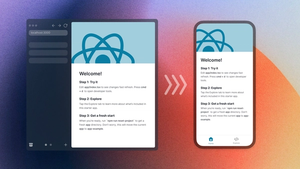
Every Android and iOS app has a “native project,” a folder containing all the files required by Android Studio or Xcode to build the app into something that can be deployed to an app store and run on a device. Each one of these folders can be quite complex to maintain, upgrade, and scale on its own. Cross-platform apps, such as those made with React Native, have at least two such folders. CNG can help make this complexity much more manageable.
What is Continuous Native Generation (CNG)?
Continuous native generation (CNG) is the process of generating native projects on-demand from a set of more concise inputs. Instead of committing entire native projects to source control, you only commit the input configuration and code files. Whenever you need to compile your native app, you (re)generate the native project. CNG describes the process Expo Prebuild uses to generate native projects for React Native apps from your app config (app.json / app.config.js), package.json, and other inputs. CNG reduces the headaches of changing, maintaining, and upgrading native projects into the much simpler task of defining what is unique about your project in an easy-to-understand format.
Why adopt continuous native generation?
It doesn’t take long as a mobile developer to notice how often we need to upgrade our code, especially compared to the desktop or web. There’s a consistent stream of new operating system versions, device form factors and screen sizes, vendor API’s, security and privacy requirements, and new capabilities that users expect apps to support in short order. Every time there’s a Google I/O or Apple WWDC event, listen closely and you can hear the rustling sound of millions of developers scrambling to account for whatever new things were announced there. New Android and iOS versions and Xcode upgrades are often followed by Play Store and App Store requirements mandating minimum versions the next time you publish. If you want to keep updating your app with new features, you will need to keep upgrading core components of the native developer SDK’s.
These necessary platform upgrades are generally built into Expo SDK / React Native upgrades. The latest Expo SDK release will support the target Android SDK required by the Play Store and the minimum Xcode version required by the Apple App Store. Expo provides a Native Project Upgrade Helper to make it easier to see what changes developers need to make when they’re not using CNG and managing native projects themselves. Maybe it’s not so bad manually touching these files to upgrade the default project to the latest SDK, but things get considerably more complex in sophisticated production apps, where you may be:
- Upgrading multiple SDK versions at once
- Integrating third party libraries that require modifications to these same files
- Writing custom code inside and alongside these files
- Managing development, test, and production build schemes
- Maintaining multiple build targets (e.g., widgets and watchOS apps)
The manual maintenance and upgrading of native projects involves a lot of wrangling of boilerplate code and arcane troubleshooting steps, and you effectively have to do it twice, using very different tools and processes for Android and iOS. The attention cost to developers is high. It diverts focus away from building end-user features, and may lead teams to avoid taking advantage of platform capabilities, so as to avoid the added complexity of maintaining their native code.
CNG, as implemented in Expo Prebuild, compresses the native upgrade process into often just a simple upgrade of your project dependencies. And, in the cases where you have made significant customizations that require further changes to support the latest version, you’re only changing what you've customized, not a bunch of boilerplate. CNG significantly reduces this time and headache, so you can take platform upgrades more frequently, adopt more complex native features with ease, and focus more on feature development and less on maintenance.
The “CNG Equation” and how it changes development
You can think of CNG as a mathematical formula. Instead of native projects being these unpredictable, poorly-understood blobs of code, they’re the predictable output of some much easier to understand variables:
Change any one of the input variables, and the output changes in a predictable way. This is why you don’t bother tracking changes on your native code once you adopt CNG. If you change the name of your app in app.json and run npx expo prebuild , the name will change in the native project. If you add a package to package.json, and it has native code inside, that native code will be autolinked the next time you run Prebuild. If you add a config plugin, that custom code will be run on Prebuild and modify your native projects accordingly.
Not only is this less code to maintain, but it fundamentally changes how we look at certain used-to-be-more complex customizations:
Build variants
In a React Native app without CNG, you might have to think about how to isolate your app into separate development, preview, and production variants in three different places: in JavaScript, your Android project as product flavors, and iOS project as build schemes. With CNG, you can change your app name, bundle identifier, and whatever else you need to create a separate variant with a small amount of JavaScript in a dynamic app config. As far as the native projects are concerned, there is only ever one build variant; when you need to build with a different one, just regenerate the native projects.
Eliminate manual project configuration for complex features
A lot of complex native features require significant configuration that’s often done inside the native IDE. Expo Prebuild supports Config Plugins, bits of JavaScript that can modify native project files to complete these integrations without opening Android Studio or Xcode. You just reference the config plugin in your app config, specifying any required parameters, and the integration is done for you the next time you run Prebuild. Many libraries already ship their own config plugins. You can set up features like Firebase integration, App Clips, home screen widgets, notification extensions, and more, with config plugins.
Ship targeted native code alongside JavaScript
In any complex cross-platform app, it’s inevitable that you’ll need some custom native code in order to harness a particular native feature in a way unique to your use case. Instead of taking on the entire maintenance burden of native projects once you need to write a tiny bit of native code, you can instead only write the native code you need, put it in a folder next to the JavaScript that drives much of your app’s business logic, and trust the it’ll be integrated when you run Prebuild. The Expo Modules API works in a CNG setup to let you pinpoint target native code right where you need it, without opening up the rest of the can of worms that comes with typical native development.
How to adopt Continuous Native Generation
We have a guide that outlines the essential changes to make to your project in order to adopt CNG, removing native projects from your source control and using Expo Prebuild to generate native projects on the fly.
When it comes to how your specific codebase, with all its customizations, converts over to CNG, it can help to mentally re-map your native project customizations into the CNG equation before embarking on code changes. If you’ve ever attempted to start fresh from the default React Native template on a major upgrade and apply your native customizations one-by-one, you have basically already done this.
Instead of thinking of your Android and iOS folders as a big ball of native code totally unique to your app, start from the default native project folders you would get if you ran npx create-expo-app and then npx expo prebuild –clean and document how your native projects differ from that template?:
- How did you customize core properties in default files, such as AndroidManifest.xml or Info.plist?
- What assets did you add or customize (splash screen, icons, etc.)?
- What packages with native code did you add to your app? Did those require any manual changes to your native projects? (e.g., edit entitlements.plist or resource XML files)
- What native code did you customize within your native projects?
If you can, at least on paper, go from the default template to your custom native projects, you’re well on your way to adopting CNG. From there, you can look at each customization and see if and how it is covered by a pre-existing configuration point (most are!):
- Virtually all core properties defined in native projects, including app name, bundle identifier, icons, splash screen, the google-services.json file, and more, are covered by predefined configuration points in your app config.
- Native code inside packages integrates seamlessly with autolinking, and many popular libraries ship config plugins for any further native project configuration needed.
- If any configurations aren’t already covered above, you can write small amount of javascript in the form of a config plugin that applies those changes programmatically during prebuild.
- Any custom code added inside your native project can be moved to a local Expo Module. It’s basically a folder inside your project where you can stick native code to be picked up by Expo Prebuild.
In summary, continuous native generation is a vital component of a modern, efficient, and robust mobile app development process. It enhances speed, consistency, and quality, enabling teams to focus more on development and less on the mechanics of building and releasing their apps.
For more information about how to get started with Continuous Native Generation and React Native, check out our documentation.