Expo SDK 52 and React Native 0.76 mark an important milestone in the React Native community: The New Architecture is enabled by default in new projects and is ready for most apps to evaluate it for production use.
Upgrading your Expo app to a new SDK version involves typical new release concerns like bug fixes, new API’s, deprecation of old API’s, and possibly needing to also upgrade third party libraries. But this is not an ordinary release. The New Architecture is a new “engine” that drives how your JavaScript interacts with the native layer. This is creating challenges for some apps.
Expo Go on the New Architecture
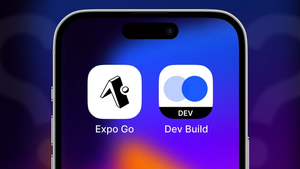
If you’re using Expo Go, you may have felt this change more acutely, as Expo Go has been upgraded to both SDK 52 and the New Architecture. Since the New Architecture is now on by default for new projects across the React Native ecosystem, and Expo Go is a tool for quick prototyping and getting started with Expo, we felt it was important for Expo Go to be on the New Architecture as well. However, if you are using Expo Go to test an existing app, this meant (at least on an iOS device; you can download older versions of Expo Go for Android and iOS simulators at https://expo.dev/go) that you had to upgrade to SDK 52 and the New Architecture at the same time.
So, depending on how you upgrade and what your development workflow looks like, you may be upgrading more in your app than you did for a previous release. Even as almost all popular libraries have adopted the New Architecture, ensuring a broad level of compatibility, every app is unique. Your upgrade may take longer and involve more troubleshooting on its way to being fully-migrated to Expo 52, React Native 76, and the New Architecture.
Even if it’s true, we don’t want to merely acknowledge “upgrading is hard” and leave it at that. To some degree, upgrading will always more difficult depending on how many things you’re upgrading, how complex your codebase is, what tools are available to you, and what platform features you’re using. But, as a part of the React Native community in general and the Expo team in particular, we are committed to finding ways to address the common pitfalls and roadblocks with upgrading. Even as every app is unique, it’s rare that just one app has a particular issue, and often one issue is related to another issue. There are common threads to uncover that will make things better for everyone.
Reporting issues and feedback
To that end, we’re asking for your help in finding these issues so we can help make upgrading better. The best way to surface an issue is and will always be a Github issue with a minimal reproduction, where you send us a link to a Github repo based on the default project template created with npx create-expo-app , plus just enough code to reproduce the issue.
A minimal reproduction ensures that our team can see exactly what you’re seeing and gives us a way to test that our fix will work for you. Even if that seems like a lot to do, often spending 15 or 30 minutes trying to make a minimal reproduction is more effective than hours spent debugging on your actual app, where there are a lot of moving pieces and it’s more difficult to isolate issues.
We also understand the value in discussing an issue in the moment, even before you’re ready to try to reproduce it. Other developers may be experiencing the same thing and already have an answer. Discussions about issues on Discord, Reddit, Bluesky and elsewhere can result in a sort of collaborative virtual rubberducking where we find the answer together while talking through it.
We encourage you to post screenshots or videos of the issues you’re facing, or at least descriptions of what exactly you’re seeing, what platforms are affected, etc. so we can see what is broken and help the community think through how to isolate that issue and find a solution. If you have detailed feedback about the upgrade process that doesn’t fit neatly into a minimal reproduction of a single issue, we’d love to hear about it, as well. Besides social forums, we always have someone checking on the messages received from our support page.
Tips for upgrading
We have written up detailed advice for troubleshooting issues found during an upgrade. This includes considerations for both before and during your upgrade, with a list of suggestions, starting with the quickest/easiest to try. We recommend reading the entire guide, but we wanted to highlight a few key items in brief here:
Using development builds over Expo Go
Upgrades are best taken when you don’t feel rushed to complete them. As Expo Go automatically upgraded to the latest version after the SDK release on your phone, you may have noticed that your app no longer worked in Expo Go, and felt that you needed to upgrade right away in order to keep working on features.
Development builds help reduce the temperature, giving you time and space to take on an upgrade while not interrupting ongoing feature work. A development build works a lot like Expo Go, allowing you to scan a QR code to work on your code locally without rebuilding. But it’s your own app, so it will not get upgraded when a new version of Expo Go is released.
If you still feel that you need to use Expo Go, know that you don’t necessarily have to use the latest version on the Play and App Stores. You can go to https://expo.dev/go and download previous versions for use on Android devices and iOS simulators. Unfortunately, due to App Store restrictions, this does not work on iOS devices.
Still, another reason to migrate to a development build is because Expo Go is quite limited in how it can replicate your production app, leading to issues where it works in Expo Go but not when you build your production app. Expo Go can run your JavaScript, but it cannot apply most of your app.json / app.config.js configuration, because that would require modifying native code. In short, Expo Go can’t contain nearly everything that’s unique and special about your app. Development builds can. There's plenty of headroom in the Free plan to make some development builds, or you build locally `npx expo run:android` or `npx expo run:ios`.
Upgrade to SDK 52, and then upgrade to New Architecture
If you’re testing with the Expo Go version released to the stores, then you had to immediately start running your code on SDK 52, React Native 0.76, and with New Architecture enabled. This makes it more difficult to isolate any issues. Adopting New Architecture is the bigger change of the two, so it’s likely related to that, but it will be hard to tell if you upgrade to both at the same time.
With a development build, you can upgrade to SDK 52 / React Native 0.76 separately. Make a development build that just upgrades to SDK 52 first (e.g., by running npx expo install expo@latest --fix and follow the release notes to address any breaking changes). Test against that and make sure everything is working with the SDK 52 upgrade. Then, turn on New Architecture and make another development build and test against that.
You could do that immediately, or even release your app on SDK 52 / old architecture and then release later on the New Architecture. There’s no hurry to do both at once, and, if you do each of them separately, you’ll be able to pinpoint more closely if the issue is SDK 52 / React Native 0.76 or New Architecture-related. If it’s New Architecture-related, you can use our New Architecture troubleshooting guide to help.
Check the troubleshooting guides
We have a landing page of our most popular troubleshooting guides that you can browse depending on your issue. If your issue is an error when building, you’ll want to take different steps compared to a crash or performance issue. Even if you don’t fully get to the root cause, using a tool like ADB Logcat or macOS console to find a native error that the operating system reports from a crash can be very helpful as you engage in further troubleshooting or ask others for help.