This is a guest post from Suraj Ahmed - he is the Associate Director of Engineering at GeekyAnts where he excels at building React Native mobile applications. Suraj believes in the idea that "there is always more than one way to do it" and so he is known for his quirky hacks.
...
On July 25th, 2024 we hosted the first annual geekconf in Berlin, Germany. The intention of the event was to give the modern web and React Native community another opportunity to connect in person and learn from the incredible work being done. We love being part of this community and we’re often in awe of the talent we’re surrounded by. This conference is one small way we can celebrate each other. One important tool for connecting at the conference is thegeekconf app. We built it using Expo SDK 51 and gluestack-ui v2. We chose a tech stack that includes Next.js for the web and Expo for iOS and Android. Using Expo and Next.js together gave us a smooth setup for both web and mobile, and gluestack-ui really sped up our UI development while keeping things consistent.
We hit a few bumps along the way, like dealing with the limitations of Tailwind CSS on mobile and optimizing our React Native Expo app for performance, especially when handling animations. Deployment had its own set of challenges. We had to figure out how to deploy the web app on Vercel while using EAS Submit for the mobile side, and making CI/CD work smoothly across both wasn’t the easiest task.
But in the end, it was all worth it, with the lessons we learned and the way the team came together.
This blog post is an account of how thegeekconf app went from idea to the hands of our conference attendees.
The app development team
We are a passionate team at GeekyAnts who love React Native and Modern Web tech. We consist of a front-end expert who’s all about Next.js, a mobile developer who’s great with Expo, a backend developer taking care of the server side, and a designer with a great eye for creating beautiful and user-friendly interfaces.
Conceptualizing thegeekconf App
We wanted thegeekconf app to be a key tool for attendees throughout the event, and it delivered on its promise to enhance the conference experience. With a user-friendly interface and real-time updates, the app should provide seamless access to speaker information and schedules. It also needed to allow users to stay informed about last-minute changes and announcements, ensuring they didn’t miss a thing.
From the feedback we got from the attendees, we ticked most of these boxes. One attendee said, "thegeekconf app made everything so easy to follow, especially with all the last-minute schedule and speaker updates. It kept everyone in the loop and made the whole event run smoother."
Overall, the app did a great job of sharing knowledge and information about the event. It also helped keep everyone updated and engaged throughout the event. Here is how the app was built.
What is the thegeekconf App?
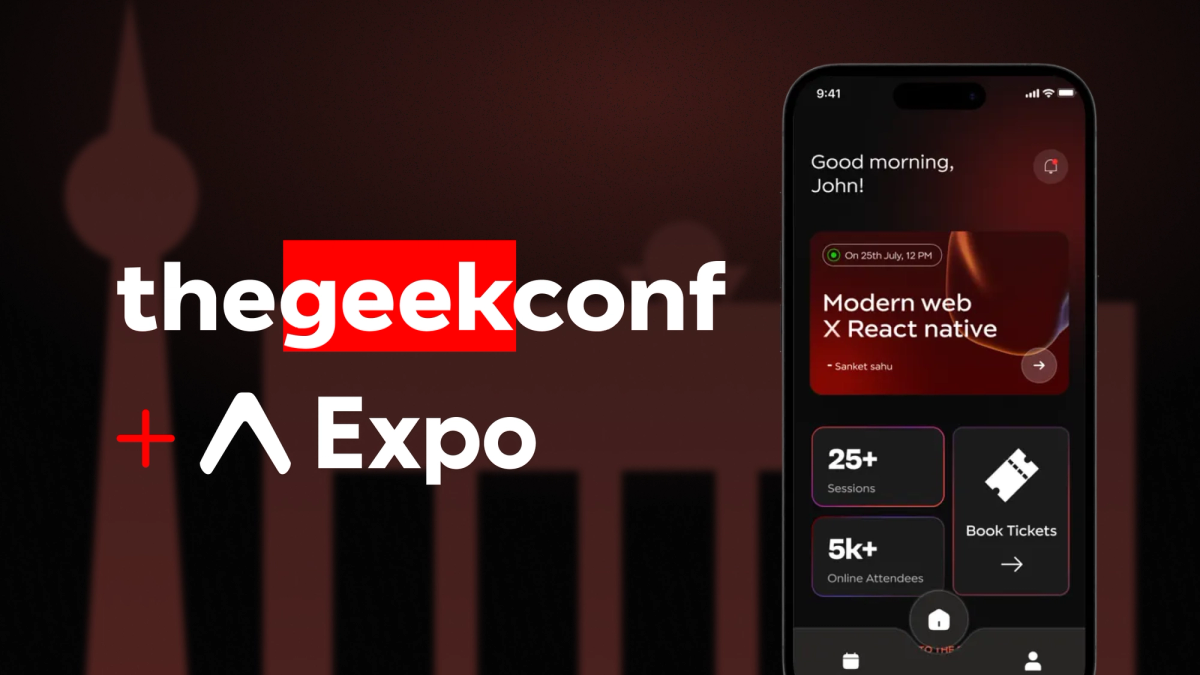
thegeekconf app mirrors the website, providing users with all necessary details about the conference. It includes speaker information, sponsor details, and a dedicated schedule page. Furthermore, the app allows user registration and login, facilitating connections between users.
thegeekconf app was built to enhance the conference experience, making it easier for attendees to access information and connect with other participants.
Features of thegeekconf app:
- User Registration and Login Flow: Seamless registration and login for accessing conference features.
- Comprehensive Schedule Display: Detailed schedule showcasing all speeches and speakers.
- Online Stream Link: Direct links for accessing live or recorded sessions online.
- Community Creation: Facilitates discussions and interactions among attendees.
How we built thegeekconf app
For the thegeekconf app, we maintained a monorepo with three major folders: one for Next.js, one for the Expo app and another for common shared components. You can get an idea of the application architecture and the folder structure from the images below:
Our experience maintaining the monorepo
While maintaining a monorepo was a new challenge for us, it turned out to be a great learning experience. Putting all our code into a single repository for both the Next.js website and the Expo mobile app seemed like a smart choice.
It aimed to simplify development and keep everything consistent across platforms. We benefited from managing shared components in the packages/components folder, which made it easier to maintain a unified look across web and mobile apps.
However, this approach also brought challenges to the team.
Managing dependencies for web and mobile was tricky, requiring careful synchronization and conflict resolution. Configuring build tools and workflows for Next.js and Expo in the same repo added complexity. Despite these issues, the monorepo setup improved the team's communication and workflow, making development more efficient.
Here’s why:
- Next.js for the Web: We chose Next.js for our website due to its support for server components and superior performance. This allowed us to leverage server-side rendering (SSR), React server components(RSC), and optimized web experience.
- Expo for Mobile: For the mobile app (iOS and Android), we used Expo for its universal development capabilities. Expo allowed us to write code once and deploy it across multiple platforms, saving development time and effort.
- Shared Components: To streamline development, we kept a common folder for components that could be shared between the Next.js and Expo apps. Thanks to gluestack-ui, which provides universal components, we were able to create and maintain common components easily, accelerating our development process.
Why we chose Expo for mobile development
Our decision to use Expo for mobile development was driven by several key factors:
We aimed to create an app that could seamlessly run on Android and iOS. Managing two separate apps can be cumbersome, which led us to select Expo for its universal app development capabilities. Expo provides a myriad of features that make it a standout choice for mobile app development. We chose Expo mainly because of these compelling reasons:
- Universal App Development: Expo allows us to build applications that work seamlessly across iOS and Android platforms using React Native components. This unified approach simplifies development by maintaining a single codebase for multiple platforms.
- Community and Ecosystem: With a thriving community and a robust ecosystem, Expo offers extensive support through a wide array of pre-built components and APIs. This strong foundation accelerates development by providing ready-made solutions for common app functionalities.
- Easy Setup and Accelerated Development: Expo streamlines the setup and configuration process for mobile app development. By handling native configurations and build processes, Expo empowers developers to focus on writing JavaScript and React code, thereby speeding up development timelines and reducing the complexities associated with native app development.
Our experience building with Expo
Our expertise with Expo greatly influenced our decision to use it for the thegeekconf app. In past projects, we experienced how effectively Expo supports universal app development, providing a robust ecosystem, straightforward configuration, and seamless over-the-air updates.
Internally at GeekyAnts, we’ve worked on several client projects where Expo was our go-to choice for building universal apps. Its ability to deliver a consistent experience across both iOS and Android made it the perfect tool for these projects. We’ve seen how Expo streamlines development and simplifies updates, which is why it’s our first choice whenever a universal app is needed.
The role of gluestack-ui in our development process
We’re thrilled about gluestack-ui, a set of beautifully designed universal components we built with passion to streamline cross-platform development. It’s designed to be lightweight, flexible, and powerful, making it easier for developers to create beautiful, consistent apps across web and mobile.
gluestack-ui’s modular architecture and Figma UI kit made development smooth and efficient. Its compatibility with Expo and Next.js helped us avoid redundant code and focus on delivering top-notch functionality for the conference. We’re excited to see how other developers use gluestack-ui to create even more amazing projects!
For component development, we went a step further by extending gluestack-ui v2 and customizing our own components. This allowed us to build a unique look and feel for the app while maintaining the flexibility and consistency we needed across both web and mobile platforms
Why we chose gluestack-ui
Creating a design system from scratch is a big task, often taking 3-6 months. With gluestack-ui, we skipped that hassle:
- Modular Architecture: Use only what you need.
- No Extra Dependencies: Keeps things light.
- Web-Friendly API: Tailwind utility classes via NativeWind.
- RSC Compatibility: Boosts performance with Next.js.
- Figma UI Kit: Simplifies design.
- VSCode Plugin: Enhances development.
- Easy Installation: Quick setup with CLI tools.
Expo deployment with TestFlight and EAS Build
Deploying our Expo app to TestFlight and using Expo Application Services (EAS) was a smooth and straightforward process. EAS made the build and deployment steps much easier, cutting down on the complexities we usually face with other tools and letting us focus more on development.
Here’s a quick rundown of how we managed it:
- Set Up Your Expo Project: Start by initializing a new Expo project to get things rolling.
- Configure EAS: Install the EAS CLI and sign in to your Expo account to get everything set up.
- Build the App: Create builds for both iOS and Android with simple commands: eas build --platform ios for iOS and eas build --platform android for Android.
- Submit to TestFlight: For iOS, upload your build to TestFlight using eas submit --platform ios --path <path-to-your-build>.ipa.
With EAS, the process became much more streamlined, allowing us to quickly move from development to deployment without the usual headaches.
Next.js deployment with Vercel
Deploying our Next.js website with Vercel was efficient:
- Set Up Your Next.js Project: Initialize a new Next.js project.
- Deploy to Vercel: Import your project into Vercel from your preferred Git provider.
- Configure Environment Variables: Add necessary environment variables in the Vercel dashboard.
- Trigger a Deployment: Any push to your main branch triggers a deployment, which can be monitored via the Vercel dashboard.
Our Experience with gluestack-ui and Expo
Building with gluestack-ui and Expo has been highly rewarding, as both tools streamlined our development process and enabled us to efficiently create a high-quality, cross-platform app. Their synergy allowed us to focus on innovation and user experience, minimizing technical challenges.
Conclusion
By leveraging Next.js for our website and Expo for our mobile app, and sharing components using gluestack-ui, we were able to build a high-performance, cross-platform application efficiently. thegeekconf app not only enhances the conference experience for attendees but also fosters community building and knowledge sharing within the Modern Web and React Native ecosystem. We hope our journey inspires and assists other developers in their projects.