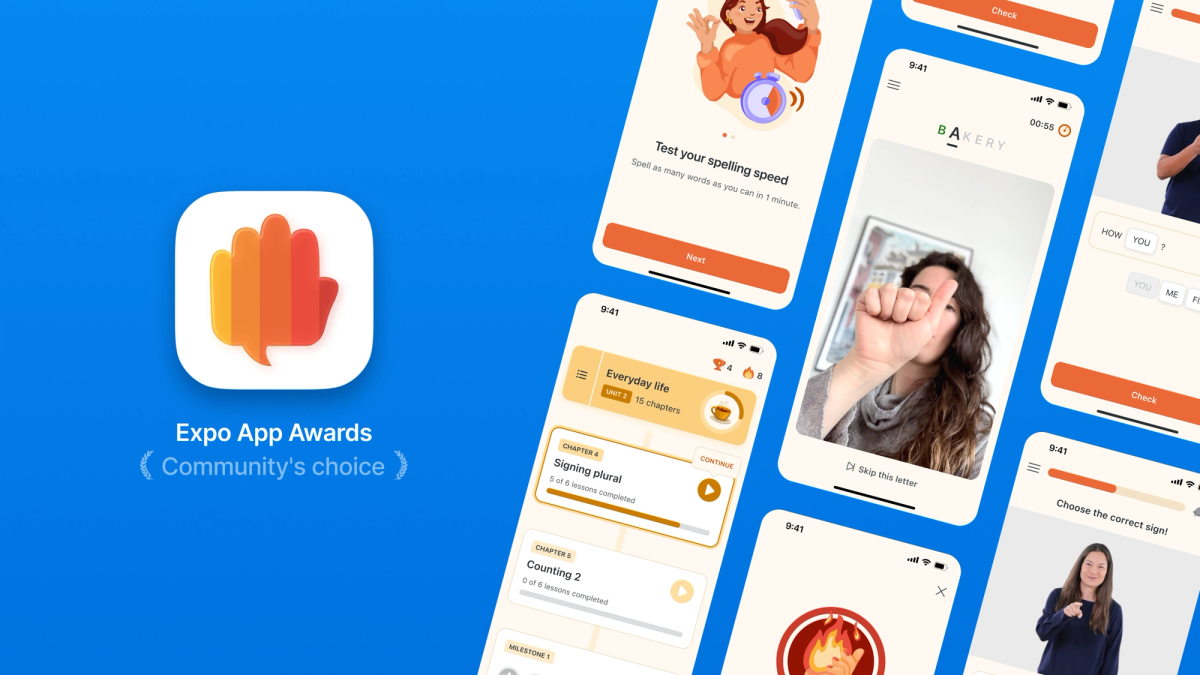
This is a guest post from the Lingvano app dev team - recent winners of the "Community's Choice" award in the 2025 Expo App Awards.
...
Lingvano helps millions of people learn sign languages through immersive video lessons taught by Deaf instructors. Our mission at Lingvano is to break down language barriers and build bridges between Deaf and hearing people. Our app blends interactive lessons, insights into Deaf culture and community events to make sign language education accessible and enjoyable for everyone. We currently offer 3 different sign languages: American Sign Language (ASL), British Sign Language (BSL) and Austrian Sign Language (ÖGS).
In this article we’ll show how a small team can build and scale a cross-platform learning experience entirely on Expo. We explain how we handle video lessons, real time fingerspelling recognition powered by custom native modules, and a workflow that keeps development smooth across iOS, Android, and the web. You’ll also see how these technical choices make learning seamless and engaging for more than 4 million learners.
The challenge
1.5 billion people in the world live with hearing loss. Lingvano aims to make communication between Deaf and hearing people barrier-free. Achieving this mission requires not only high-quality instruction from Deaf educators and engaging gamified systems, but also a seamless, cross-platform learning experience that works on iOS, Android, and the web.
Our challenge was to find a framework capable of handling video lessons, gamification, and AI-powered practice tools, so we could scale effectively for individual learners, schools, universities and B2B corporate clients — without adding overhead to development or maintenance.
The solution: Expo as the foundation for learning at scale
In early 2022, we migrated to Expo from bare React Native, unlocking a faster, more stable development workflow and streamlined deployment across all platforms.
Key technical components:
- expo-router – Provides stable navigation and a robust deep linking logic for lesson access and progress tracking
- TurboModule with custom native code – Powers Lingvano’s real-time fingerspelling AI recognition trainer (currently in beta)
- expo-notifications – Delivers smart learning reminders to boost retention and engagement
- expo-updates – Enables high-priority OTA updates for important bug fixes and feature rollouts
- EAS Build lifecycle hooks – Runs native E2E testing suits, using Maestro, and automatically reports errors directly into our task management tool. Check out this article to find out how to set up a fully automated native E2E suite with your Expo app.
- expo-sharing – Allows learners to share achievements, streaks, and curiosities with their communities
- And many more
In total, 28 Expo libraries power our core functionality. But the real power isn't just the libraries themselves. It's how Expo's well-architected infrastructure provides clean integration points for the entire toolchain: visual regression testing, Playwright E2E coverage, Storybook for component development or error tracking systems that trigger messaging alerts when critical thresholds are reached. Expo’s scalability doesn't just save time. It fundamentally enables continuous innovation.
No limits with Expo
When the tools you need don’t exist, Expo lets you build them yourself. Building our real-time fingerspelling AI recognition trainer presented us with unique technical challenges. We needed to work with Google's MediaPipe Gesture Recognition framework. The problem? No Expo module to support it. No React-Native package existed.
Critics of hybrid development might scream "you're blocked" or "time to eject." But, luckily, Expo gives us the flexibility to build custom native solutions within our managed workflow.
By creating a TurboModule, we could easily set up custom Swift and Kotlin native implementations that get a frame as input, scan it for potential gesture matches using Google's MediaPipe, and then send back a response of the most likely gesture seen in that frame.
The setup for this was extremely straightforward:
- Set up the
TurboModule
- This creates a
module/your-custom-modulefolder in the root of our project, and aniosand anandroidfolder inside of it. Both of them are filled with some boilerplate code, showing how aTurboModuleworks and how the bridge to the JavaScript layer is built. - All we had to do was fill the
iosandandroidfolders with our custom native solutions. We might share more details on the implementation after we move out of beta testing for this feature. Keep an eye on our development blog. - In the
package.json, the native module gets automatically connected. If you want, you can even easily publish a native module to a package manager of your choice:
That’s it. No Xcode project to maintain. No diverging Android and iOS builds. The module rebuilds automatically on every eas build, and when the JavaScript layer needs updates, OTA handles it. The result: We can take frames in our JavaScript layer, send them to our custom native module, and we’ll get a response of what the user is actually signing right now.
This is where Expo's true power shows. If your requirements outgrow the existing package ecosystem, you're not forced to choose between ejecting or compromising on features. The managed workflow scales with you. Expo handles the build complexity while you focus on building what makes your app unique. If the package doesn't exist yet, you can build it yourself— and still keep all the benefits that made you choose Expo in the first place.
Developer experience and continuous growth
We kicked things off with Expo SDK 44 and now arrived at SDK 54 — this journey has been more than just an upgrade path. It's been over 3 years of continuous iteration and innovation, with each release bringing performance improvements, enhanced stability, and new developer delight.
EAS Build and Update streamline CI/CD while ensuring reliability at scale, allowing us to focus on features that make learning joyful — not on managing build complexity. Exceptional developer experience enables exceptional user experience.
Proven performance across platforms
The impact of our work shows in user engagement, ratings, and cross-platform consistency.
- 4 million users worldwide
- 4.9 stars with 111,000 ratings on iOS
- 4.8 stars with 63,000 ratings on Android
- Support for iOS, Android, and Web from one unified codebase
- Continuous delivery of A/B tests, new features and critical updates via OTA
Looking ahead
We are now running on the new architecture and upgrading to the latest Expo SDK 54. This marks our 10-version anniversary with Expo. We continue to innovate, refine, and grow — proving that small, passionate teams can build tools that make the world more connected.
Curious about our app? You can check it out on the web, iOS and Android.