This is a guest post from Kornel Kwiatkowski - he is a React Native developer at Pagepro where he has become a pivotal figure in the realm of mobile app development, particularly in enhancing app performance and crafting aesthetically pleasing user interfaces.
...
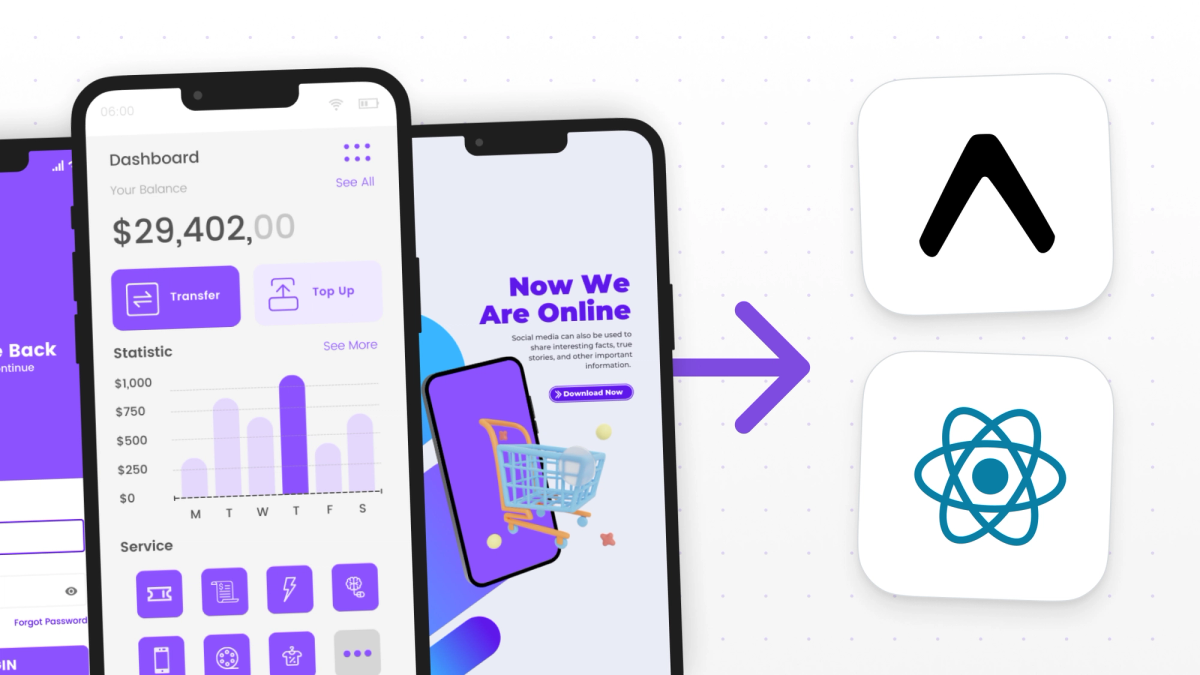
TL;DR - Maintaining two native apps was slowing our client down. Feature releases lagged, bugs piled up, and scaling the team became a hassle. We helped them migrate to a single cross-platform app using React Native and Expo, simplifying development, cutting costs, and speeding up releases. With a modern stack and a structured process, they now ship faster and scale more confidently.
The business case: Two codebases, one headache
When we met our client (a company helping users find savings during online shopping) they had iOS and Android apps in production. The apps were performing well, with an average App Store rating of 4.9/5 and around 3,000 user reviews.
Under the surface, however, tension was building!
As the product evolved, the engineering team had problems keeping both native apps aligned. Feature releases were delayed, bugs multiplied, and maintaining quality and consistency across the apps required more and more manual effort. At one point, they had to hire more native developers to keep up, which added cost and slowed down decision-making.
That’s when they reached out to us at Pagepro.
The migration: One codebase, every platform
Our task was to rebuild the mobile app using a cross-platform approach that would:
- Eliminate the need for two separate codebases
- Simplify team structure and reduce hiring overhead
- Accelerate feature development and release cycles
- Ensure consistent UX and performance across platforms
- Lay a scalable foundation for future growth
After a thorough technical discovery phase, we suggested a React Native and Expo stack, backed by our dedicated engineering support. Although some of the client's internal developers were familiar with React, this migration wasn’t a beginner-friendly task. They needed both guidance and hands-on support to build a production-ready React Native app with no feature regressions from the native versions. For background on the approach, see our overview of cross-platform mobile development.
How we built it
To create the new cross-platform app, our team of four experienced engineers built a balanced tech stack for a scalable and performant app. The stack in question was composed of React Native, Expo, TypeScript, Tailwind CS, and Storybook.
Choosing React Native:
React Native was selected as the foundation of the app for several reasons:
- Cross-platform support, which allows one codebase to target both iOS and Android.
- A strong ecosystem with a rich community, mature libraries, and active development.
- Access to native features. With the right tools, it can match the performance of native apps.
- Reusable logic, especially where it overlapped with web functionality, to save developers time and money.
To further improve the development process, we used high-quality libraries tailored to React Native:
- React Native Reanimated, for complex and performant animations with native thread execution, essential for maintaining high UX standards.
- React Query for simplified API communication, caching, and strong error-handling mechanisms out of the box.
- FlashList replaced FlatList to handle large datasets more efficiently, ensuring better performance and memory usage.
- NativeWind, a powerful styling solution for React Native that brings the utility-first approach of Tailwind CSS to mobile development. It allows developers to use familiar Tailwind classes directly in React Native components
- react-intl, a solution for application internationalization, supports multiple languages and formatting data according to local standards.
- react-native-svg, which allows for easy use of SVG elements, crucial for modern interfaces with high-quality vector graphics.
- EAS for CI/CD workflows, providing seamless build automation, over-the-air updates, and deployment processes optimized for React Native applications. This allowed our team to rapidly iterate and deploy new versions without the traditional friction of mobile app distribution.
- Zustand as a state management solution, offering a minimalistic yet powerful approach to managing application state. Its simplicity, small bundle size, and intuitive API made it an excellent choice over more complex alternatives, reducing boilerplate code while maintaining predictable state updates across the application.
- Sentry for error tracking and performance monitoring, giving us real-time visibility into application issues in production. This tool helped us identify, diagnose, and fix bugs faster by providing detailed error reports, performance metrics, and user-context information, directly contributing to improved application stability and user experience.
Choosing Expo
Expo played a central role in making this migration efficient. It gave us the tools to move fast, maintain high quality, and prepare the client’s internal team for long-term success. It shaped the project across four key areas:
Development speed and simplicity
With Expo’s workflow we could get productive right from the start. We didn’t need to spend time on native configuration, manual linking, or environment setup. Our developers were able to preview changes instantly on real devices using Expo Go, which shortened feedback loops during prototyping and made remote testing through QR code sharing possible.
What’s more, we could smoothly transition to custom native code when needed using expo-dev-client, maintaining the rapid development cycle even as project complexity grew. expo-splash-screen and expo-status-bar allowed us to implement improved app experiences without wrestling with native implementation details. Both our team and the client were able to stay aligned throughout the development.
OTA updates and maintenance efficiency
Expo’s Over-the-Air (OTA) updates, powered by expo-updates, did wonders for post-launch flexibility. The team could release small changes and updates immediately without having to wait for App Store or Play Store approval. The ability to maintain consistency across platforms with a single update flow was especially valuable during QA and rollout. We could address feedback quickly and avoid bottlenecks, which ensured a smooth launch.
Full access to native features
To integrate all the native functionalities the app required, we used Expo’s production-ready APIs, which were crucial for:
- Authentication and Security: expo-auth-session facilitated secure OAuth flows and social login integration with minimal configuration
- Data Persistence: expo-secure-store enabled encrypted storage for sensitive user data and authentication tokens
- Visual Enhancements: expo-blur and expo-linear-gradient created sophisticated visual effects that enriched the UI design
CI/CD Automation with EAS
We used EAS Build and EAS Submit to automate the entire release pipeline. Our team could generate production builds for iOS and Android with one command and configure different builds for development, staging, and production. Updates were automatically submitted to both app stores, which saved us a lot of time. The automation removed manual steps and gave the client a future-proof way to ship features and fixes at scale.
Thanks to Expo, the project launched faster, cost less to maintain, and positioned the client to grow more confidently moving forward.
Application migration process
We broke the migration into six sprints to ensure structure, speed, and maintainability throughout the project.
Kickoff & technical discovery
We started by reviewing the client’s native apps, understanding the backend API structure, and aligning on the new tech stack: React Native, Expo, and TypeScript. We also set up Storybook for isolated UI development and a web preview to streamline client feedback.
Building the component library
Before moving on to full screens, we built a reusable component library to ensure consistency and speed up development. This included foundation components like a typography system, buttons with multiple variants, form inputs (text fields, selectors, checkboxes), and custom icons.
This is an example of a Badge component implemented with NativeWind. Note that I'm showing everything in a single file for simplicity’s sake. In our actual project, we would typically split this into separate files for better code organization:
And here are some usage examples:
We also developed interactive elements such as modals with flexible configurations, animated advert carousels, reward cards,, and category lists with shadow effects. For more complex needs, we added safe area-aware layouts, toast notification systems, and components supporting internationalized text.
Storybook played a key role throughout the process. With its help we were able to showcase components early, iterate quickly with the client, document variants and usage, and isolate UI work from application logic. It also provided a solid foundation for manual testing across devices, validating accessibility, and running visual regression tests.
Feature screen development
With the component library in place, it was time to build the app's main feature screens. This included authentication, onboarding flows, and core screens like home, details, rewards, savings, and search.
We also implemented supporting screens such as settings, profile, FAQ, contact, and notifications. To ensure a seamless user experience across devices, we added tablet support and designed responsive layouts that adapt smoothly to different screen sizes.
Platform-specific features
In this phase, we focused on supporting platform-specific behavior without writing native code.
Using Expo’s device APIs, we integrated features like status notifications, haptic feedback, and access to device sensors for a more native-like user experience. To add to that, we used native asset management tools to handle file operations efficiently and optimize image and media resources.
Platform-specific adjustments (adapting to varying screen sizes and interface elements on iOS and Android, etc) were handled automatically. Expo also simplified permission management by providing a transparent way to handle user consents for features requiring access to device capabilities.
Testing & QA
To achieve a polished and reliable app, we implemented a thorough testing and quality assurance process.
Our team carried out cross-platform verification on a wide range of iOS and Android devices to address platform-specific issues tied to screen sizes and OS versions. UI consistency was carefully reviewed across styling, animations, and component rendering to maintain a cohesive brand experience. To eliminate potential bottlenecks and provide users with all types of devices with smooth interactions, we decided to also profile the performance.
To show you how our process looked like, here’s an example of a component test we ran:
Expo’s toolchain was invaluable in streamlining QA. The Expo Go app allowed for instant testing without native builds, team members and stakeholders could access the latest versions with QR code sharing, and the Expo Development Client supported the testing of custom native modules without disrupting the workflow. EAS Build delivered consistent preview builds, while over-the-air updates allowed us to push fixes and improvements without waiting on app store approvals.
The combination of an organized QA process and Expo’s development ecosystem resulted in a highly stable application with a consistent UX across all supported platforms.
Finalization & app deployment
In the final phase, we wrapped up development by integrating analytics and configuring over-the-air updates using expo-updates. We set up EAS Build & Submit to streamline the deployment process, ensuring consistent builds and simplified app store submissions.
After a smooth handoff of internal information to the client’s dev team, the project was completed.
The Outcome: A leaner, faster, more scalable app
The client successfully transitioned from maintaining two native apps to managing one React Native app with a single development team. The impact was immediate and measurable:
- Reduced Maintenance Overhead: Fewer bugs, fewer QA cycles, and easier onboarding for new engineers
- Faster Release Cycles: New features are released simultaneously across iOS and Android
- Lower Costs: No need to hire separate iOS and Android teams
- Improved User Experience: Consistency across platforms with enhanced performance
Expo was a core enabler of success for the app. We could build faster, test more easily, access native features seamlessly, and deliver updates instantly. Just as importantly, it gave the client’s development team a clear, modern foundation they could own and scale.
What’s next?
By partnering with Pagepro and capitalizing on Expo's modern capabilities, our client future-proofed their app stack and is positioned to grow more efficiently.
The new React Native and Expo foundation gave them the freedom to grow their business by adding new features and future integrations (like ML-powered offers and deep analytics) in less time than before. Their team can experiment and prototype more frequently.
Are you thinking of migrating your app with Expo? Try setting up a new Expo + NativeWind project and porting one screen. You'll be amazed how far you can get without touching native code.