
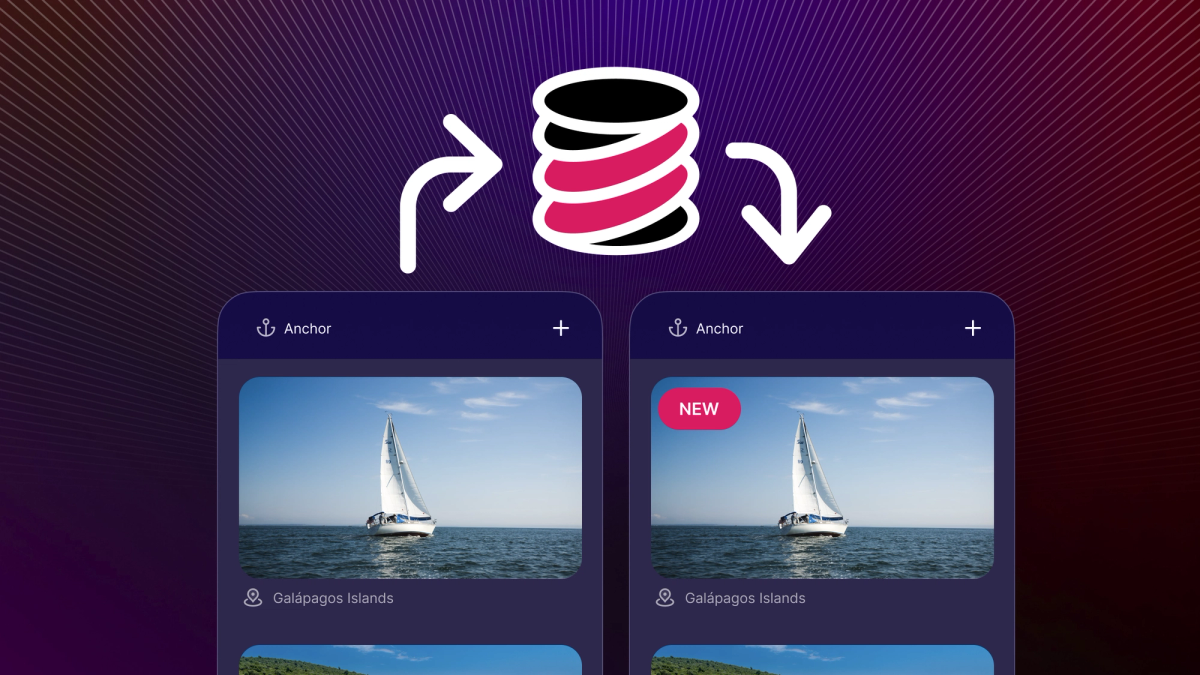
This is a guest post from James Pearce who was most recently Engineering Director at Meta, where he ran data infrastructure and developer tool organizations, as well as the company's well-known open source program. These days, he's living a life of adventure on his sailing boat Scout, but still hacking on projects like TinyBase when the wind isn't blowing.
...
You don’t have to work in technology for very long before you learn that technical trends come and go. But it won’t be much longer before you’ll notice those same trends coming and going again. The pendulum of consensus for how best to build things swings back and forth, seemingly inexorably. This might be because new issues with the state of the art technique start to emerge, or perhaps because there’s a nostalgic yearning for the greener grass of the previous approach. More often it’s because we all eventually realize that when figuring out the best solutions, the right answer is nearly always “it depends”.
One of the most interesting oscillations over the last few years has been the gentle but compelling rise of the “Local First” movement. For readers of a certain age, you’ll remember when every application was local-first! Software was installed on the desktop, the data for the app was loaded into it from local media, and held in memory close to the UI. Yes, it was hard to share things. Yes, it was easy to lose data. And yes, our Intel 486 chip wasn’t that fast. But still, these apps seemed responsive and efficient - and, apart from that first load - it was rare to ever see a spinner. There was no cloud to wait on!
In the decades since, we have gone hard to the other extreme. These days, our data is in the cloud, and, on the web, even the app itself. Whilst this brings a huge set of benefits, such as collaboration, automatic updates, and always-backed-up data, the local-first community think we have also lost something along the way. Many cloud-based apps simply won’t work offline. Many have compromised user experiences due to the inescapable physics of having to load all their data over the network. And, as users, we lose the sovereignty and potential privacy of our own data to the clouds that host it for us.
Hence the motivation to explore a local-first approach again - but maybe this time with fewer of the trade-offs of the past.
What is TinyBase?
At the heart of designing any local-first app is the topic of how your data will be managed. How will it be structured in-memory during execution? How will it be persisted to some sort of local storage when the app is not in use? And when the user is online, will it be possible to synchronize it across devices or share and collaborate with others?
TinyBase is an open source project that aims to explore and answer these questions. At its simplest, it is an in-memory JavaScript data store with both key-value and relational database semantics. It’s reactive, meaning that you can directly bind a user interface to it and have the app instantly respond to changes in the date. It has a range of ways to persist its data to the client - such as in local storage for basic web environments, or to SQLite (or even PGLite!) in richer environments like Expo - so that state is preserved between sessions. And, most recently, it gained conflict-free replicated data type (CRDT) functionality so that you can deterministically synchronize the data between clients and/or a server.
Here’s a simple diagram of how this might work:
TinyBase is built for a local-first world, but as you can see, that is not to the exclusion of also having a server in the mix: you may need a server to help coordinate the synchronization, or keep a server-side source of truth of an app’s state. But overall, the main idea is that you build your app as a function of data, and the plumbing of persistence and synchronization is abstracted away.
Let’s dive in and take a look at a few of these techniques in action!
Getting started with TinyBase
Nothing beats a simple template to get yourself up and running, and getting started with TinyBase on Expo is no exception, thanks to the wonderful examples project and the ‘create app’ tooling:
If all goes well, this will copy in a set of app files and install your dependencies, ready to start your Expo app.
Note: if you get an error like EMFILE: too many open files when you try to start the app, it may be that you need to install watchman.The starter template itself is a time-honored “Todo” app that uses TinyBase to structure the data and listen to its changes, and Expo SQLite to persist it locally on mobile devices. It should also run on the web, where local storage is used instead. Pick your platform of choice, and off we go!
A walkthrough of the user interface
Let’s take a look at some of the key aspects of this app, with the intention of understanding how TinyBase is helping out. To start out, all the code is in the single file, App.js, and all the data is stored in a single TinyBase table called todo, which contains two cells for each row, text (a string), and done (a boolean).
Let’s start towards the bottom of the file, where the App component is initialized:
There are two notable things here. Firstly, we create the TinyBase store for the app using the createStore method, wrapped in the useCreateStore hook to ensure it’s only created once, even if the app re-renders.
Secondly, we use the TinyBase <Provider> component to create an app-wide context. By passing the store we just created, we make that available to all the TinyBase hooks and components within. As you can see the app comprises simply a title, a component for adding a new todo, a list of existing todos, and a button to clear, or delete, them all.
The list of existing todos is a very simple wrapper around the standard FlatList component:
What’s interesting here is that the data for the list is being populated by the TinyBase hook useSortedRowIds, which returns the Ids of the rows in the todo table. These are sorted by the done cell - so the pending ones are at the top of the list. What’s perhaps less obvious here is that this hook is reactive! As the data changes - when new todos are added, or others are marked done, for example - this will cause the component to rerender with the new set of Ids. Magic.
Thanks to FlatList, each todo is rendered with a <Todo /> component, which takes that Id and renders the content:
The first thing that is happening here is that we call the TinyBase useRow hook to get the content of the row. This again is reactive, so even if the set of sorted Ids being managed by the parent FlatList doesn’t change, this component in isolation will know to re-render itself when content of its own todo changes (say, because of an update to the text content).
The other TinyBase hook here is useSetCellCallback, which is simply a convenience wrapper to return a callback that can handle an event and convert it into a change to the underlying TinyBase data. In this case, the event will be a Touchable press, and the change is simply to toggle whether the todo has been done or not.
Everything else should be self-explanatory! The Text item is given a style of either green or yellow depending on the todo state, and a small emoji checkmark or circle is shown accordingly.
By now, the code for the creation of a new todo should also be fairly easy to understand:
Here we have a managed TextInput component, which, when the text is submitted, invokes a callback to add a new row. The TinyBase useAddRowCallback hook lets us create this callback simply, and we just have to return the two cells for the new row (as well as resetting the input box for the next one).
Persisting the data locally
The final interesting part of this example project is how the data is persisted to the device, made painless with Expo’s SQLite module and its integration with TinyBase. Going back to the App initialization, we call useAndStartPersister to get this going. We simply need to create an object that TinyBase calls a Persister, configured to connect to browser local storage (on web), or a local SQLite database called todos.db (on mobile):
The outer useCreatePersister hook here is another TinyBase convenience to ensure this is only called when the app first starts. The final callback is the place to initialize the persister - and here we load from the database once (it will fail silently if it is empty, the first time the app is used), and then .startAutoSave - which uses the reactivity of TinyBase to make sure all changes are written to the database as they happen.
And that’s it! Run the app, make changes, hack around… and get a sense of how it all works.
Synchronization across devices
To make this blog post a little more interesting, let’s do One More Thing.
What we’ve built so far is a perfectly usable single-user, single-device app. But wouldn’t it be great to be able to manage the same todo list across other devices, or even with another user? Let’s add some new code to enable that.
Firstly, we need to upgrade our TinyBase store. Until now, it’s been just a plain table of data, but for synchronization to be predictable, we need to turn our store into a CRDT. Essentially this means the store will contain metadata about its content - such as logical timestamps and hashes - so that when confronted with having to merge two copies of the data, it can have deterministic results.
Fortunately, this is all taken care of by changing the TinyBase Store object to be a MergeableStore object when the app initializes. To do this, change…
to…
This extra metadata will immediately start being stored to the local SQLite database too, by the way. This means that if a device goes offline, and then closes, even when it starts back up again, online, the changes can be synchronized.
To enable the synchronization itself, we use a new type of TinyBase object called a Synchronizer. These exist for a variety of communication media, but for the sake of this demo we will use web sockets. The web socket communication needs to be routed by a lightweight server to which the clients connect, and TinyBase provides an implementation for Node or Bun environments. We’ll need server code that looks something like this:
Although this is trivially simple, to save you the effort of setting up a server of your own, we’ve deployed this as a server located at todo.demo.tinybase.org for the purposes of this demo. The TinyBase server will automatically create a shared ‘room’ for any unique path added to the domain that clients connect to. Any clients connected to the same path will have synchronization messages brokered between them by the server. (For a glimpse into how the mechanics of this server work, see the API and implementation of the broker - note that also the server can be configured to persist its own copy of the synchronized Store too!)
Back on the client, we need to have a way to create and share that unique path between devices. In a real app, you would want to use your user’s identity to do this, or have an email or QR code flow that lets devices know what the unique path is. When sharing with others, you might also want to have some sort of access control on the server so that only the right authenticated users can connect to the web socket server.
But for simplicity here, let’s go for a really lo-fi* solution - and allow one instance of the app to generate a unique room Id that can simply be pasted into another. We’ll do this in a new component called <Share />, which we’ll place at at the bottom of the app:
There’s nothing clever here (nor anything for me to be proud of!). This is a text input that will get filled with a unique Id (generated by the convenient TinyBase getUniqueId function) when focussed. We’ll rely on the user copying this from one device and pasting it into another. 😂
In this same component, let’s use the useCreateSynchronizer hook to initialize the synchronizer if this text input is populated. We check the presence of a room Id to be the clue that we should create our web socket and connect it to the demo server. We use the roomId as the URL path so that only the devices with the unique code get to see each other’s synchronization messages:
Finally we call .startSync to initiate the synchronization and merging protocol over the websocket. And, somewhat improbably, that’s it! Any two (or more) devices with the same string in that text field will now have their todo lists synchronized:
Try taking the devices offline, adding new todos to each, and then coming back online. As long as they all keep pointing at the same sharing room Id, you should see all their changes reflected. And boom! We have the bare bones of a local-first app, complete with synchronization. (If you would just like to see the final App.js file with all the changes we’ve made, there’s a gist here.)
What’s next for local first?
This has been a brief and somewhat superficial introduction to the world of local-first applications, but hopefully it’s given you a glimpse into a slightly new way of thinking about the architecture of your apps - in contrast to defaulting to using the cloud for everything.
There are probably some caveats that are worth touching on here. It’s still early days for the local first movement and whilst the core techniques for CRDTs and synchronization are fairly mature at this point, there are still areas to be developed (or innovated on!) by the community. These include developing good patterns for graduating data from anonymous sole usage to authenticated shared usage, thinking about how to enforce access control and invalidating data when devices go offline, and the eternal challenge of dealing with schema migrations as your app evolves.
It’s also worth saying that there still need to be more noteworthy local-first apps out there. Not every type of app benefits from this approach of course - I would rather my banking app has its source of truth on a server than on my device, for example! - but many do, and the hope is that the more we build, the more we will refine the approach, and the more we can bring users the benefits of working this way.
And that’s where you come in! Jump in, perhaps with this template, or perhaps with some of the other local-first and synchronization techniques available - and see what you can build. It’s pretty exciting being in at the start of a new way of building things, and I hope you have as much fun running with these ideas as I have had creating some of the underlying infrastructure you can use to do so.
Enjoy your adventures.
(* LOw FIdelity? Or LOcal-FIrst? 😀)