AI apps have surged in popularity, with thousands of developers building them right now. However, many developers don’t realize that AI integration is possible without sending data to model provider APIs or paying access fees. Until recently, on-device AI was merely experimental, but as models have become smaller and more efficient while devices have gained processing power, this technology has become accessible to everyone.
What is on-device AI?
Over a decade ago (2011), Siri emerged as one of the earliest examples of mobile AI. A few years later (2014), you could wake Siri up with the “Hey Siri” command, which was one of the first on-device AI features. The breakthrough came in 2017 with the introduction of the Neural Engine in the A11 Bionic processor (iPhone X), delivering 600 billion operations per second of dedicated AI processing power.
Since then the technology began moving beyond simple voice commands. Current generation NPU in iPhone 16 Pro is capable of 35 trillion operations per second, enabling sophisticated language models and real-time image generation, all running entirely on-device.
But the hardware capability is just the foundation. On-device AI delivers benefits that reshape how we think about mobile applications:
- Privacy by Design: User data never leaves the device. Whether summarizing confidential documents, analyzing personal photos, or processing sensitive information, on-device AI ensures complete privacy.
- Free of cost: Eliminate ongoing API costs and unpredictable cloud expenses. A model that might cost hundreds monthly in cloud computing runs indefinitely on users' devices at zero marginal cost.
- Universal Reliability: On-device AI works everywhere: in airplane mode, remote locations, during network outages. This reliability enables use cases impossible with cloud-dependent solutions.
- Instant Response: With no network round trips, users experience sub-second responses that feel natural and immediate.
However, the practical reality of implementing on-device AI presents significant challenges. Running AI models directly on mobile devices requires integrating inference engines like ExecuTorch. They are massive projects which have a complicated build process and require domain specific knowledge. This is where libraries like react-native-executorch bridge the gap by abstracting away these complexities from developers.
Introducing react-native-executorch
react-native-executorch is a library created by Software Mansion. Its mission is to enable React Native developers to implement AI features without machine learning expertise or complex infrastructure setup. The library provides a complete development ecosystem:
- Pre-exported models hosted on Hugging Face, ready for immediate use.
- Intuitive API that abstract away pre and post processing.
- Seamless Integration with existing React Native workflows.
Technological dive
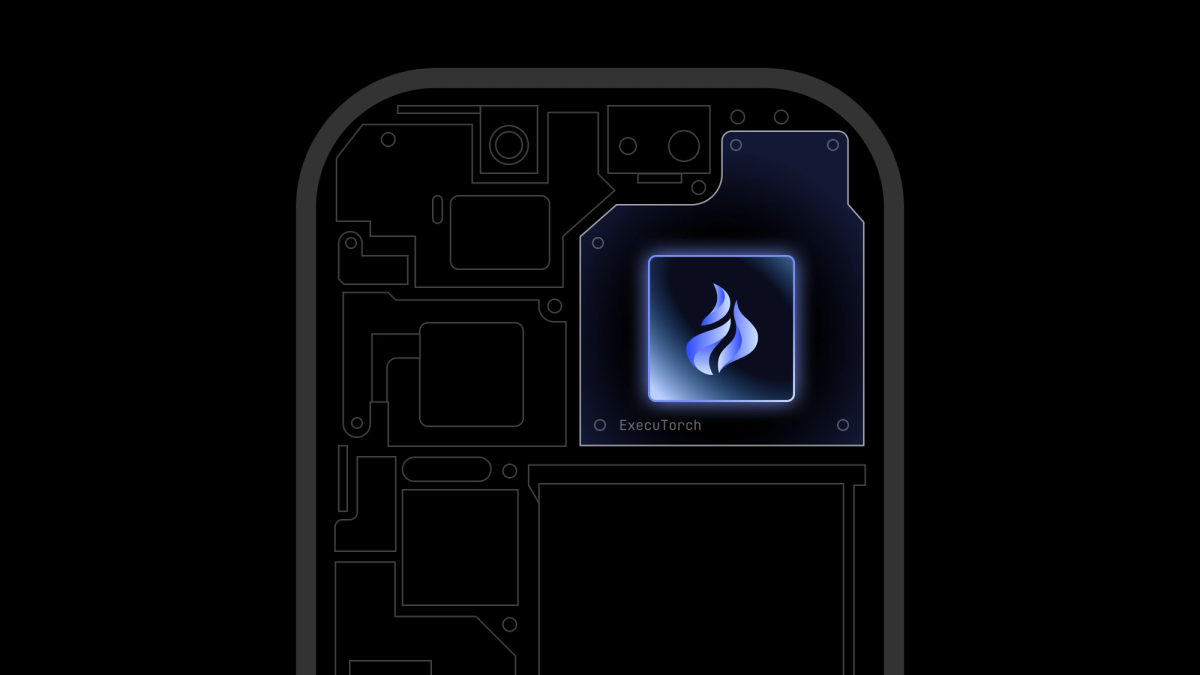
Under the hood, react-native-executorch leverages ExecuTorch, Meta’s inference engine that powers on device AI features in Instagram and Facebook applications. ExecuTorch delivers an end-to-end solution for AI deployment on edge devices, with several key advantages:
- PyTorch Ecosystem Integration: Developers can build and train models using the familiar PyTorch environment, then export them directly for mobile development without leaving the familiar environment.
- Cross-Platform Versatility: Beyond smartphones,
ExecuTorchsupports the entire edge computing spectrum—microcontrollers, smartwatches, AR/VR headsets, and IoT devices. - Optimized Performance:
ExecuTorchmaximizes hardware utilization support for a variety of backends, including CoreML on iOS for Neural Engine acceleration, Vulkan for cross-platform GPU computing, and specialized mobile GPU backends. This ensures your models run at peak efficiency regardless of device capabilities.
Figure 1: Communication flow between react-native-executorch and ExecuTorch.
Before diving into building a demo app, we need to address the elephant in the room: on-device AI isn't a universal solution. While the benefits are compelling, the limitations are real and can significantly impact user experience if not carefully considered.
When on-device AI becomes problematic
- Resource consumption: AI inference is computationally intensive. Users will experience faster battery drain during AI-heavy tasks, and devices may become noticeably warm during extended processing. While modern chips are remarkably efficient, they're still bound by physics. More computation means more energy consumption.
- Hardware constraints: Even flagship devices have limits. Most smartphones provide 6-12GB of RAM, with only a portion available to your app. Large language models requiring 20+ GB are simply impossible to run locally, regardless of optimization efforts.
- Storage and distribution challenges: AI models can be substantial, ranging from tens of megabytes to several gigabytes. This creates a distribution dilemma: bundle models with your app (inflating download size and potentially hitting app store limits), or implement complex download strategies that affect first-time user experience.
- Performance disparity: While API response times remain relatively consistent across devices, on-device performance varies dramatically. A model might generate text at 50 tokens/second on a flagship phone but struggle at 5 tokens/second on a mid-range device, which creates inconsistent experiences across your user base.
Mitigation strategies
- Quantization and optimization: Techniques like quantization can reduce model sizes by 50-75% while maintaining acceptable accuracy. By reducing weight precision from 32-bit to 8-bit or even 4-bit representations, models become faster and more memory-efficient. Additional strategies include model pruning, knowledge distillation, and dynamic loading approaches.
- Hybrid architectures: Smart applications use device capabilities for simple, frequent tasks while leveraging cloud processing for complex operations like balancing performance, privacy, and resource constraints.
When to choose on-device AI
Avoid on-device AI when you need consistent performance across all device tiers, access to cutting-edge large models, or minimal app footprint. Choose on-device AI when privacy is paramount, offline functionality is required, or when you need ultra-low latency for real-time interactions.
The key is matching your technical approach to your product requirements—not every AI feature needs to run locally, and not every feature should run in the cloud.
Building a real-world app: Voice transcription with on-device AI
Now that you understand both the benefits and limitations of on-device AI, let's build something practical. Since we opened with Siri's story, it's fitting to create our own voice assistant foundation: a real-time speech transcription app powered entirely by on-device processing.
We'll build an app that captures audio through your phone's microphone and transcribes it using OpenAI's Whisper model, running completely locally. This demonstrates a key component of modern voice assistants: converting speech to text without sending audio data to external servers.
Setting up dependencies
Start with a bare Expo app, then install our core dependencies:
Library overview:
react-native-executorch- Our bridge to Meta's ExecuTorch runtime, enabling on-device AI inference.react-native-audio-api- High-performance audio engine for React Native based on web audio api specification.
Configuring permissions
Audio recording requires explicit user permissions. Configure them using the react-native-audio-api Expo plugin in your app.json:
After adding this configuration, rebuild your development build to apply the native changes.
Implementing audio capture
The foundation of speech recognition is high-quality audio capture. We'll configure the audio recorder with specific parameters optimized for speech recognition:
Configuration details:
- 16kHz sample rate: Whisper's native input format, reducing processing overhead.
- 100ms buffer chunks: Provides responsive feedback while maintaining quality.
- SpokenAudio mode: iOS optimization for voice content with noise suppression.
Loading the whisper model
We'll use the useSpeechToText hook with Whisper Tiny English—a balanced choice for mobile deployment:
Model architecture: The selected model consists of three components that will be automatically downloaded:
- Encoder: Processes audio features (~33MB).
- Decoder: Generates text tokens (~118MB).
- Tokenizer: Handles text encoding/decoding (~3MB).
Total download: ~150MB on first use, cached locally for subsequent sessions.
Alternative models: For multilingual support, use WHISPER_TINY which supports multiple languages
Display download progress to improve user experience:
Implementing real-time transcription
Whisper's 30-second audio processing limitation requires special handling for continuous audio streams of indefinite length. Our streaming implementation uses overlapping audio chunks to prevent mid-sentence cuts adapted from whisper-streaming. This approach ensures coherent transcription across audio segments. Let’s use it in our app:
How streaming works:
- Audio captured in 100ms chunks.
- Each chunk processed with overlapping context.
- Model maintains conversation continuity.
- Results updated in real-time as speech progresses.
Displaying transcription results
The model provides two types of output: committedTranscription (finalized text) and nonCommittedTranscription (text still being processed). This enables responsive UI feedback:
Now you can run the app, tap "Start Recording," and experience completely private, real-time speech transcription powered by on-device AI. Your voice never leaves your device, yet you get professional-grade transcription results.
Want to see a complete implementation? Check out our open source app called Private Mind - a production-ready ChatGPT alternative running entirely on-device. Available on App Store and Google Play with full source code on GitHub.
The future of on-device AI and React Native ExecuTorch
As we've explored throughout this journey from Siri's cloud-dependent beginnings to today's sophisticated on-device AI capabilities, one thing is clear: we're still in the early chapters of this technological revolution.
A rapidly evolving landscape
The pace of innovation in on-device AI is unprecedented. Just two years ago, running a capable language model on a smartphone seemed like science fiction. Today, we're transcribing speech, generating images, and having conversations with AI; all without an internet connection. Tomorrow's capabilities will likely make today's achievements look quaint.
This rapid evolution presents both opportunities and challenges for developers. New model architectures, optimization techniques, and hardware capabilities appear faster than most development cycles can accommodate. What works today might be obsolete in six months, but the fundamental principles we've discussed—privacy, performance, and accessibility—will remain constant.
React Native ExecuTorch: Building an ecosystem
react-native-executorch represents more than just a library—it's becoming the foundation of a comprehensive React Native ecosystem for offline AI. The library already serves as the core dependency for emerging tools like react-native-rag (Retrieval-Augmented Generation), which enables developers to build sophisticated AI applications that can reason over local document collections and knowledge bases.
This ecosystem approach is crucial because on-device AI isn't just about running individual models—it's about creating interconnected AI workflows that can operate entirely offline. Imagine apps that can:
- Process documents with OCR, summarize content with language models, and answer questions about the text.
- Analyze images, generate descriptions, and create searchable metadata—all locally.
- Provide personalized recommendations based on user behavior without ever transmitting data.
The react-native-executorch ecosystem is positioning itself to make these complex AI workflows as simple as importing a hook and calling a function.
Conclusions
I hope this article gave you some understanding of on-device AI and will push you to give it a chance. Whether you're building the next generation of voice assistants, creating privacy-focused document processing tools, or exploring entirely new categories of AI-powered experiences, on-device AI provides the foundation for innovations we're only beginning to imagine.
If you want to explore more, here are some links that you can follow:
react-native-executorchdocumentation — see what models and hooks are available.react-native-executorchGitHub repository — clone the repo and play with our examples.real-world-examplerepository — check out the details of the app we’ve built.