From idea to income: How to build seamless subscriptions with Expo and RevenueCat
Development•React Native•Users••11 minutes read
Lennart Brandt
Guest Author
Learn how Roamwise uses Expo and RevenueCat to implement seamless subscriptions—with custom hooks, smart paywall design, and real-world code.

This is a guest post from Lennart Brandt - a Product Designer and React Native developer with over 10 years of experience turning ideas into beautiful, reliable digital products.
...
Turning your Expo app from a great idea into consistent revenue doesn’t have to be complicated. I'll walk you through how I designed and implemented subscriptions into Roamwise using Expo and RevenueCat. I'll share three practical React hooks you can use immediately – usePurchasesInitialize, usePurchasesMonitor, and usePurchases – plus design insights to boost your conversions.
Meet Roamwise
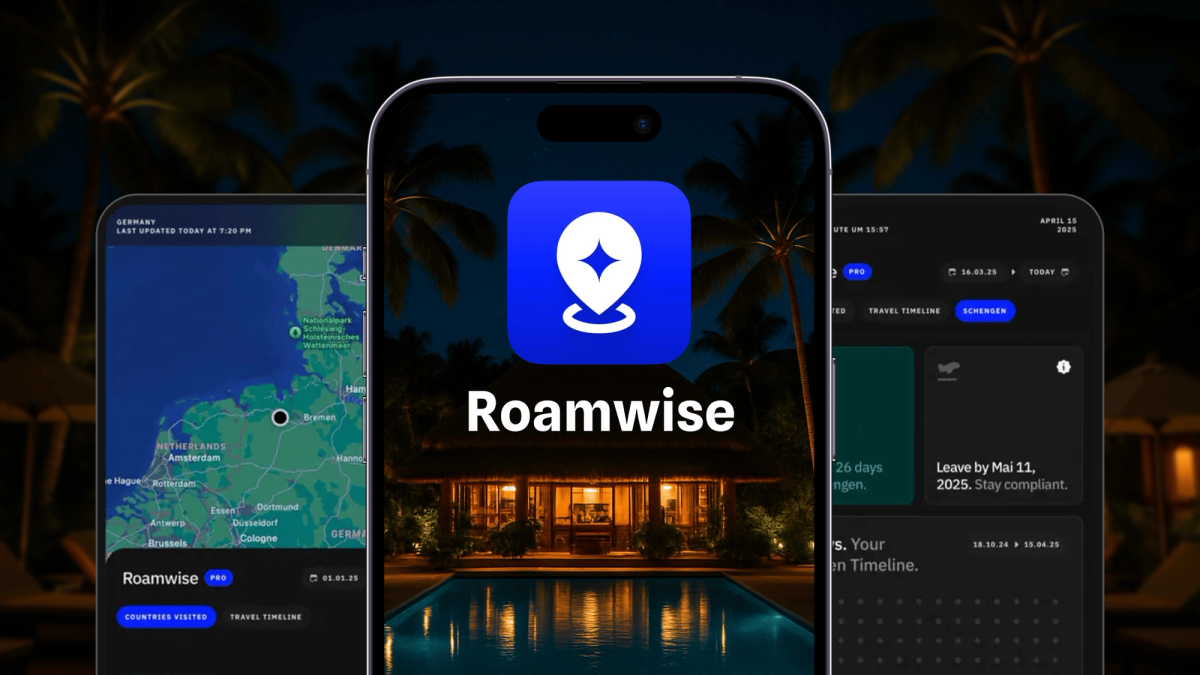
At Roamwise, my goal is simple: help digital nomads and frequent travelers track their time abroad, avoiding visa and tax headaches. To sustain and grow the app, an intuitive subscription model was essential. In the next sections, I'll show you why Expo and RevenueCat are the perfect combination for creating seamless subscriptions.
Setting up your Expo project
Start by installing RevenueCat’s React Native SDK alongside Expo's DevClient:
- npx expo install react-native-purchases expo-dev-clientRevenueCat’s React Native Purchases: React Native Purchases simplifies integrating RevenueCat’s robust in-app purchase system, effortlessly managing subscriptions and payments across platforms.
Expo’s DevClient: The Expo DevClient gives you complete control over native code, crucial for integrating libraries like react-native-purchases not supported by Expo Go.
Running your project locally
Compile and run your app directly on your device:
- npx expo run --deviceMake sure your setup matches Expo’s guidelines here.
Configuring RevenueCat
Create a RevenueCat account, set up your products, and then add API keys securely to your .env file:
EXPO_PUBLIC_REVENUECAT_IOS=<your_public_ios_sdk_key>EXPO_PUBLIC_REVENUECAT_ANDROID=<your_public_android_sdk_key>
Using usePurchasesInitialize to set up RevenueCat
To simplify initialization and manage subscription states seamlessly in Roamwise, I built the usePurchasesInitialize hook. It abstracts away setup complexity, gracefully handles network interruptions, and keeps your app state in sync:
- Performs a one-time RevenueCat initialization using the correct platform-specific API key.
- Fetches user subscription status with Purchases.getCustomerInfo() and checks for active entitlements.
- Implements a retry mechanism with exponential backoff, attempting up to three times in case of network failures.
- Stores the result in a global Zustand store, ensuring immediate UI responsiveness.
- Returns a boolean flag isInitialized to signal when RevenueCat setup is complete, useful for loading indicators or gated content.
Full code:
/*** usePurchasesInitialize.ts** A custom React hook for initializing and managing RevenueCat in-app purchases.* This hook handles:* - One-time RevenueCat SDK initialization* - Subscription status verification with retry logic** Created by @brandtnewlabs (www.brandtnewlabs.com)* A developer and designer helping teams build beautiful, reliable apps with React Native.** This code is running in the Roamwise app (www.roamwise.app)** Prerequisites:* - RevenueCat account setup (https://www.revenuecat.com/)* - API keys configured in your environment variables* - react-native-purchases package installed** @see https://docs.revenuecat.com/docs/reactnative for official documentation*/import { useCallback, useEffect, useState } from 'react';import { Platform } from 'react-native';import Purchases from 'react-native-purchases';import { useAppStore } from '@/store';// Configuration constantsconst MAX_RETRIES = 3;const RETRY_DELAY = 2000; // Base delay in milliseconds before exponential backoff// Get platform-specific API key from environment variablesconst API_KEY = Platform.select({ios: process.env.EXPO_PUBLIC_REVENUECAT_API_KEY,android: process.env.EXPO_PUBLIC_REVENUECAT_API_KEY,});/*** A hook to initialize RevenueCat and verify subscription status** @returns isInitialized - boolean indicating if RevenueCat was successfully initialized** @example* // In your App.tsx or a high-level component:* function App() {* // Initialize RevenueCat on component mount* const isPurchasesInitialized = usePurchasesInitialize();** return (* // Your app components* );* }*/export function usePurchasesInitialize(): boolean {const setSubscriptionStatus = useAppStore((state) => state.setSubscriptionStatus);const [isInitialized, setIsInitialized] = useState(false);const initializePurchases = useCallback(async () => {if (!API_KEY) {console.error('[usePurchasesInitialize] Missing RevenueCat API key');setIsInitialized(false);return;}try {// Configure RevenueCat SDKPurchases.configure({ apiKey: API_KEY });// Verify subscription statusconst { hasActiveSubscription } = await verifySubscriptionStatus();// Update app statesetSubscriptionStatus(hasActiveSubscription);setIsInitialized(true);} catch (error) {setIsInitialized(false);// Provide detailed error logconst errorMessage = error instanceof Error ? error.message : 'Unknown error';console.error(`[usePurchasesInitialize] Initialization failed: ${errorMessage}`);}}, [setSubscriptionStatus]);useEffect(() => {if (!isInitialized) {initializePurchases();}}, [initializePurchases, isInitialized]);return isInitialized;}/*** Interface for the return value of verifySubscriptionStatus*/interface SubscriptionStatusResult {/** Whether the user has an active subscription */hasActiveSubscription: boolean;}/*** Verifies the user's subscription status with exponential backoff retry* This function handles temporary network issues by retrying with increasing delays** @param retryAttempt - Current retry attempt count* @returns Promise resolving to the subscription status*/export async function verifySubscriptionStatus(retryAttempt = 0,): Promise<SubscriptionStatusResult> {try {// Get the latest customer information from RevenueCatconst customerInfo = await Purchases.getCustomerInfo();// Check for active entitlements/subscriptionsconst activeSubscriptions = Object.values(customerInfo.entitlements.active);// Consider user subscribed if they have any active entitlement.// This allows for flexible A/B testing and future entitlements (not tied to a specific name).const hasActiveSubscription = activeSubscriptions.length > 0;return {hasActiveSubscription,};} catch (error) {// Implement exponential backoff for retriesif (retryAttempt < MAX_RETRIES) {// Calculate delay with exponential backoff (2s, 3s, 4.5s)const backoffDelay = RETRY_DELAY * Math.pow(1.5, retryAttempt);// Wait for the calculated delayawait new Promise((resolve) => setTimeout(resolve, backoffDelay));// Retry the verification with incremented attempt countreturn verifySubscriptionStatus(retryAttempt + 1);}// If we've exhausted all retry attempts, rethrow the errorthrow error;}}/*** NOTE: For blog readers** The useAppStore is a global state management solution using Zustand* It should contain these methods:** - setSubscriptionStatus(isActive: boolean): Sets whether user has active subscription*/
Example usage:
function RootLayout() {// Initialize RevenueCat and perform initial check for pro access// Sets up the SDK and validates subscription status at app startupconst isPurchasesInitialized = usePurchasesInitialize();return (<SafeAreaProvider><GestureHandlerRootView><Slot /></GestureHandlerRootView></SafeAreaProvider>);}
This pattern keeps your codebase clean while giving you full control over subscription logic, retries, and global app state – all without repeating yourself across components.
Keeping your app updated with usePurchasesMonitor
Subscription states can change outside your app, so staying updated is critical. The usePurchasesMonitor hook handles real-time updates seamlessly:
- Ensures RevenueCat is fully initialized before setting up listeners.
- Sets listeners for both app lifecycle events (using React Native’s AppState) and RevenueCat customer info updates (
addCustomerInfoUpdateListener). - Automatically refreshes subscription status whenever the app regains focus or a subscription change occurs externally.
- Updates global subscription state through Zustand, avoiding redundant UI renders.
- Returns a boolean flag
isPurchaseMonitorSetUpto verify monitoring is active, aiding debugging and UI state management.
Full code:
/*** usePurchasesMonitor.ts** A custom React hook for monitoring RevenueCat in-app purchase status in real time.* This hook handles:* - Ongoing monitoring of RevenueCat subscription status after initialization* - Updating global app state when subscription status changes* - Listening for app foreground events and RevenueCat updates** Created by @brandtnewlabs (www.brandtnewlabs.com)* A developer and designer helping teams build beautiful, reliable apps with React Native.** This code is running in the Roamwise app (www.roamwise.app)** Prerequisites:* - RevenueCat account setup (https://www.revenuecat.com/)* - API keys configured in your environment variables* - react-native-purchases package installed* - RevenueCat must be initialized before using this hook (see usePurchasesInitialize)** @see https://docs.revenuecat.com/docs/reactnative for official documentation*/import { useCallback, useEffect, useState } from 'react';import { AppState, AppStateStatus } from 'react-native';import Purchases from 'react-native-purchases';import { useAppStore } from '@/store';import { verifySubscriptionStatus } from './usePurchasesInitialize';// Interval (ms) to poll for Purchases SDK configurationconst PURCHASES_CONFIG_CHECK_INTERVAL = 1000;/*** A hook to monitor RevenueCat subscription status and update app state on changes** This hook should be used after RevenueCat has been initialized (see usePurchasesInitialize).* It listens for app foreground events and RevenueCat customer info updates, and will update* the global app state if the user's subscription status or info changes.** @returns isPurchaseMonitorSetUp - boolean indicating if purchase monitoring is fully set up** @example* // In your App.tsx or a high-level component:* function App() {* const isPurchaseMonitorSetUp = usePurchasesMonitor();* // ...* }*/export function usePurchasesMonitor(): boolean {const setSubscriptionStatus = useAppStore((state) => state.setSubscriptionStatus);// Tracks if Purchases SDK is configuredconst [arePurchasesConfigured, setArePurchasesConfigured] = useState(false);// Tracks if monitoring (listeners) is set upconst [isPurchaseMonitorSetUp, setIsPurchaseMonitorSetUp] = useState(false);/*** Fetches and updates subscription status and info if changed.** - Considers user subscribed if any entitlement is active (A/B test friendly)* - Batches state updates for efficiency*/const refreshSubscriptionStatus = useCallback(async () => {if (!arePurchasesConfigured) return;try {const { hasActiveSubscription } = await verifySubscriptionStatus();setSubscriptionStatus(hasActiveSubscription);} catch (error) {console.error('[usePurchasesMonitor] Error refreshing subscription status:', error);}}, [arePurchasesConfigured, setSubscriptionStatus]);// Poll until Purchases SDK is configureduseEffect(() => {const intervalId = setInterval(async () => {const configured = await Purchases.isConfigured();if (configured) {setArePurchasesConfigured(true);clearInterval(intervalId);}}, PURCHASES_CONFIG_CHECK_INTERVAL);return () => clearInterval(intervalId);}, []);// Listen for app foreground and RevenueCat updatesuseEffect(() => {if (!arePurchasesConfigured) {setIsPurchaseMonitorSetUp(false);return;}// Refresh on app foregroundconst appStateListener = AppState.addEventListener('change', (nextAppState: AppStateStatus) => {if (nextAppState === 'active') {refreshSubscriptionStatus();}});// Refresh on RevenueCat customer info updatesPurchases.addCustomerInfoUpdateListener(refreshSubscriptionStatus);setIsPurchaseMonitorSetUp(true);return () => {appStateListener.remove();setIsPurchaseMonitorSetUp(false);};}, [refreshSubscriptionStatus, arePurchasesConfigured]);return isPurchaseMonitorSetUp;}
Example implementation:
function RootLayout() {// Initialize RevenueCat and perform initial check for pro access// Sets up the SDK and validates subscription status at app startupconst isPurchasesInitialized = usePurchasesInitialize();// Monitor ongoing subscription status changes// Updates store when app returns to foreground or when subscription changesconst isPurchaseMonitorSetUp = usePurchasesMonitor();return (<SafeAreaProvider><GestureHandlerRootView><Slot /></GestureHandlerRootView></SafeAreaProvider>);}
With this hook in place, your app will stay in sync with RevenueCat in real time – no extra logic required. It’s a reliable way to ensure your users always get the experience they’re paying for.
Handling Purchases with usePurchases
The usePurchases hook provides a straightforward and structured API for purchasing and restoring subscriptions, offering robust error handling and UI-friendly states:
- Confirms SDK initialization with Purchases.isConfigured() before proceeding.
- Fetches available packages and current customer info concurrently, ready for use in your pricing screens.
- Offers purchasePackage for initiating subscription transactions, silently handling user cancellations without unnecessary errors.
- Includes restorePurchases to easily recover subscriptions, crucial for device switches or reinstalls.
- Provides a helper hasActiveEntitlement to conditionally unlock premium features based on the current subscription status.
- Manages UI states clearly: isLoading for initial data fetches, isProcessing during transactions, and structured error information for effective user messaging.
Whenever a user subscribes through purchasePackage or restores their subscription via restorePurchases, the usePurchasesMonitor hook immediately receives this update. This means your app automatically recognizes the user as a premium subscriber, seamlessly unlocking all your pro features without manual intervention.
Full code:
/*** usePurchases.ts** A custom React hook for interacting with RevenueCat in-app purchases.* Handles:* - Fetching available purchase packages (products)* - Fetching and updating customer info* - Purchasing and restoring packages* - Exposing loading, processing, and error states* - Checks if RevenueCat Purchases SDK is initialized before making SDK calls** Usage:* const {* availablePackages,* customerInfo,* isLoading,* isProcessing,* error, // { message: string, code?: string }* purchasePackage,* restorePurchases,* hasActiveEntitlement,* } = usePurchases();** Notes:* - Does not update global state; use usePurchasesMonitor for global subscription state.* - Does not initialize RevenueCat; use usePurchasesInitialize for SDK setup.* - The `error` object is structured: { message: string, code?: string }* - If the SDK is not initialized, error.code will be 'NOT_INITIALIZED'*/import { useCallback, useEffect, useRef, useState } from 'react';import Purchases, {CustomerInfo,PURCHASES_ERROR_CODE,PurchasesError,PurchasesPackage,} from 'react-native-purchases';/*** Type guard for RevenueCat PurchasesError*/function isPurchasesError(error: unknown): error is PurchasesError {return typeof error === 'object' && error !== null && 'code' in error;}/*** Structured error type for usePurchases* error: { message: string, code?: string }*/export interface PurchasesHookError {message: string;code?: string;}/*** Return type for usePurchases hook*/export interface UsePurchasesResult {availablePackages: readonly PurchasesPackage[];customerInfo: CustomerInfo | null;isLoading: boolean;isProcessing: boolean;error: PurchasesHookError | null;purchasePackage: (pkg: PurchasesPackage) => Promise<CustomerInfo>;restorePurchases: () => Promise<CustomerInfo>;hasActiveEntitlement: (info: CustomerInfo, entitlementId?: string) => boolean;}/*** usePurchases** Provides RevenueCat product offerings, customer info, and purchase/restore actions.* Checks if Purchases SDK is initialized before making SDK calls.* Returns a structured error object for UI consumption.*/export function usePurchases(): UsePurchasesResult {// List of available purchase packages (products)const [availablePackages, setAvailablePackages] = useState<readonly PurchasesPackage[]>([]);// RevenueCat customer info (entitlements, etc.)const [currentCustomerInfo, setCurrentCustomerInfo] = useState<CustomerInfo | null>(null);// Loading state for initial fetchconst [isLoading, setIsLoading] = useState(true);// Processing state for purchase/restore actionsconst [isProcessing, setIsProcessing] = useState(false);// Structured error object for UI consumptionconst [error, setError] = useState<PurchasesHookError | null>(null);// Tracks if the component has mounted to prevent state updates on unmounted components during async operationsconst hasMounted = useRef(true);/*** Centralized error handler* Ignores user-cancelled purchase errors* Sets a structured error object for UI consumption*/const handlePurchasesError = useCallback((error: unknown) => {if (isPurchasesError(error) && error.code === PURCHASES_ERROR_CODE.PURCHASE_CANCELLED_ERROR) {return;}if (isPurchasesError(error)) {setError({ message: error.message, code: String(error.code) });} else if (error instanceof Error) {setError({ message: error.message });} else {setError({ message: String(error) });}}, []);/*** Fetch available packages and customer info on mount* Checks if Purchases SDK is initialized before making SDK calls* Sets a structured error if not initialized*/useEffect(() => {hasMounted.current = true;// Fetch offerings and customer info in parallelconst fetchPurchasesData = async () => {setError(null);try {// Check if Purchases SDK is configuredconst isConfigured = await Purchases.isConfigured();if (!isConfigured) {setError({ message: 'Purchases SDK is not initialized.', code: 'NOT_INITIALIZED' });setIsLoading(false);return;}const [offerings, info] = await Promise.all([Purchases.getOfferings(),Purchases.getCustomerInfo(),]);if (hasMounted.current) {setAvailablePackages(offerings.current?.availablePackages ?? []);setCurrentCustomerInfo(info);}} catch (error) {handlePurchasesError(error);} finally {if (hasMounted.current) setIsLoading(false);}};fetchPurchasesData();// Cleanup: mark as unmounted to prevent state updatesreturn () => {hasMounted.current = false;};}, [handlePurchasesError]);/*** Purchase a package and update customer info* Checks if Purchases SDK is initialized before making SDK calls* Sets a structured error if not initialized*/const purchasePackage = useCallback(async (pkg: PurchasesPackage) => {setIsProcessing(true);setError(null);try {// Check if Purchases SDK is configuredconst isConfigured = await Purchases.isConfigured();if (!isConfigured) {const notInitError = {message: 'Purchases SDK is not initialized.',code: 'NOT_INITIALIZED',};setError(notInitError);throw notInitError;}const { customerInfo } = await Purchases.purchasePackage(pkg);setCurrentCustomerInfo(customerInfo);return customerInfo;} catch (error) {handlePurchasesError(error);throw error;} finally {setIsProcessing(false);}},[handlePurchasesError],);/*** Restore previous purchases and update customer info* Checks if Purchases SDK is initialized before making SDK calls* Sets a structured error if not initialized*/const restorePurchases = useCallback(async () => {setIsProcessing(true);setError(null);try {// Check if Purchases SDK is configuredconst isConfigured = await Purchases.isConfigured();if (!isConfigured) {const notInitError = {message: 'Purchases SDK is not initialized.',code: 'NOT_INITIALIZED',};setError(notInitError);throw notInitError;}const info = await Purchases.restorePurchases();setCurrentCustomerInfo(info);return info;} catch (error) {handlePurchasesError(error);throw error;} finally {setIsProcessing(false);}}, [handlePurchasesError]);/*** Check if a CustomerInfo object has an active entitlement* If entitlementId is omitted, returns true if any entitlement is active*/const hasActiveEntitlement = useCallback((info: CustomerInfo, entitlementId?: string): boolean => {if (!info?.entitlements?.active) return false;const activeEntitlements = info.entitlements.active;if (!entitlementId) {return Object.keys(activeEntitlements).length > 0;}return activeEntitlements[entitlementId] !== undefined;},[],);return {availablePackages,customerInfo: currentCustomerInfo,isLoading,isProcessing,error,purchasePackage,restorePurchases,hasActiveEntitlement,};}export default usePurchases;
This modular approach ensures your purchase flow remains maintainable, clear, and user-friendly.
Tip: RevenueCat’s Paywalls can help you iterate quickly on your subscription screens without app updates—though personally, I prefer custom designs for full control.
Designing paywalls for high conversion
When launching an app successfully it's easy to underestimate its importance or to overload it with untested growth hacks. From my experience scaling WeBurn (a fitness app reaching $15K monthly recurring revenue), I learned paywall strategies aren't universally applicable. Every audience requires thoughtful tailoring. For Roamwise, I returned to proven fundamentals to ensure high conversions:
Position paywalls when user motivation Is highest
Timing matters immensely. Placing the paywall immediately after onboarding, when user curiosity and engagement are at their peak, significantly improves conversion rates. This approach leverages user excitement, turning initial interest into decisive action. By focusing on these fundamental principles, Roamwise achieved a clear, user-focused paywall experience, turning curiosity into committed subscribers effectively and reliably.
Create an instant "Aha" moment
Demonstrating immediate value significantly increases conversions. Roamwise's paywall instantly leverages onboarding insights. When users first reach the paywall, it directly shows them their top visited countries extracted from their photo libraries. This immediate, personalized demonstration showcases Roamwise’s value clearly, removing uncertainty right at the moment of decision.
Thoughtful animations
Animations shouldn't merely be decorative. They should gently guide attention to key information. Subtle animations help users focus precisely when it matters most, reducing cognitive load during decision-making moments. In Roamwise, I employed smooth entrance animations using react-native-reanimated and react-native-bottom-sheet. Features such as a softly bouncing arrow and gently pulsing icons enhance user engagement subtly yet effectively.
Use clear, benefit-driven copy
Great copy instantly communicates the value users will receive: clearly, simply, and directly. On Roamwise’s paywall, each feature is named with straightforward, outcome-focused language. For instance, “History+” clearly states users will access extended travel history beyond 30 days, and “SchengenPro” makes managing Schengen days simple. Clear headlines and personal, benefit-oriented subtexts help users immediately see why subscribing makes sense. Even the main headline – “Unlock All Features” – is straightforward and benefit-oriented. The supporting text, “A special offer for frequent travelers like you,” is personal and specific, reinforcing the app’s target audience and purpose.
Emphasize the free trial clearly and frequently
Free trials dramatically reduce perceived risk, but only if clearly communicated. Roamwise repeatedly emphasizes its free trial through headlines (“Try Roamwise Pro For Free”), toggles clearly labeled "Free Trial Enabled," and bold, high-contrast text on the subscription button and fine print. Reiterating this offer multiple times helps build trust, making users comfortable to commit.
Make discounts impossible to miss
Discounts significantly boost conversion rates, but only when users clearly see and understand them. Roamwise prominently highlights savings, like “Save 69%” on annual plans, with bold visuals right next to pricing options. Positioning these discounts clearly within the pricing context makes them instantly understandable and compelling, prompting immediate action.
Use price anchoring to demonstrate value
Users naturally compare options when evaluating pricing. Price anchoring strategically positions your primary subscription plan between clearly more expensive and less expensive alternatives, making your targeted plan seem optimal. In Roamwise, the annual plan (€14.99/year) is clearly positioned between a lifetime option (€59.99) and a monthly plan (€3.99/month). Breaking down annual prices into monthly costs (just €1.25/month) further reinforces the perceived value.
Final thoughts
Subscriptions can feel daunting, but with Expo and RevenueCat the heavy lifting is already done—you just need a clear plan. Here’s what matters most:
- Foundation first.
usePurchasesInitialize,usePurchasesMonitor, andusePurchasesgive you a predictable, test-friendly layer for all purchase logic. Drop them in early so every screen can rely on the same source of truth. - Surface value before price. Show users exactly what they gain—whether that’s an instant travel summary or another “aha” moment unique to your app—before presenting a paywall. When the benefit is obvious, the subscription feels like a small step, not a gamble.
- Design with intent. A paywall is part of onboarding, not an interruption. Clear, benefit-driven copy, thoughtful motion, prominent free-trial messaging, and transparent discounts all work together to remove friction and build trust.
- Iterate ruthlessly. RevenueCat’s remote configs and analytics make it painless to A/B test headline tweaks, price anchoring, and trial lengths. Treat the paywall like any other feature: ship, measure, refine.
Add these pieces and your app will deliver subscriptions seamlessly, turning first-time users into long-term supporters without hijacking your roadmap.