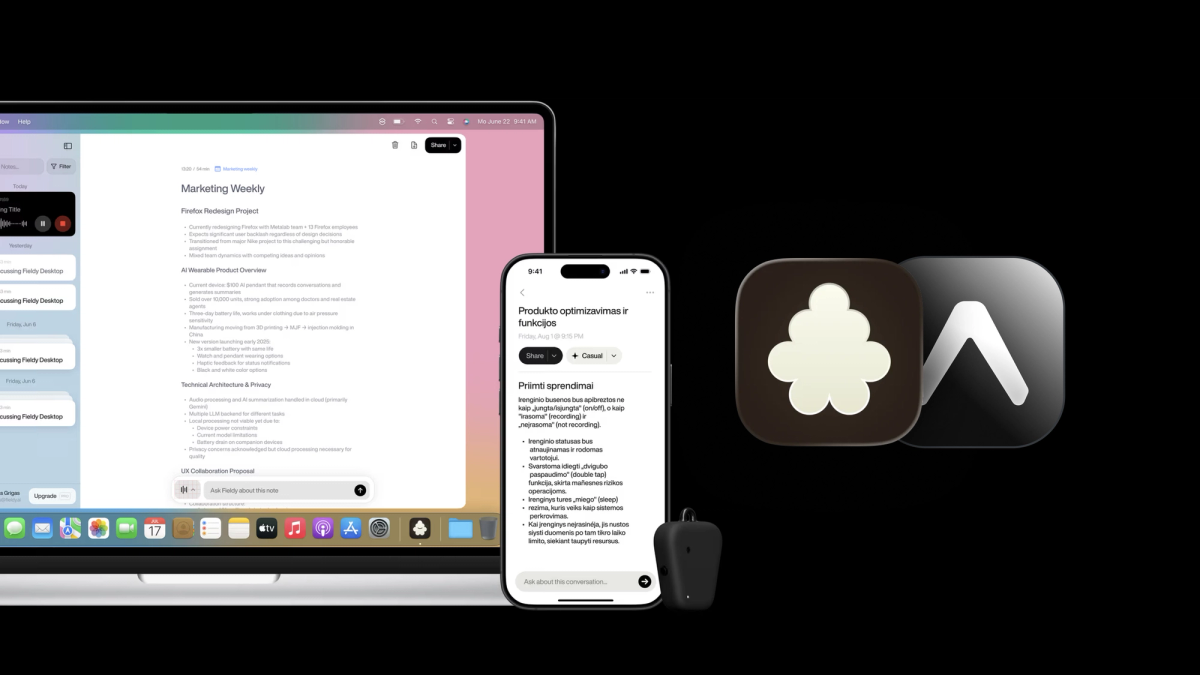
This is a guest post from Adomas Valiukevičius - co-founder and engineering lead at Fieldy, building an AI wearable assistant that helps people remember, organize, and act in the real world.
…
At Fieldy, we are building an AI wearable assistant. The app connects to a physical Bluetooth device, handles audio transfers, generates summaries, and performs actions on your behalf.
Because we rely heavily on Bluetooth Low Energy (BLE) and background processes, we are very protective of our performance. We constantly monitor RAM usage and app size because the OS is always looking for a reason to kill background tasks.
To be honest, we never really considered Expo before. None of us had tried it. We weren't "anti-Expo," we were just uneducated about it. We had a fear that adding a "managed" layer on top of our heavy native requirements would introduce bloat or block us from accessing the metal when we needed to.
Then we hired Tomasz Sapeta. Our investors at Inovo.vc introduced us, and since he was on a long vacation, he came on part-time to help us improve performance.
He suggested Expo. We were skeptical about the overhead initially, but we trusted him. We gave him the repo and said, "Let him cook."
Here is exactly what happened, the numbers we achieved, and the mess we made along the way.
The audit
There is a difference between adding measures to save things in the future and doing a deep audit to fix what is broken right now. We realized that our “bare” app had accumulated a lot of junk over time, and we needed to manually inspect every line of our package.json.
We inspected every package, checked its real usage, researched alternatives, and flagged known issues. To visualize the impact, we modified our start command to run Expo Atlas by default. Atlas is a bundle analysis tool that ships with Expo — it gives you a visual breakdown of exactly what's contributing to your JS bundle size.
We found three major areas where we were burning space for no reason.
Cleaning Up the JS Bundle
Atlas helped us find a few large packages immediately. In a single PR, we identified three redundant packages:
react-native-calendar-events: We were only using this to check permissions that we didn't even require anymore.react-native-calendars: This is a heavy library (by Wix). We were using it only for a date picker. It was pulling inlodash, which alone accounted for 4% of our entire bundle.react-native-date-picker: We used this just for a time picker.
I deleted all three, replaced them with a simple, custom date picker component. We saved 10% of the whole JS bundle size and removed three native dependencies in one go.
Fixing tree shaking
Speaking of lodash, removing react-native-calendars was only half the battle. Atlas revealed that we were still carrying ~700KB of Lodash in our own code because we were importing the entire library (import { debounce } from "lodash") instead of specific paths.
We saw the exact same pattern with date-fns. We switched both to direct imports (e.g., import debounce from "lodash/debounce"), and the bundle size plummeted. Between the deleted libraries and these fixed imports, we shed over 2MB of JS bundle.
Read more about tree shaking - https://docs.expo.dev/guides/tree-shaking/
The app went from 19.8MB to 17.8MB:
Removing unused fonts
While Atlas cleaned up our JS bundle, manual inspection of our native build assets revealed a bigger monster: SF-Pro.ttf and other fonts weighing 18.6 MB.
SF Pro is the system font on iOS — you don't need to bundle it. And on Android, bundling Apple's system font makes no sense at all. We deleted them. Just like that, the app binary dropped by nearly 5 MB.
Proper fetch on React Native
On the web, uploading files or streaming data is a breeze. In React Native, this has historically been painful, requiring a mix of proprietary libraries.
Expo SDK 54 brought WinterCG compliance to native apps. In plain English: it makes native fetch work like web fetch. We finally stopped using native workarounds and started using platform standards.
File Uploads
We used to rely on react-native-fs and RNBlobUtil just to handle multipart audio uploads. We had to write files to disk, wrap them in proprietary blob utilities, and manage the upload manually. Now, we simply use the standard File object (from expo-file-system) and pass it to fetch.
Streaming
Same story with streaming responses. We were manually tracking string indices with XHR. Now we use a standard ReadableStream.
Automated deployment
Our branching strategy is simple: main reflects TestFlight. It's considered stable but not necessarily ready for release — we're still waiting for features to land and collecting feedback from the testers or engineering team. When main has a new fingerprint and everything is ready for production, we create a release/x branch and submit the native build to the stores. From there, any push to the release branch publishes an OTA update to users on that version. If the fingerprint has changed, the workflow fails and notifies us on Slack.
The value of continuous native generation (CNG)
I did not understand Continuous Native Generation (CNG) initially, and I probably don’t fully understand it now either. But we certainly benefited from using it.
The idea is simple: instead of committing your ios/ and android/ folders to git, CNG regenerates them from your app.config.js every time you build. Your native code becomes a build artifact, not a source of truth. Think of it like a .gitignore for your entire native layer.
We asked around: "Why is regenerating the native folders every time beneficial?" We didn't get many convincing answers other than "upgrades are easier." But EAS Workflows required it. We wanted to automate our deployments, so we were forced to adopt it.
It turned out to be more useful than we expected. Whenever something breaks in the native layer, the fix is usually one command: bun expo prebuild --clean. No more debugging stale native state.
Since CNG regenerates native code every build, you use Config Plugins to modify the generated output — injecting code, adjusting settings, or removing things you previously did by hand. For example, here's a plugin we use to adjust gradle.properties. It strips x86 architectures from the build, which sped up our builds by 40%:
EAS Workflows for automating the CI pipeline
EAS Workflows is Expo's CI/CD service. It handles building, submitting to app stores, and pushing OTA updates — all triggered by git pushes. This means we can ship JS-only changes to users instantly without going through app store review. EAS also uses fingerprinting to compute a hash of your native dependencies — if nothing native has changed, it skips the full build and pushes an OTA update instead. Most of our deployments take minutes, not 30-minute builds followed by days of app store review.
Our configuration was implemented following the Deploy to Production example from the Expo docs:
We also get a Slack message with the status of the deployment.
Expo Modules (The power of Native)
A common concern with Expo is that it locks you out of native code. It doesn't. Expo Modules let you write Swift and Kotlin alongside your JS — and the two layers talk to each other cleanly.
Fieldy relies on a persistent Bluetooth connection to a physical device. The JS thread is not reliable in the background — the OS loves to kill it to save battery, and Headless JS is effectively abandoned. We tried react-native-ble-plx and react-native-ble-manager, but neither was reliable enough for our use case. So we wrote our entire BLE layer in native Swift and Kotlin using Expo Modules.
Expo Modules and life cycle listeners
Another place we reached for Expo Modules was app termination notifications. When the user force-quits Fieldy, we need to warn them that recordings will stop — but JavaScript is already dead at that point. With an AppDelegate subscriber, it's straightforward:
Mistakes we made
Multiple App Variants
Of course, it wasn't all wins. We made a critical mistake with OTA (Over-The-Air) Updates.
We use multiple app variants (development and production) with different Bundle IDs. RevenueCat uses these IDs to verify subscriptions.
We ran a deployment from local machine using eas update. The issue? EAS read my local .env file, which was set to APP_VARIANT=development. I accidentally pushed a development configuration to the production channel.
Users updated, and suddenly their production app was trying to talk to RevenueCat using development keys. The paywall went down. We lost revenue and users were confused.
The fix was simple — no more local deployments. Now, all releases go through EAS Workflows, which handles environment variables automatically based on the build profile.
Conclusion
At the time of writing this, it is hard to imagine building a React Native app without Expo — despite having used it in production for only nine months. A lot of credit goes to Tomasz Sapeta for pushing us in this direction.
My goal with this post is to show how even a very skeptical team of engineers can migrate to Expo and end up genuinely enjoying the benefits.
If you want to try what we've built, Fieldy is available on iOS and Android.