Home screen widgets and Live Activities are some of the most visible features an iOS app can offer. A well-crafted widget keeps your app present in users' lives even when it's closed. This improves user retention and engagement. Which is becoming more and more meaningful in a crowded App Store.
Until recently, shipping a widget from a React Native app meant a lot of native ceremony: a separate Xcode target, App Groups for data sharing, SwiftUI layout code, and the ongoing burden of keeping that extension in sync with the rest of your app.
In this blog post we’ll introduce you to the alpha of Expo Widgets - our new (and long awaited) library for building home screen widgets and Live Activities using Expo UI components with Continuous Native Generation handling the native setup for you.
What are widgets and Live Activities?
Widgets are small, glanceable UI surfaces that live on the home screen or Lock Screen. They're rendered by the system on a schedule — not by the app in real time. Widget can deep-link into the specific part of the application, and since iOS 17, can also be interactive with buttons and toggles.
Live Activities are time-bound updates that appear on the Lock Screen and in the Dynamic Island. Your app starts one when an event begins — a delivery, a match, a ride — then updates it as things change, either from the app itself or via APNs push notifications. When the event ends, the activity is dismissed.
Bringing widgets to React
Evan Bacon's expo-apple-targets automated the Xcode setup, but you were still writing native components in SwiftUI.
expo-widgets instead, lets you define a widget as a React component. The config plugin generates the Widget Extension target, configures the App Group, and creates all the necessary files during prebuild.
The key ingredient that makes this possible is @expo/ui. Widget extensions can't run React Native at render time - they're rendered by the system on demand, with a tight time budget, potentially while your app isn't running at all. The layout has to be expressed in native terms.
@expo/ui exposes React components like Text, VStack, HStack, and Image that map directly to SwiftUI primitives. When the system requests a widget timeline, your component runs in a separate JS runtime and produces an @expo/ui layout tree. The native side then uses that description to reconstruct the UI using SwiftUI views — no React Native involved in the actual rendering.
Widgets
A widget is a standard React component with a couple important constraints:
- It must be self-contained
- It must be marked with the
widgetdirective - It receives its display data as props (plus a few widget-specific fields)
It will receive data as a props, with a few additional fields like a 'family' indicating which size it's filling, so you can adapt the layout without defining separate widgets for each size. Then you can schedule a timeline with your data in advance and the system will display the right one automatically.
Live Activities
Live Activities follow the same mental model (describe layout in Expo UI, push props to update), but the layout has multiple “slots” for where it can appear:
- Lock Screen banner
- Dynamic Island compact (leading + trailing)
- Dynamic Island minimal
- Dynamic Island expanded (leading, center, trailing, bottom)
You can also send push updates directly from your server via APNs or even start activities remotely without any user interaction, using push-to-start tokens.
How to create your first Widget
After installing the library and configuring your first widget, here's what a minimal widget looks like — one that tracks a coffee count and lets the user increment it directly from the home screen:
The 'widget' directive at the top of the function body marks it as the widget. onPress returns a partial state update — this will be merged with the current state and re-rendered. No app launch required.
Widget and Live Activity use cases
Widgets are a good fit for anything users benefit from glancing at throughout the day: an upcoming calendar event, current weather conditions, a task count, or a habit streak.
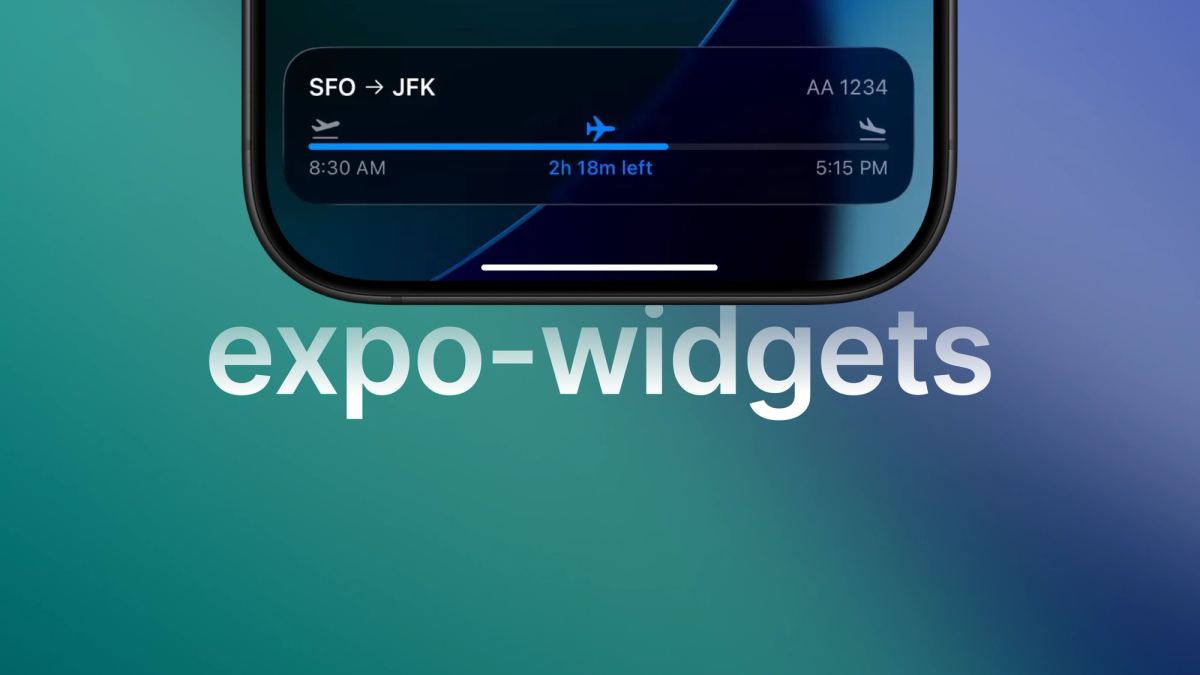
Live Activities shine when there's an ongoing event with a clear end: food delivery with an ETA countdown, a live sports score with game clock, flight status updates, a ride-share driver's location, or a workout timer. The key is that there's a natural moment to start the activity and a natural moment to end it.
A good rule to remember: widgets are for “check-ins”, Live Activities are for “in-progress”.
What’s next
A few things we're planning to add:
- Timeline readback — a way to retrieve from the app any timeline updates that were applied while the app was closed, so you can sync state back into your app logic.
- Refresh policy — when scheduling a timeline, specify a refresh policy that tells WidgetKit when to request a new one — for example, after the last entry is displayed or at a specific date.
- Images — ExpoUI currently does not support displaying images.
expo-widgets is currently in alpha. Some APIs may change as we gather feedback and work through rough edges.
We're looking forward to hearing what you build and what you think. If something doesn't work, or you have a feature request, let us know!