Your app is ready for the app store. But, as you know, there are entire sequences of tasks that still need to get done before you can submit. You need to run lint, run type checks, kick off builds of your app, end-to-end test them, then submit them to the stores. Often these tasks are taken care of manually or by running multiple CI/CD flows at the same time to get all the work done.
For years developers have used Expo's services to make app-store-ready builds and submit them to stores but they had to complete the rest of the release process with another CI/CD provider. Which fragmented workflows across multiple tools.
That's not the case anymore.
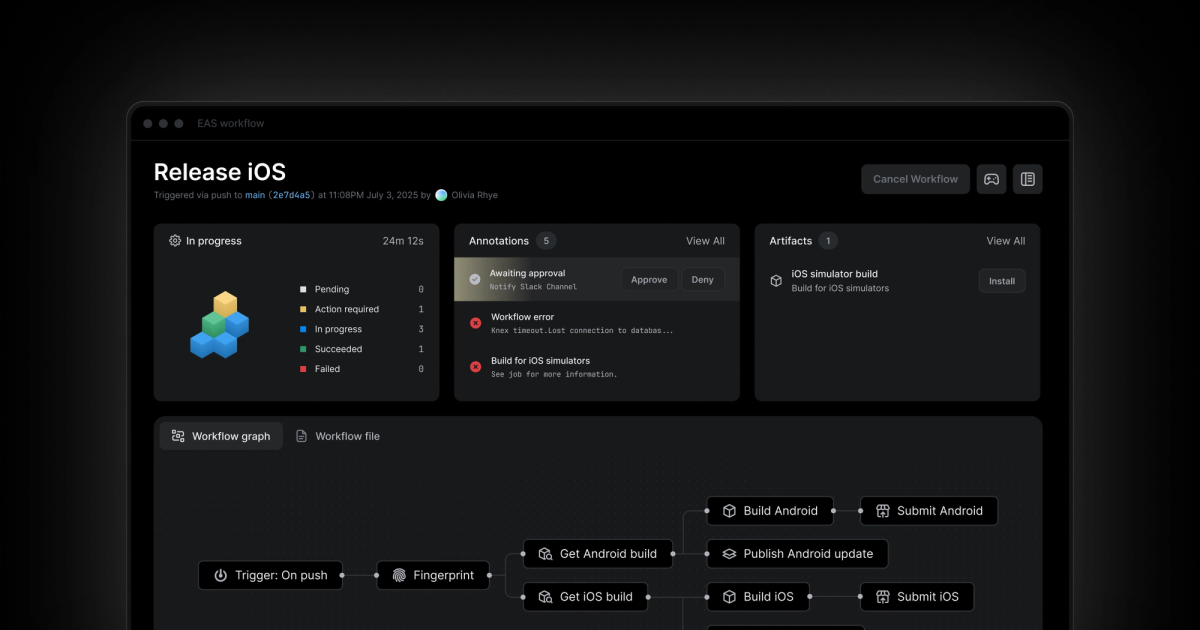
Today we offer EAS Workflows: a product that can automate your development and release processes. Workflows allows you and your team to automate delivering your app to users, creating previews of every PR, creating development builds when there are native changes, and more. Workflows consist of jobs that you can sequence with prerequisites and conditionals that get triggered by GitHub events or manually with EAS CLI. With Workflows you'll get:
- Blazing-fast builds on high-performance M4 Pro machines
- The ability to configure full mobile pipelines in just 6 lines of code
- Instant feedback without spinning up workers
- CI/CD that gets faster with every run
Most CI systems get slower as your project grows. EAS Workflows does the opposite. Our platform continuously improves because we're constantly upgrading hardware, tuning build caches, and optimizing runtimes automatically. You don't need to think about migrations or config changes. And you get to enjoy builds that speed up over time.
What are Workflows?
Workflows is a React Native CI/CD service that allows you and your team to do things like build your project, run end-to-end tests on them, submit those builds to the app stores, then run custom scripts after the submissions are complete.
You can kick off a workflow automatically with a GitHub event trigger like pushing to a branch or creating a pull request. Instead, if you’d rather run a workflow manually, you can kick one off with EAS CLI’s eas workflow:run command.
Each workflow consists of two types of jobs: pre-packaged jobs provided by Expo or custom jobs written by you and your team. Our pre-packaged jobs do things like build your project, submit builds to app stores, publish updates, and run Maestro end-to-end tests. Since we maintain all of the pre-packaged jobs, we’ll make sure they’re always using the latest machines with the fastest and most reliable scripts. Our pre-packaged jobs get better over time, without migrations or maintenance.
Once your workflow has run, we’ll save all the artifacts it creates to help you and your team stay organized, so that you can avoid bookkeeping every build, submission, and over-the-air update.
The origin of Workflows
We talked with over 50 of our customers and we asked them how they work. It turns out that while everyone needed to do things like make builds and submit them to the app stores, they all got that done in different ways.
Some would run GitHub Actions, then call out to Expo to make a build while their GitHub Action waited for the build to complete. That was frustrating since they had to run two CI/CD services at once and they were paying for both at the same time.
Others would run half their processes locally, like lint, type checking, and end-to-end tests, then run builds using the eas build command. This would sometimes cause subtle and hard to debug issues because developers had slightly different development setups on their computers.
We found that by providing jobs combined with triggers, prerequisites, and conditionals, that teams could automate their entire app development process. Workflows allow you to have complete control over your development process while also making your whole team consistent.
Workflows is used in production today by close to 1,000 different Expo apps. Companies like PrizePicks, HipCamp, LeatherWallet, Rosetta Stone and many more.
When to choose EAS Workflows
All new Expo and React Native apps should start with EAS Workflows. This is the gold standard for React Native CI/CD and if you aren't married to an existing release pipeline for your app then you can't do better than Workflows. It’s the fastest, simplest way to build, test, and ship without spending time on CI setup or maintenance.
Workflows is especially valuable if you want to iterate quickly. For example, if pushing OTA updates, cutting new app store builds, or running tests multiple times a day is important to you then choose Workflows.
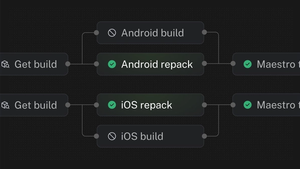
Workflows works harmoniously with Github Actions. So if you're committed to Github Actions you can still benefit from Workflows. If you're using an alternative CI/CD like BuildKite then it's best to schedule a call with our team to discuss your unique use case and whether it's worth considering a replacement of your pipeline. A lot of teams have begun this evaluation since we released the Fingerprint + Repack workflow - which is cutting up to 78% off CI times for many users.
Get started with Workflows
If you're logged into your Expo account this link will take you directly to Workflows in your dashboard, otherwise you can get started with our docs. We also compiled some of the most helpful and popular flows in our workflows examples docs. Check them out to learn how existing customers are using Workflows.
Workflows can help you and your team ship faster with more consistency. If you have feedback about Workflows join the conversation on Discord - we'd love to hear from you!