Suppose you already have a native app in production. It’s the result of years of platform-specific decisions, and it isn’t something you’re looking to replace entirely or all at once.
At the same time, you might want to build a new feature in that app using React Native (for example, to share logic across platforms) without rewriting the rest of the app to make that possible.
This is what we mean by brownfield: adding React Native and Expo to an existing native app whose main entry point is not React Native (see the full definition).
The question isn’t whether React Native can be added - it’s how to introduce it in a way that’s incremental, self-contained, and non-disruptive to the broader team, rather than an all-or-nothing architectural decision.
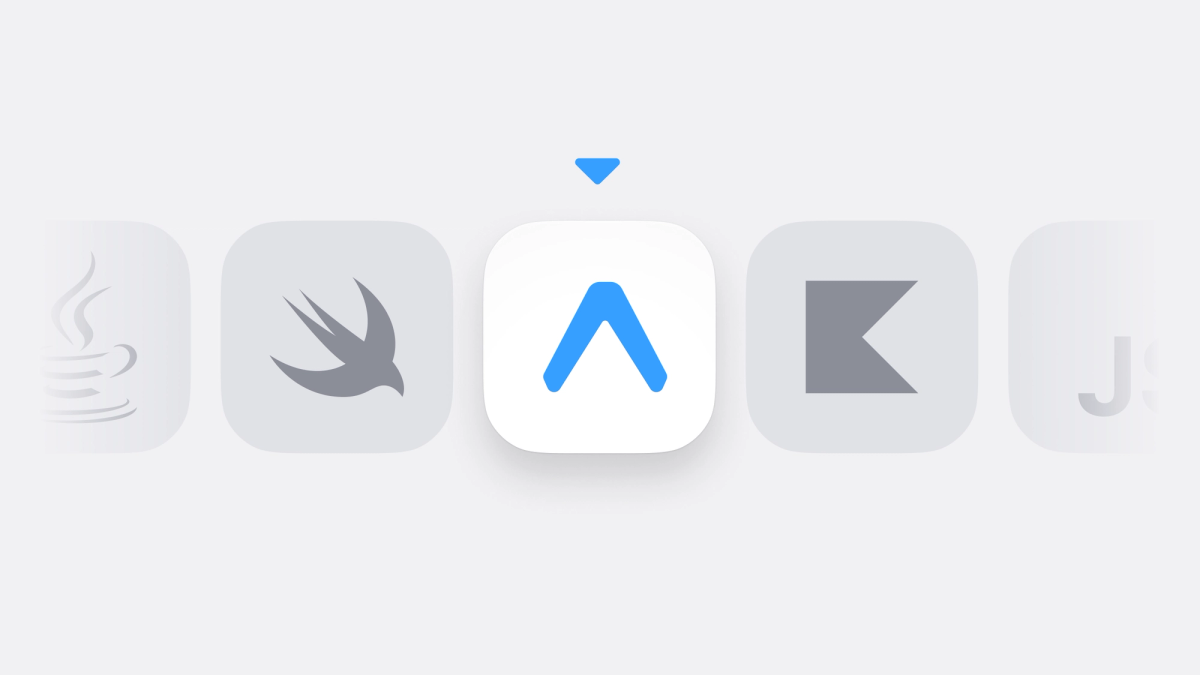
This post looks at how Expo’s brownfield story has evolved and what’s possible today. In SDK 55, we introduce an isolated brownfield workflow that lets you integrate Expo screens and components into a non-React Native native app! You do this by embedding a precompiled Expo app as a native dependency, making the experience feel much closer to adding a library than adopting a new framework.
Where Expo fits in existing native apps
Teams consider introducing React Native into an existing native app for different reasons, for example:
- If the goal is gradual adoption, begin using Expo in one part of the app without committing the entire codebase at once, leaving open the possibility of expanding its use over time.
- Using React Native selectively to build a specific part of the product, such as a self-contained feature area or sub-app (for example, Marketplace in the Facebook app), while the rest of the app remains unchanged.
- Responding to business needs rather than technical ones, such as integrating an existing React Native app into a native product following an acquisition.
Across these scenarios, the requirement is the same: React Native needs to fit into an app that already exists without a painful rewrite or any awkward contortions of the existing app, rather than becoming the entry point or replacing existing structure.
Expo’s brownfield approach aims to enable the use of React Native with minimal disruption to the codebase and to the team working on it. Expo provides explicit APIs and patterns for embedding React Native into native apps in a supported and maintainable way. These integrations are designed to work with Expo’s tooling, libraries, and SDK upgrade process.
There is also value for the entire engineering team. Many organizations already have engineers who are productive in React but less familiar with native platforms or native development in general. Embedding Expo creates a clear surface where that expertise can be applied directly, without requiring a broader change in how the native app is built or owned.
The value here is not in redefining the app’s architecture, but in making it possible to introduce Expo selectively, while keeping the rest of the app, and the decisions behind it, unchanged.
Brownfield approaches in Expo
Expo currently documents two different ways of adding React Native into an existing native app.
The integrated approach installs React Native and Expo directly into the native app. However, embedding React Native into a native app is more complex than adding a typical library because it introduces a secondary runtime, build system, and development environment that the whole team has to accommodate (learn more in “How to add Expo to a native app using the integrated approach”).
As an alternative, we introduced the isolated approach in SDK 55, which packages your React Native code as a native library (AAR for Android or XCFramework for iOS) that can be integrated into the native app like any other dependency. Native developers don’t need to set up a Node.js environment or deal with React Native’s build dependencies - they just consume pre-built artifacts, keeping the complexity contained within the React Native team and invisible to the rest of the organization.
What the isolated approach looks like in practice
With the isolated approach, the Expo app is built ahead of time and distributed as a native binary artifact. From the Expo perspective, this is just an Expo project. You develop screens and components using the normal Expo and React Native tooling, run the project with Expo CLI during development, and then produce a compiled framework or AAR when you want to integrate your changes into the parent app.
The isolated approach is implemented with the new expo-brownfield package:
Under the hood, this relies on Continuous Native Generation (CNG): the native iOS and Android projects used to build the artifacts are generated from your app config and Expo modules rather than maintained by hand. The expo-brownfield config plugin extends this process by adding the necessary targets for generating the native frameworks. You don't need to manage Xcode projects or Gradle files for the embedded app - the tooling handles that as part of the build step.
Once the build completes, the output depends on the platform.
On iOS, this produces an artifacts directory in the project that contains the compiled output of the app as native frameworks.
The artifacts directory include two .xcframework:
- one for the JavaScript engine and runtime dependencies
- one for the compiled Expo app itself
You drag the generated .xcframeworks into your Xcode project. From there, they appear alongside your other dependencies and are linked into the app, allowing the embedded Expo app to be initialized and rendered from native code.
From there, the native app explicitly initializes the React Native host and renders the embedded React Native view where appropriate.
On Android, the output is packaged as an .aar, but the distribution is a little different. Rather than copying a file into your native project, the build publishes the artifact to your local Maven directory (typically ~/.m2).
That means the native app needs to be able to resolve dependencies from the Maven repository the artifact is published to, such as mavenLocal() or a remote Maven repository.
Once that’s in place, the embedded app can be added as a regular dependency in the module that will host it:
One practical detail: the host activity needs to use a theme that provides the attributes React Native expects. AppCompat-based themes are a safe default here. For testing, any AppCompat theme such as Theme.AppCompat.Light.NoActionBar works well.
When building or running the host app, make sure the build variant matches how the Expo app was packaged. For example, if you built the .aar with --release, you’ll want to run the host app using the release variant as well (for example via Android Studio’s “Active Build Variant”).
From there, the embedded Expo app can be instantiated explicitly from native Android code.
Communication between native and embedded apps
The isolated approach includes a built-in communication API for passing messages between the native host and the embedded Expo app.
This API provides a structured, bi-directional channel for exchanging events and data without requiring direct access to the embedded app’s internal modules. It is the primary mechanism for coordinating navigation, state changes, and native-driven events across the isolation boundary.
Conceptually, this API is similar to the web’s postMessage model: messages are exchanged through a messaging layer instead of direct access to internal objects or modules.
For example, this is how you can send a message from your outer app to React Native:
Receiving messages in React Native from your outer app:
Limitations and trade-offs
Brownfield support involves a number of practical considerations, which are outlined below.
Limitations of the isolated approach
- Only a single embedded app can be included in a native app. That app is packaged and distributed as a single XCFramework (on iOS) or AAR (on Android). This limitation exists because each embedded app includes its own copy of the React Native runtime. Including multiple such frameworks in the same native app would result in class name collisions at build time. Support for embedding multiple isolated apps is planned, but not available today.
- Multiple logical experiences must share a single embedded runtime. While the embedded app can load multiple JavaScript bundles, they all run within the same packaged Expo app and must share the same React Native runtime and native dependencies.
- The embedded app is also intentionally self-contained. Code outside the embedded app cannot directly access Expo modules or other internal implementation details. Interaction between the native app and the embedded app must go through explicit interfaces exposed by the embedded app itself, such as via the messaging API.
- There are also practical build-time trade-offs. Building the framework or AAR can be slow, and precompiled React Native binaries cannot be reused in this context. Switching between debug and release configurations requires regenerating the embedded artifact, which can add friction during development.
- The generated XCFramework or AAR must be stored and distributed as a binary artifact. Because these files can be large, they are typically not committed directly to Git. While Git LFS can be used, many teams publish these artifacts to an artifact repository (such as Artifactory or another Maven-compatible registry) for versioned distribution.
Library compatibility considerations
Some libraries may not work as expected, or may have limited documentation, when used in a brownfield setup.
This includes certain Expo libraries. For example, the expo-updates package is available in both the integrated and isolated brownfield approaches, but it currently assumes a single Expo project per native app, with a single update URL.
This limitation applies to both approaches and exists due to how the Expo project ID is stored inside the native app bundle.
Many community libraries, both Expo and third-party, may also assume that React Native is the entry point for the app. Libraries that expect the React Native view to be the root window, or the React Native activity to be the main activity, may require additional configuration or may not be compatible at all when React Native is embedded via a fragment or view controller.
Wrap up
Expo’s brownfield story now includes two approaches: the integrated approach, where React Native and Expo are installed directly into the native project and built alongside the app, and the isolated approach, where a precompiled Expo app is embedded into the native app as a dependency.
These approaches serve different needs today. The integrated approach offers more flexibility and deep integration with the native app, while the isolated approach focuses on reducing adoption friction by keeping the Expo app self-contained.
The direction for Expo’s brownfield tooling is to make this integration feel increasingly familiar and predictable with most of the complexity handled by the tooling.
Rather than treating React Native as an all-or-nothing decision, brownfield support makes it possible to introduce Expo into an existing native app gradually, starting small and expanding where it makes sense.
We’re excited to see what teams build as Expo becomes easier to bring into the apps they already have.