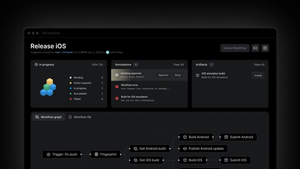
Environment variables are a critical piece of many development workflows. They allow you to separate configuration from code, so different API keys URL's, and other config can be quickly changed based on whether an app is running in a development, preview, or production environment.
Our apps are developed, tested, and built in many different computing environments, from your local machine to EAS Build to other continuous integration platforms. This poses a challenge for managing environment variables, as these different contexts need to keep their environment variables in sync with a single source of truth. Differences between environments are a common source of build and runtime errors.
Today we are introducing the ability to securely store all environment variables in EAS and keep them in sync between EAS Build, EAS Update, and wherever else you need them. These environment variables can be isolated to development, preview, and production environments and can be synced to your local machine or another CI environment with a single command.
Why we needed new EAS environment variables
A key challenge with running your app builds in the cloud is ensuring that your environment variables are available on the remote EAS Build worker for the duration of the build job. We originally introduced a few features to help you define what environment variables should be set when your build job is run:
- Environment variables in build profiles in eas.json, which is committed to your source code
- EAS Secrets for sensitive keys that should not be committed to source
However, you often need some or all of the same environment variables in your local environment when developing your app, or when you're publishing an EAS Update. It was often necessary to duplicate variables in .env files to make them available in all contexts where code is built. Additionally, EAS Secrets were not scoped to development, preview, or production environments, so developers often had to use naming schemes to scope secrets.
The new EAS environment variables is designed to keep environment variables in sync for all contexts, not just EAS Build. The variables are stored in EAS, so they're kept out of source. They are scoped to development, preview, and production environments, made available automatically to EAS Build, and can be pulled into any other computing environment with a single command.
New possibilities unlocked
These updates allow EAS users to unblock new and simplify old environment variables-related setups. The main use cases that were unblocked are:
Syncing environment variables between your builds and updates more easily
You can now assign an environment to your build profile in eas.json:
The environment variables from the specified environment will be used on a worker during the build process. If no option is specified, the EAS CLI will resolve the best environment for your build based on your configuration.
You can also publish updates for a specific environment by using the eas update --environment development|preview|production command. With the --environment flag, the update command will only use plain text and sensitive environment variables from the selected environment and will ignore variables from .env files.
This feature allows you to keep the environment variables used for builds and updates in sync more easily. When making a change, you only need to do it in one place - on the Expo website.
NOTE: Theeas updatecommand uses .env files and skips loading variables from EAS servers by default, when the--environmentflag is not specified. We needed to keep it this way for backward compatibility purposes. We recommend adding all of your .env files to.gitignoreto avoid unwanted overrides and ensure a smooth developer experience with EAS Build.
Pull environment variables for builds and updates for local development
You can pull the environment variables that are being used for your builds and updates on EAS' servers for local development by running eas env:pull --environment development|preview|production.
This command will pull plain text and sensitive environment variables from a specific environment to a .env.local file in your project's directory. The EXPO_PUBLIC_ environment variables from this file will be read and used by Expo CLI when running npx expo start.
Environment variables customization options
Visibility settings
Environment variables can have one of three different visibility settings:
- Plain text: visible on the website, in EAS CLI, and logs
- Sensitive: obfuscated in build and workflow jobs logs, toggle to make them visible on the website, readable in EAS CLI
- Secret: not readable outside of the EAS servers, including on the website and in EAS CLI, obfuscated in build and workflow jobs logs
Plain text and sensitive options allow you to read and pull EAS environment variables locally, while also being present with secret variables on EAS' servers.
Environments
We're also adding a concept called "environments". Environments are independent sets of environment variables that can be used to customize your app in different contexts.
EAS environment variables support three environments:
- production
- preview
- development
You can assign one of these three environments to your updates, builds, and Workflows jobs.
Website UI and CLI commands
We created an environment variables website UI and added new eas env commands to manage environment variables. Now you can copy/paste .env files to add them on our website, then you can run commands like eas env:pull that you and your team can pull locally.
Migration
If your projects were using the previous secrets, all of them are now migrated to the new environment variables system as variables with secret visibility. They are also available in all environments.
To benefit from the new changes we recommend migrating environment variables that don’t require the secret visibility to a more appropriate visibility, like plain text or sensitive.
If you use suffixes (VARIABLE_NAME_ENV) in secret variable names to compensate for the lack of the environment concept, you can create three separate instances of those variables, one for each environment, without the suffix in the name.
We also deprecated the eas secret commands and now recommend using eas env instead.
The environment variables passed to the build process by using the env field in eas.json are still supported, although we recommend migrating them to plain text variables kept on EAS servers for simplicity.
Get started with EAS environment variables
Check our environment variables docs and tutorial to learn more. We'd also love to hear what you think. You can send us your feedback on Discord.
NOTE: Upgrade your EAS CLI to the latest version by running the npm install -g eas-cli@latest command to benefit from the new enhancements.