This is a guest post from Wassim Gharbi - currently a Lead Architect at Tesla building data visualization platforms for trillions of telemetry points, with a focus on performant UIs and AI systems research.
…
As someone who takes thousands of photos, I've always hated the gap between "pro" photo apps (think Lightroom or Photomator) and consumer ones (think iOS Photos or Google Photos).
On one side, you've got the powerful tagging, flagging, starring, bulk editing in a UI reminiscent of accounting software. On the other side, you've got beautiful, intuitive, fast UIs that completely lack the organizational tools you need once your library hits a few thousand shots.
And so, when building Coreviz’s mobile app, we’ve decided to keep our Pro UX biases on the web, and started from scratch with the mobile app’s design, giving users a lightweight app where they can browse, search, tag and organize large photo libraries effortlessly.
We wanted a "pro" media library that doesn't look intimidating: A beautiful user interface that brings professional-grade organization and editing (supercharged with the Coreviz SDK capabilities) to regular people who just want their photo libraries to not be a chaotic mess.
The app (fully built on Expo, with 0 native code written) ended up looking and feeling almost identical to the native Photos app, with all the bells and whistles that people love.
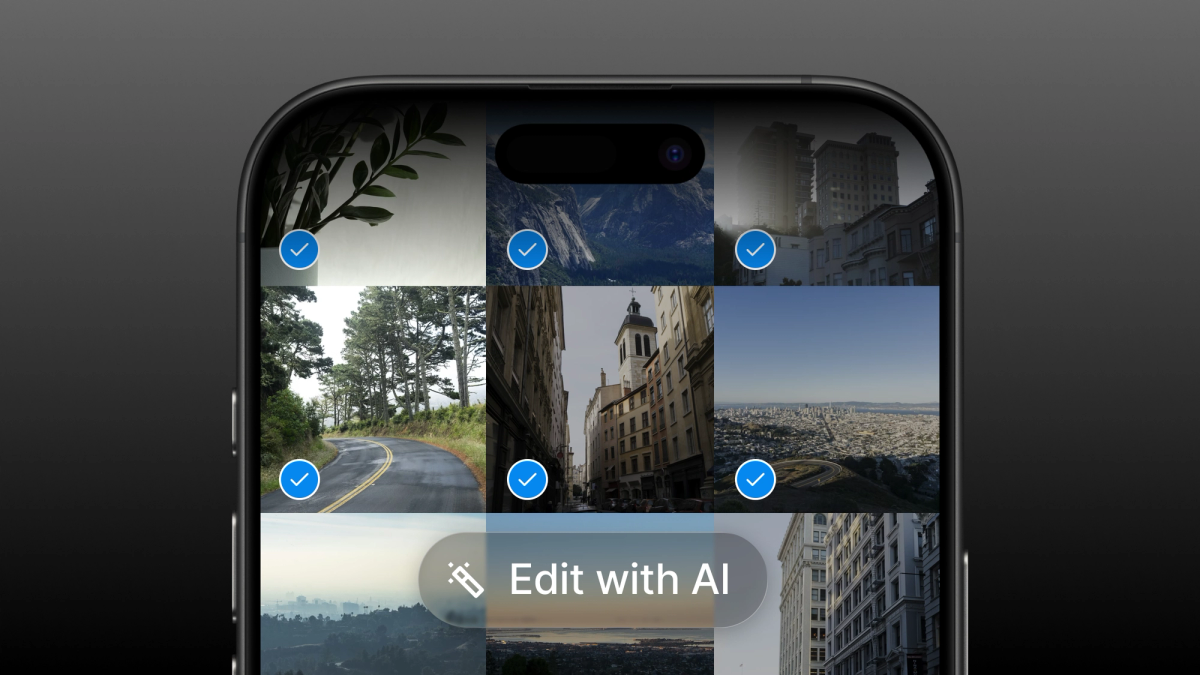
However, looking closely, you’ll notice the advanced AI features seamlessly embedded into every corner of the app: “Edit with AI” brings models like Gemini (Nano Banana) editing right where your photos live, and “Tag with AI” lets you bulk label photos using a simple prompt like “detect all the photos where the subject had their eyes closed” or “label the jersey number of each basketball player”.
Why Expo?
For some developers React Native and Expo might not be the first tools that come to mind when thinking about building an app that “feels like Apple”. Historically, at least from my perspective, Expo has been about versatility. It was the platform you went with when you wanted to ship iOS and Android apps using the same codebase, and that came with compromises.
That isn’t the case anymore.
Expo has been impressively great at keeping up with the latest iOS/Android updates and has been at the top of its game in specifically exposing all of the latest great UX interactions we got from the Liquid Glass iOS redesign: Native Tabs, Liquid Glass buttons and headers, shared element transitions and more.
Simultaneously, the React Native ecosystem itself has also been bridging the performance and UX gaps with things like the New Architecture, React Native Skia (which powers the ripple effect you see in the video above) and LegendList/FlashList which power the grid view that we will be covering in this post.
This makes Expo the perfect platform for making your app both native-feeling and ubiquitous, and so it became the obvious choice for the Coreviz Studio mobile app.
Challenge: The Zoomable Grid
You know that smooth pinch-to-zoom interaction in iOS Photos, where you can seamlessly transition from a dense grid of tiny thumbnails all the way out to full-screen photos? That thing feels like magic.
Turns out, recreating that in React Native is genuinely hard. Here's how we eventually figured it out:
The goal seems simple enough: pinch to zoom, smoothly transition between different grid densities, keep your scroll position, and don't drop frames.
Our first attempt was the obvious one: just change numColumns on a FlashList based on the pinch gesture, right?
It was terrible. Every column change triggered a full layout recalculation. The scroll position would jump around. With a few hundred photos, the whole thing stuttered and felt janky. The animations looked fake because, well, they were. We were essentially trying to animate something that React Native fundamentally wants to recalculate from scratch.
The trick: Stop morphing, start fading
After way too many hours of yelling at Claude Code, we had a realization: what if we never actually changed the grid layout at all?
Instead of one morphing grid, we would render multiple complete grids (each with a fixed column count) stacked on top of each other. During a pinch gesture, we would just fade between them.
So we've got:
- Grid A with 1 column
- Grid B with 3 columns
- Grid C with 5 columns
- Grid D with 9 columns
Each one is a separate FlashList or LegendList, absolutely positioned, rendering the same photos but with different item sizes. When you pinch, you're not resizing anything, you're just cross-fading between pre-rendered layouts.
It looks like one grid smoothly resizing. It's actually four grids playing peek-a-boo.
Woah, but isn’t that like very expensive, performance wise?
Great intuition! Rendering multiple complete grids of thousands of photos would have been crazy to even think about back in the early days of Expo/React Native.
However, we now (fortunately) have that luxury!
Thanks to libraries like Flashlist and LegendList which perform virtualization, we don’t have to worry about the performance of rendering all of these layouts. With virtualization, only the visible content is rendered! Anything beyond what the user is currently looking at does not affect performance in any way! Out of sight, out of mind.
Here’s a visualization of what that looks like behind the scenes with colorful bounding boxes around each zoom-level:
Notice how the trick here is to align the zoom-levels such that the target photo (the photo that the user pinch into/out of) is at the exact same absolute location on the screen for every zoom-level.
And thus, react-native-zoom-grid is born.
Following this, we’ve decided to package the work as a standalone, reusable open source component that builds on this interaction to provide a performant, zoomable grid that can be used in any Expo/React Native app.
If you’re interested in replicating the same effect in your app, head to Github to review the code or install the package directly from npm.
See it in action – Studio app
If you’d like to see the zoomable grid (along with all the other interactions and AI-powered features mentioned) in action.
Try Studio, a beautifully crafted app that brings AI closer to your photos.
You can find Studio on the App Store