This is a guest post from Jamie Barton - From Flash preloaders to headless APIs, Jamie is a Northeast England-born software engineer with 25 years of evolving web development experience.
...
You’ve probably built an app that “works offline” — until it doesn’t. Data gets out of sync, conflicts pop up, and suddenly you’re debugging your own sync protocol. With Turso and Expo, local-first just got a whole lot easier.
Turso Offline Sync + Expo
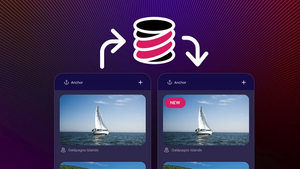
We’re pleased to announce that Turso Offline Sync now integrates seamlessly with Expo applications! This powerful combination gives developers the ability to create true local-first applications with minimal complexity.
Turso Offline Sync leverages SQLite (which already works beautifully in Expo) and extends it with bidirectional sync capabilities. This means your app can:
- Work 100% offline with full read/write support
- Sync data automatically when connectivity returns
- Deliver native-speed database performance
- Simplify your architecture by eliminating custom API layers
For developers, this means no more writing and maintaining your own sync engine, or spinning up a backend just to keep user data consistent across devices. You get to focus on building a beautiful, responsive app — not managing infrastructure.
For end users, it means fast, reliable experiences that work even when offline — and feel completely seamless when coming back online.
How Turso is Different
Unlike other solutions, Turso’s approach is refreshingly straightforward. Your SQLite database is a simple file that lives on-device. When changes happen:
- They’re written locally at native speeds (no network latency!)
- The changes sync automatically with Turso Cloud when connectivity is available
- Updates from other devices flow back to your local database
Per-User Databases
Here’s what sets Turso apart for Expo developers — per-user databases.
With Turso’s multi-tenant architecture, you can assign each user their own database. This means their entire data store can sync across all their devices without you building a complex backend. Your app simply connects to the user’s database and everything else happens automatically.
This eliminates the need for custom backend-for-frontend APIs, significantly simplifying your architecture.
Getting Started with Expo
With expo-sqlite is easy to get started with Turso’s Offline Sync and Expo:
The amazing Beto recorded a video on how on it all works:
Turso use cases
- Mobile-first apps: Create responsive experiences that work anywhere
- Multi-device users: Keep user data in sync across all their devices
- Offline-critical applications: Field work, remote locations, or spotty connectivity
- Simplified architectures: Eliminate complex API layers and sync logic
Try Turso today
Turso Offline Sync is now available in public beta and ready for you to explore. While it’s not yet recommended for production, now is the perfect time to experiment and provide feedback.
Create your offline-capable database with the Turso CLI:
Then integrate it with your Expo project using the code examples above.
What’s next for Turso?
While we’re excited for the launch of this beta we are heads down on the next set of capabilities. So in addition to fixing any the issues you report we’re also actively working on:
- Automatic conflict resolution
- Sync protocol optimisation
- Encryption at rest
We’re excited to see what you build with Expo and Turso!