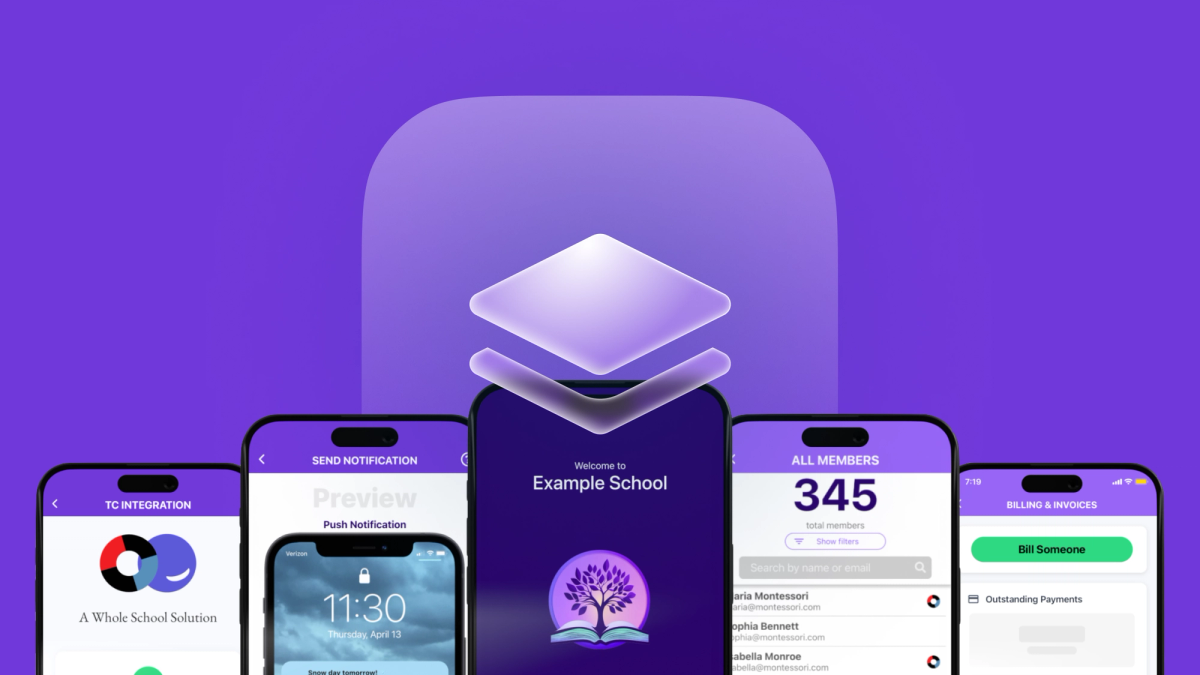
This is a guest post from Sean Cann - co-founder and CEO of Onespot, a platform that builds custom-branded mobile apps for schools.
…
Yesterday, I deployed an update to 200+ web and mobile apps by tapping one button on my phone.
Three years ago, that sentence would have made me laugh. Back then, I would do what most Expo developers still do today. To publish an over-the-air (OTA) update, I would open up a terminal on my laptop, navigate to the right repo locally, run expo publish (now eas update), and then monitor progress for a couple of minutes, all while hoping that there wasn’t anything misconfigured in my local repo. Then rinse and repeat for every app I needed to update.
Over-the-air publishing was an important factor in us making the switch from pure React Native to Expo over 8 years ago—way back when Expo was on SDK 20 and “Expo skills” meant opening a bunch of Stack Overflow tabs. But it wasn’t until this past year that we really unlocked the full power of automating those updates.
Today, I open any of our mobile apps on my iPhone, navigate to its secret admin dashboard, and then publish OTA updates (or even build & submit apps) right from the app itself.
This post walks through that approach, the exact files it wires up, and the guardrails that matter when you’re pushing updates at scale (and I’m going to use some em dashes—I won’t let the LLMs take them from me!)
The challenge: deploying at “white-label” scale
Onespot builds custom-branded mobile apps for schools. Each app is a no-code, all-in-one platform that includes communication, billing, forms, group chats, and more. So each customer gets their own standalone app listed on the iOS and Android app stores—their own app icon, app name, splash screen, bundle identifier, app store descriptions, etc.
Under the hood, all apps share a single React Native + Expo codebase and a single Firebase backend. This architecture is incredibly powerful for iteration speed—fix a bug once, and it’s fixed everywhere. But it also creates a new deployment problem: How do we ship updates to hundreds of apps efficiently?
Before we built our automation, here’s what deploying a change looked like for each app:
- Update the app’s config files (bundle IDs, slug, credentials, etc.) to target that app
- Run the app locally to ensure everything is set up correctly
- Open up a terminal (on my personal laptop) and run Expo’s publish/build/submit command
- Wait for the update to complete
- If it’s a store build, upload it to the appropriate app store and submit for review
- Repeat for the next app…
If it took even 2–3 minutes per app to handle the config and kick off a build/publish, that’s on the order of 7–10 hours to roll out a simple update to 200 apps. Clearly, this doesn’t scale for a small team (or a solo developer). We needed a way to make shipping a fix to all our apps feel as easy as shipping to one app.
The key idea: “which app am I deploying?” is a data problem
The foundation of our solution was to stop treating “which app am I deploying?” as a manual step and instead turn it into data. We created a single JSON apps registry—uncreatively named apps.json—that defines every app in the system. This registry is our source of truth for anything that varies between app builds: names, slugs, bundle identifiers, EAS project IDs, store IDs, backend identifiers, version numbers, and so on.
Our final apps.json looks something like this:
Automating the config generation
With the registry in place, we wrote a Python script for Onespot (which we, of course, named onescript.py) that takes an app ID (or batch of IDs) and generates all the config files we need for that app.
In our setup, it generates:
standalone/config.js: a config module consumed byapp.config.jseas.json: generated so CI can build/submit with the right metadatagoogle-services.json: updated with the correct Android detailsstandalone/appImages.js: points to the correct icon/splash assets.easignore: excludes all other app asset folders so EAS uploads stay fast
That last one is critical when you have hundreds of apps worth of assets in one repo—without an ignore strategy, a single build/update can become painfully slow. You can learn more about how to use .easignore here; it can be helpful for single-app deployments too.
Structuring the app config
The whole system works because Expo config is just code.
Our app.config.js reads the selected app’s generated config and maps it into standard Expo config fields. You can learn more about using app config here.
For us, our app.config.js looks something like this:
At this point, “switching apps” is just “make updates to standalone/config.js”.
Publishing with Python
The final step is to actually publish, build, or submit the app that just got configured. Thankfully, EAS makes this trivial, with one-line terminal commands.
In our trusty onescript.py file, publishing an app looks something like this:
Building or submitting an app is nearly the same, with the most important difference being the final line:
- Build:
os.system(f"npx eas-cli build --platform {platform} --no-wait{non_interactivity_flag_if_ci}") - Build + submit:
os.system(f"npx eas-cli build --platform {platform} --auto-submit --no-wait{non_interactivity_flag_if_ci}")
We also publish web builds in that same script (for us, expo export --platform web plus a hosting deploy). You can learn more about publishing Expo apps as websites here.
Moving deployments off the laptop
After automating config generation and batch updates, we hit another bottleneck: running these deployments on a developer’s local machine. Initially, I would run onescript.py on my MacBook. This has some obvious issues, like locking up my working directory while rewriting files, being fragile to mid-run failures or local environment quirks, and requiring sensitive credentials to live on my machine.
The solution—a.k.a. the part anyone still reading this article is probably most interested in—is running all deployments in CI. We use GitHub Actions for this, but you can also use EAS Workflows—Expo’s new CI/CD designed specifically for Expo & React Native.
Our setup is a GitHub Actions workflow (in the aptly named onescript.yml file), triggered by a repository dispatch, which lets us execute any functions in onescript.py remotely. This structure also allows for maximum flexibility—we can now trigger anything we want by writing a simple Python function and adding it to the script.
Here’s a simplified version of .github/workflows/onescript.yml:
Triggering deployments from your phone
At this point, the deployment can be triggered by a couple of clicks within your repo on GitHub. But why stop there?
By adding an authenticated /trigger-onescript endpoint within Onespot’s API (using GitHub’s REST API), we can kick off that workflow from anywhere.
Here’s what our simple fetch command looks like, where command is something like publish amare, submit amare, publish all_apps, or anything else we want the script to handle (securely validated server-side):
Once we had an API trigger, an exciting possibility opened up: anyone on our team—including non-developers—could deploy app updates, builds, and app store submissions without needing my help. All we had to do was call that new API endpoint from our apps in the same way we call any other endpoint.
I could then move on to the most important step: spending way too much time designing a super cool, top-secret dashboard in our apps so that all our team members can feel like professional hackers…
Where do we go next?
Once deployments become just another API-triggered action, the surface area for improvement gets very large, very quickly.
A few ideas to consider:
Move apps.json out of source control and into our database. This seems like an obvious next step. Right now, adding or updating an app still requires a code change and a commit, even though this data is really operational, not source code. Moving the app registry into our database would let us create, update, or disable standalone app data dynamically, with proper validation, audit logs, and permissions. CI could fetch the registry while running, meaning spinning up a brand-new app becomes a data-entry operation rather than a git workflow.
Link AI agents (e.g. Cursor’s API) directly to our app and our deployment process. We already use Cursor agents through Linear and Slack, so anyone on our team can describe a change and have it generate code. But we could take this concept a lot further. With a few changes, a teammate could describe a change in plain English (e.g. “show a confirmation modal before the user sends a push notification”), and then Cursor (or other AI agents) would write the code, review the code, trigger an Expo preview deployment, test & review the deployment, and then either call in a human for support or even deploy the update automatically if it’s confident enough that it works. Or further still, AI agents could receive customer feedback directly (e.g. “ugh I didn’t mean to send that notification yet!”), decide what change to make (e.g. “show a confirmation modal before sending”), code the change, test & deploy it, and then let the customer know about the new feature mere minutes after they asked for it. There’s obviously a lot of risk involved in that, but I think it’s only a matter of time before that becomes a valid option for companies that want to iterate faster than the speed of thought.
Eventually, maybe we all hand over our keys to an OpenClaw agent, give up on software development entirely, and reminisce about a time when humanity was useful in the coding process? Just kidding, please don’t do that… The AIs will make fun of you for it on Moltbook.
Safety and guardrails to consider
Whenever you make something easy to do, it’s also important to ensure it’s not easy to do wrong. Here are a few tips that we consider when building automations like these:
Treat “triggering CI” as a privileged action. Only a very small set of authenticated, trusted actors should be able to trigger deployment workflows. In our case, the API endpoint that kicks off CI is locked behind server-side auth and never exposed directly to clients or end users.
Validate commands server-side—never trust raw input. Any command sent to CI is parsed and validated against an allowlist (e.g. publish <app>, build <app>, submit <app>). Arbitrary shell execution is a non-starter; the API only maps known commands to known Python functions.
Use environment-scoped credentials with least privilege. CI credentials (EAS tokens, App Store Connect keys, Play Store service accounts) live only in CI, not on developer machines. Wherever possible, tokens are scoped to exactly what the workflow needs—nothing more.
Log everything and make it auditable. Every deployment records who triggered it, what command ran, which apps were affected, etc. When something goes wrong, there’s a clear paper trail—no guessing, no Slack archaeology.
Build in human checkpoints where they matter. Automation doesn’t have to mean zero oversight. For store submissions or large batch updates, we still require human review/approval before the workflow proceeds. Much like building any feature, it’s always best to start small and ease into building a fully automated system one step at a time.
Assume automation will fail, and design for cleanup. CI jobs can be interrupted, partially fail, or hit external limits. Scripts should be idempotent, safe to re-run, and able to recover cleanly without leaving the repo or build state in a weird place.
Final thoughts
None of this started as a grand plan to build “deployment infrastructure.” It started with a very practical frustration: the difficulty of shipping a small fix was growing linearly with the number of apps we supported. Expo’s OTA updates gave us the power to move fast, but we didn’t fully benefit from that power until we treated deployment as a first-class system—something that deserved the same level of design as our app architecture itself.
The biggest mindset shift—the one I hope anyone reading this far will take away—is realizing that scale isn’t just about performance or code reuse. It’s about removing humans from repetitive, error-prone loops.
Once “which app am I deploying?” became data and “how do I deploy?” became an API call, everything else followed naturally. CI stopped being a tool you babysit and started being an engine you trust. Ultimately, deployments stopped feeling risky.
If you want to get started with automating some parts of your deployment process, I would check out publishing preview updates with EAS Workflows or using GitHub Actions to create PR previews.